Topcon FH915/2400 Commands Reference Manual
6
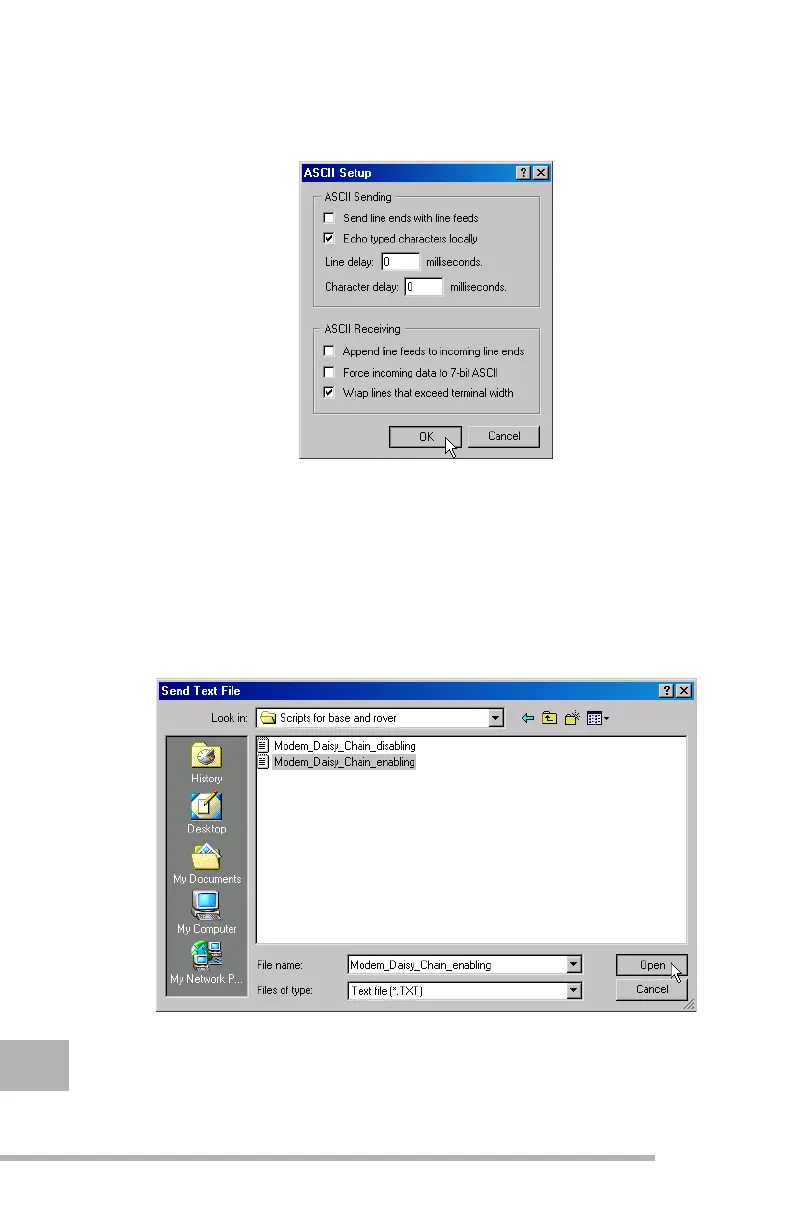
Step 6. On the ASCII Setup window, select the Echo typed
characters locally and Wrap lines that exceed terminal
width check boxes and then click OK (see Figure 1-5).
Figure 1-5.
Select necessary settings and click OK.
Step 7. Click OK on the Properties window to return to the Main
HyperTerminal window.
Step 8. From the Main window, select Transfer X Send Text
File. The Send Text File window will appear. Navigate to
the location of the file that contains the commands
enabling Daisy Chain. Highlight the appropriate file and
click Open.
Figure 1-6.
Send Text File window - Enable Daisy Chain



 To Next Page