5
1-866-4TOPCON www.topcongps.com
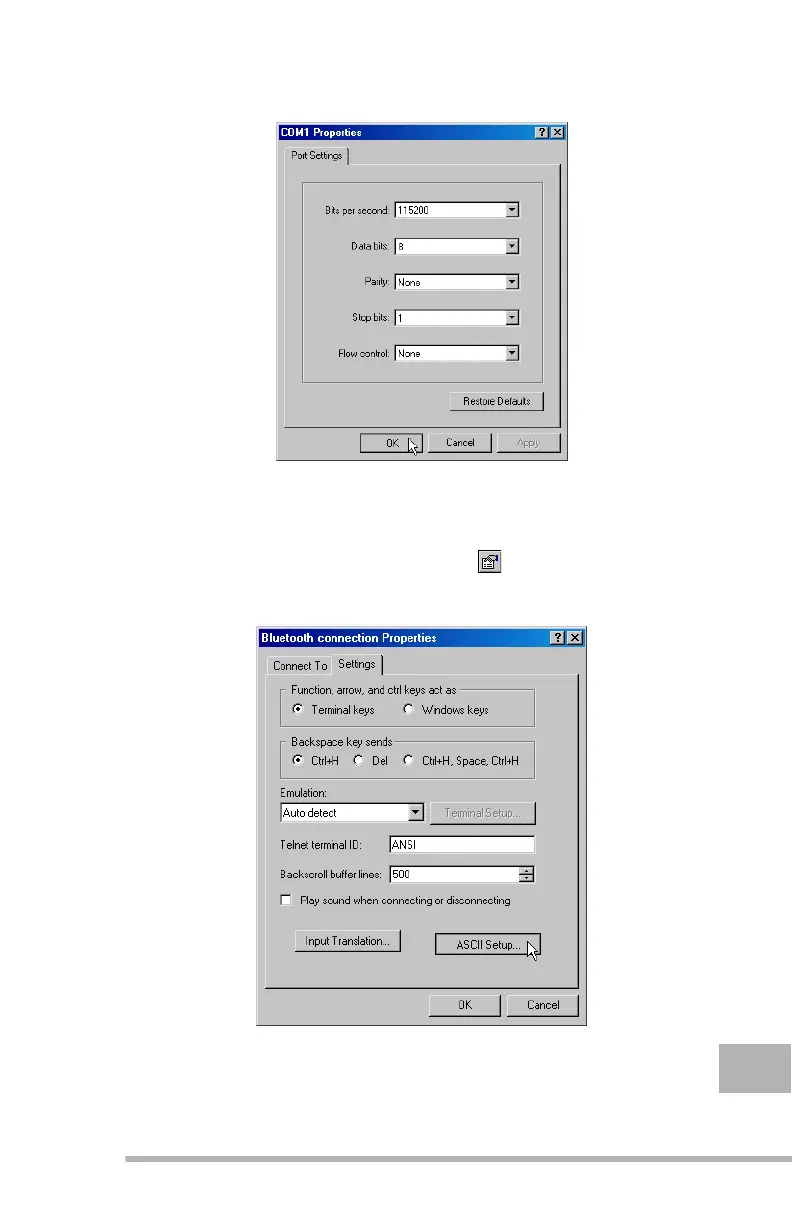
Click OK (Figure 1-3).
Figure 1-3.
COM# Properties window
Step 5. The Main HyperTerminal window brings up. Click
File X Properties to go to the Properties window, or
alternatively click on the icon. Then select the
Settings tab and finally click the ASCII Setup button
(see Figure 1-4).
Figure 1-4.
Properties - Click ASCII Setup



 To Next Page