Setup Guide TOPCON Apollo FSO - Single Liquid - Section Control
Doc. No. MAN0034 P 4 / 28
Revision. A Rev. Date 18/01/2022
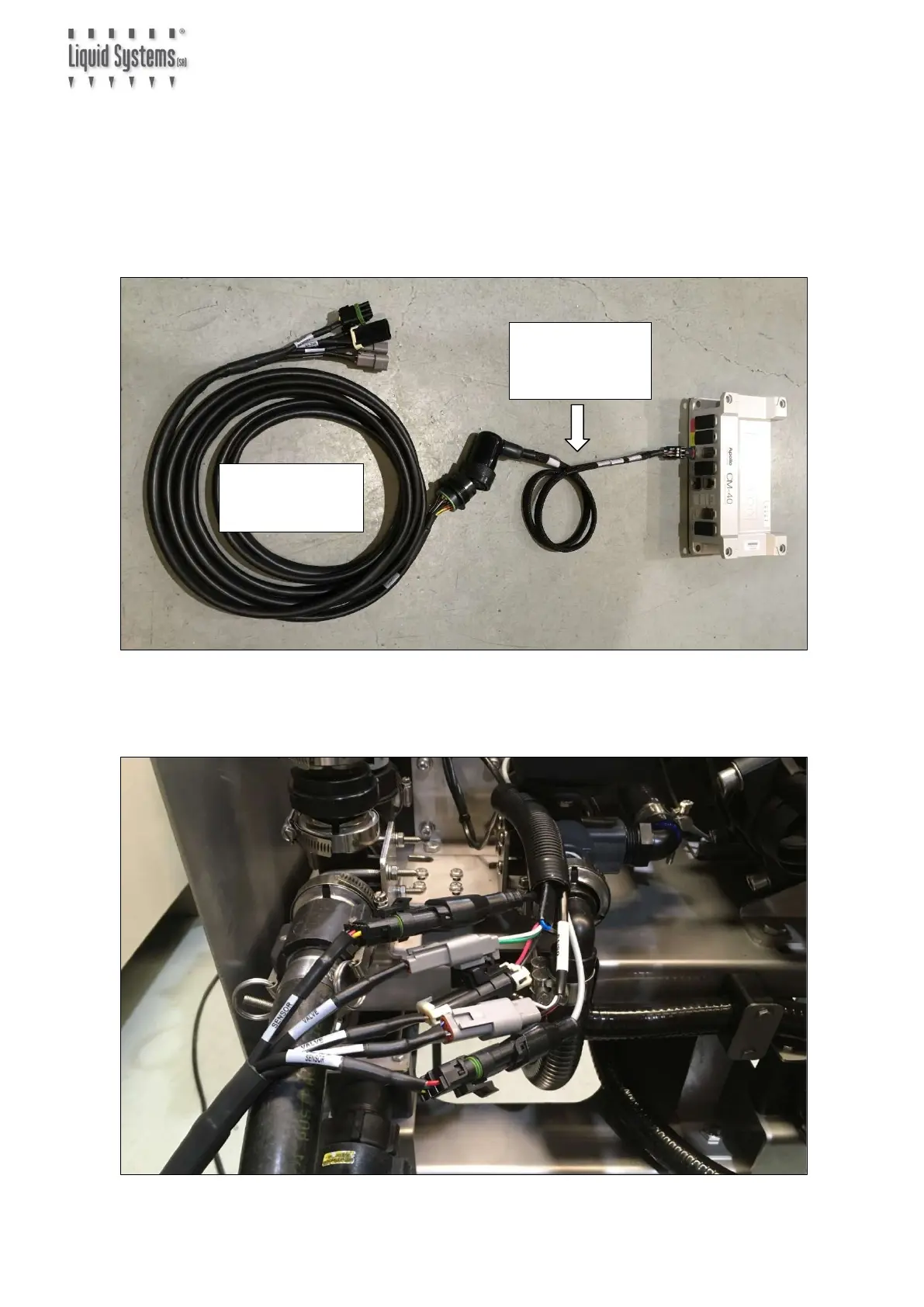
1. Plug Apollo CM-40 Adapter Loom (TC-1013026-01) into CM-40 ECU. Ensure it is
connected to the correct channel for liquid tank. e.g., if tank 3 is set up for liquid, then
plug connector into channel 3.
2. Connect the other end of Apollo CM-40 Adapter Loom to Generic Module Loom
(LL07011). Connect & route Extension Looms (LL07015 or LL07020) in between if
additional length is required to reach LQS pump module.
3. Connect Generic Module Loom to device connectors (FSO valve signal and power, flow
meter, pressure sensor & RPM sensor) on Liquid Systems (SA) module.
Adapter Loom
(TC-1013026-01)
Loom (LL07011)



 To Next Page