31
PREPARATIONS
Fixation target pattern
You can select the fixation target pattern.
When shipped, "P2 (DC)" is set.
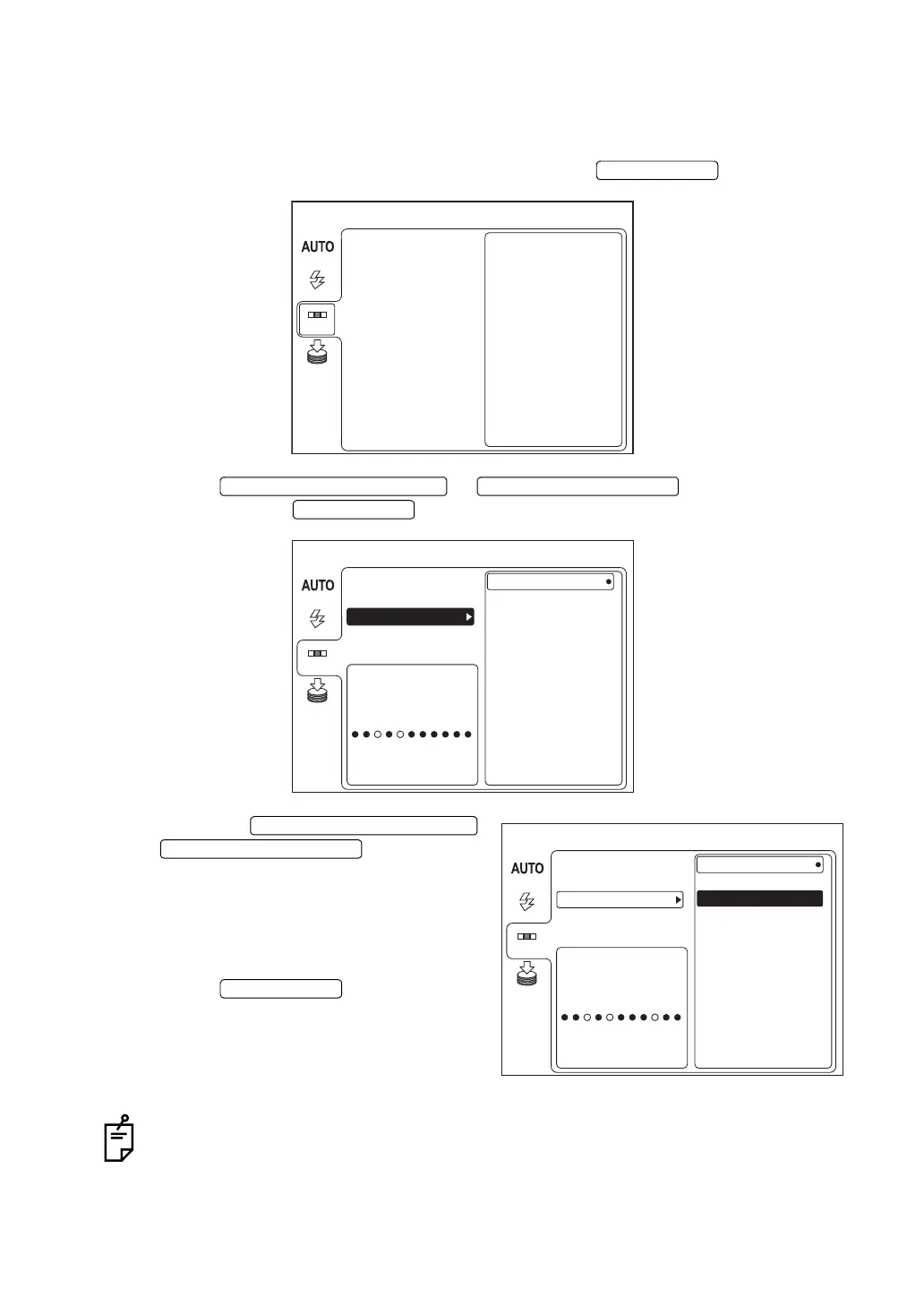
1 On the "MENU" screen, select "FIXATION" and press the .
2 Press the or to select "DCF/DCT"
and then press the .
3 Press the the
or and select the
desired pattern from the following:
"P2 (DC)" (center and center of optic disc),
"P3 (DCF)" (center, center of optic disc and
center of macula), or "P3 (DCT)" (center,
center of optic disc and temporal side).
Press the .
For setting and lighting the internal fixation target, refer to "MEMO" on page 49.
ENTER SWITCH
MENU
FLASH
DCF / DCT
MODE
INT / EXT
MEMORY
FIXATION
DOWNWARD CURSOR SWITCH UPWARD CURSOR SWITCH
ENTER SWITCH
MENU
P2(DC)
MODE
FLASH
DCF / DCT
P3(DCF)
P3(DCT)
INT / EXT
MEMORY
FIXATION PATTERN
The figure is for RIGHT EYE
FIXATION
MENU
P2(DC)
MODE
FLASH
DCF / DCT
P3(DCF)
P3(DCT)
INT / EXT
MEMORY
FIXATION PATTERN
The figure is for RIGHT EYE
FIXATION
DOWNWARD CURSOR SWITCH
UPWARD CURSOR SWITCH
ENTER SWITCH



 To Next Page