4
5
EN
Features
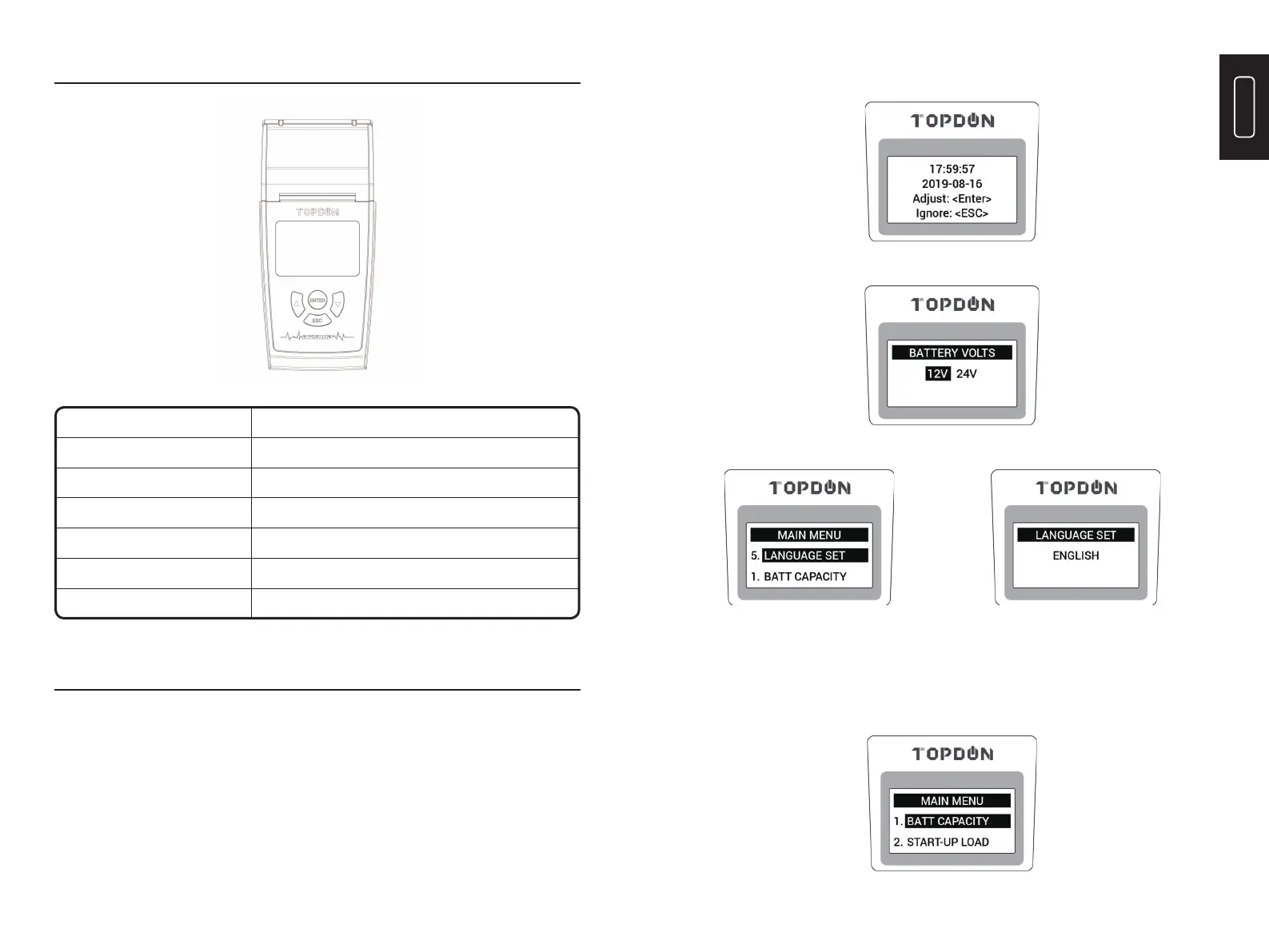
Buttons
<
▲
>
<
▼
>
ESC
ENTER
Black Smart Clamp
Red Smart Clamp
Page down, or decrease the battery rating values
Page up, or increase the battery rating values
Operation
Cancel; Return to the previous page
Confi rm; Enter and proceed
Connect to the negative terminal of the vehicle battery
Connect to the positive terminal of the vehicle battery
Operation Introduction
The tool is powered by solely the vehicle battery. Connect the RED (+) Positive Battery
Clamp to the (+) positive battery terminal, and connect the BLACK (-) Negative Battery
Clamp to the (-) negative battery terminal. Ensure that the clamps are securely attached to
the correct terminals.
Wait for seconds and the display will show the message below and you can choose battery volts;
Choose your preferable language;
1. Quick Test
Note: Suitable for quick test, especially for batteries with AH marked and CCA unmarked.
1) On Main Menu, press the “
▲
” or “
▼
” button to select the “BATT CAPACITY”,
then press “ENTER” to continue.
After connection, the LED Display will display the message below, you can adjust the time
and date (useful when printing);



 To Next Page