14 Installation
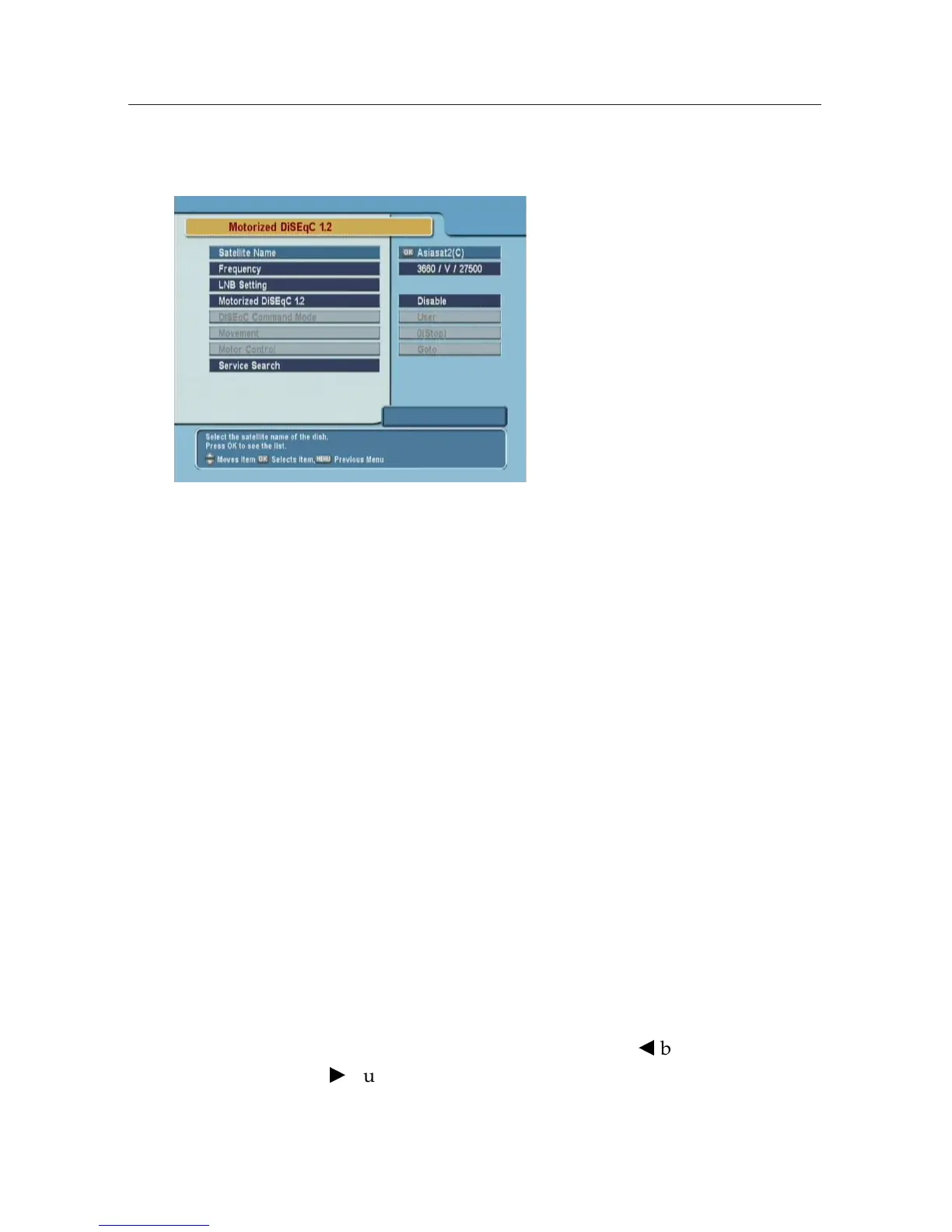
2.6.3 Motorized DiSEqC 1.2
To configure the settings with
DiSEqC 1.2, select the Installation
> Motorized DiSEqC 1.2 menu.
Satellite Name
Select a satellite that will be used to identify a motor position.
Frequency
Select a transponder of which signal is strong.
Motorized DiSEqC 1.2
Set this parameter to enable if you have DiSEqC 1.2 antenna.
DiSEqC Command Mode
To finely tune the position of the antenna for better reception,
select the User mode. To search the position of a satellite man-
ullay, select the Installer mode.
Movement
In the user mode, the antenna is moved by fine tuning. In the
installer mode, the antenna is moved by
b
button (to the east)
and
d
button(to the west).











 To Next Page