6.1 Firmware Update 37
6.1 Firmware Update
6.1.1 From The Satellite
You can update the firmware using the method called OTA
(Over The Air). OTA is a standard for the transmission and
reception of application-related information in a wireless com-
munications system.
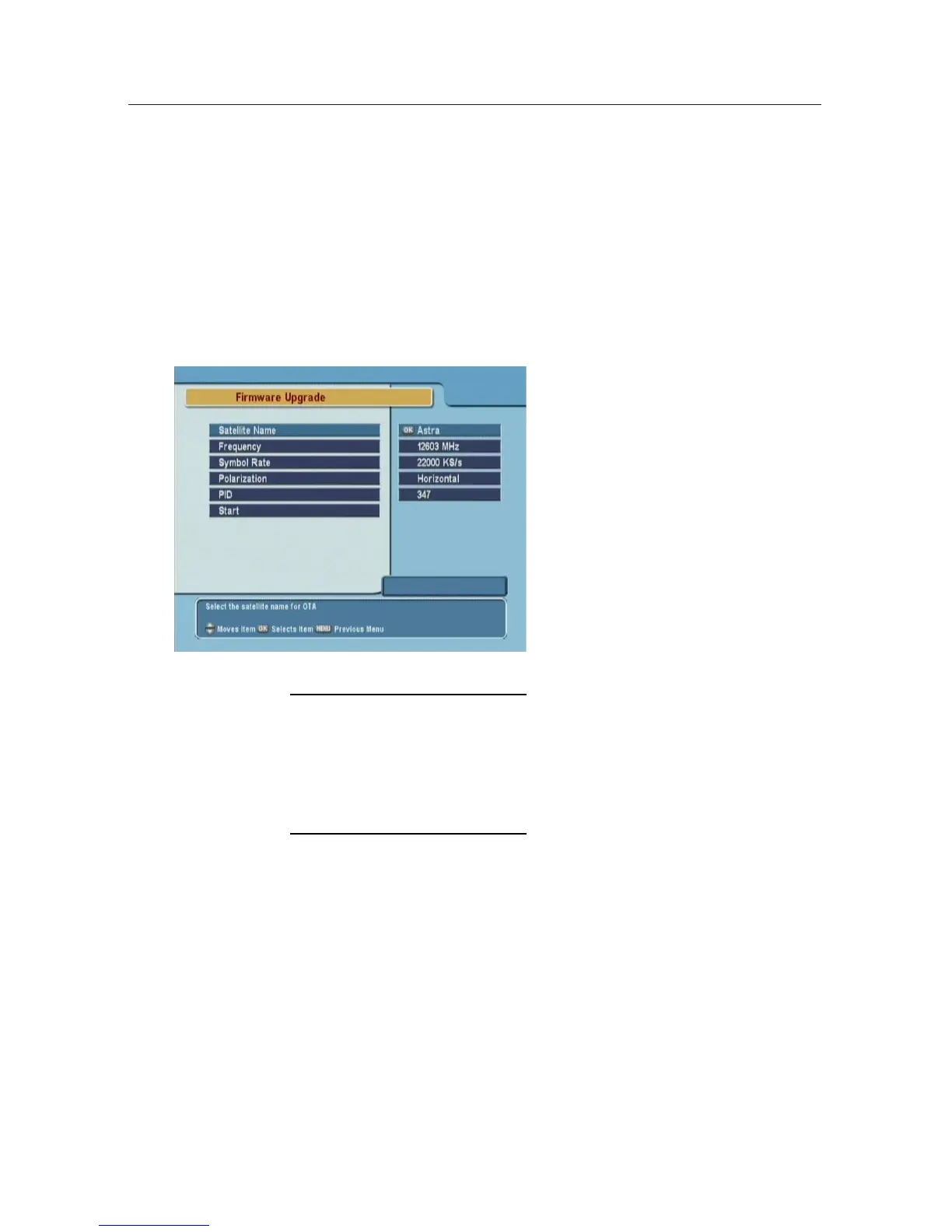
To update the firmware by OTA,
press the Installation > Firmware
Upgrade menu.
The information of the satellite
available to update the digital re-
ceiver’s firmware by OTA is as
follows.
Satellite
Astra
Frequency 12603 MHz
Symbol Rate 22000 KS/s
Polarity Horizontal
PID 347
The satellite for OTA can be
changed. You can get the infor-
mation at the Topfield website,
http://www.i-topfield.com.
6.1.2 From a Personal Computer via RS232 Port
It is possible to transfer a new firmware to the digital receiver
from a personal computer connecting them by a RS232 cable
to update the firmware. The firmware transfer program,
TFD-
Down
is needed to use this method of update, which is avail-
able at the Topfield website,
http://www.i-topfield.com.
How to update the firmware with this method is as follows.












 To Next Page