6
Instruction
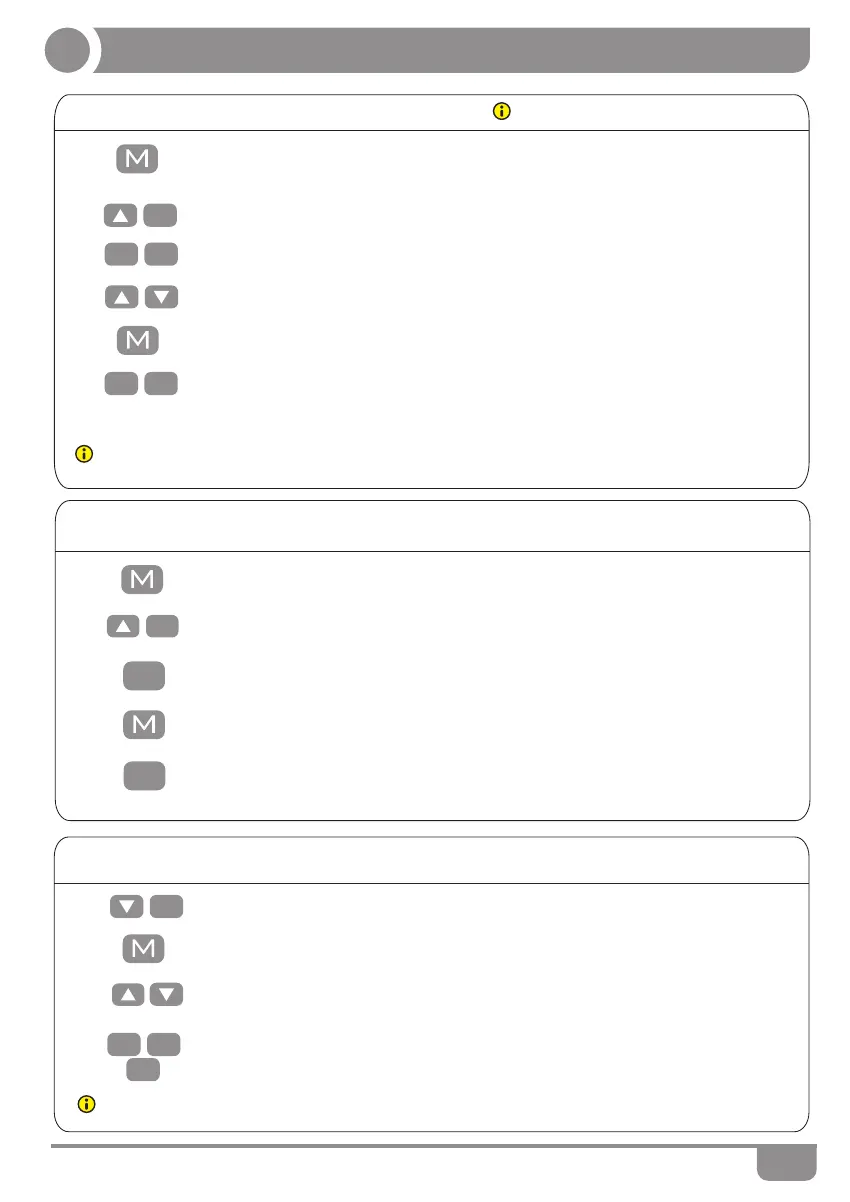
• Keep pressing the key “M” for 3 seconds till the display shows “S--” to enter
setup menu.
1.
5.
Do not enable this function only when you
are really need in some situation.
Note: By this function would be used to limit the movement area of desktop, when the container is underneath
or any shelf above the desktop. Once it is set, the new upper or lower limitation position will be stored.
Note: The function enables you to change the height shows on the display based on the actual measurement.
● Container and self-stop positions
• Press up key till the display flash as “HLP”.
2.
3.
4.
• Keep pressing key “M” till the display show “S--” to enter the setup menu.
1.
● Change the displayed Unit(cm/inch)
• Press “up” key, the display will show “Unt”.
2.
3.
5.
HLP
H-P
1
• Press “1”, the display show alternately as “H-P” and current height.
• Keep pressing up or down key till the required upper limit position is reached.
• Press “M”, the desktop height will be showed and the self-stop position has
been set.
• Press “2” after step 1 and 2, the display will show alternately “L-P” and current
height, keep pressing down key till the lower limit position is reached, press M,
the container stop position has been set.
6.
L-P
2
2
1
• Press “1” , and the display will show alternately as “Unt” and the desktop height
unit by “cm”.
• Press “M” key to save the unit as cm.
• Press “2” after step1 and 2, and the display will show alternately as “Unt” and
the desktop height unit by “inch”,press key “M” to save the unit as inch.
2
1
4.
Unt
● Amend the desktop height displayed
3.
• Keep "Up" or "Dn" several times, till the display show "End" and height.(In this
case, the unit is mm or inch when this system's metric or imperial)
4.
• Keep pressing down key till display shows “E-1” and “rES” alternately and
rES
release the key.
1.
• Keep pressing key "M" till the display show "Ur" and "OFF" alternately.
2.
• Press "1","2" and "3" respectively, and to adjust the first number, the second
number and the third number. If you click one, the number will increase by 1,till
you get to the value you want.
3


 To Next Page
 Loading...