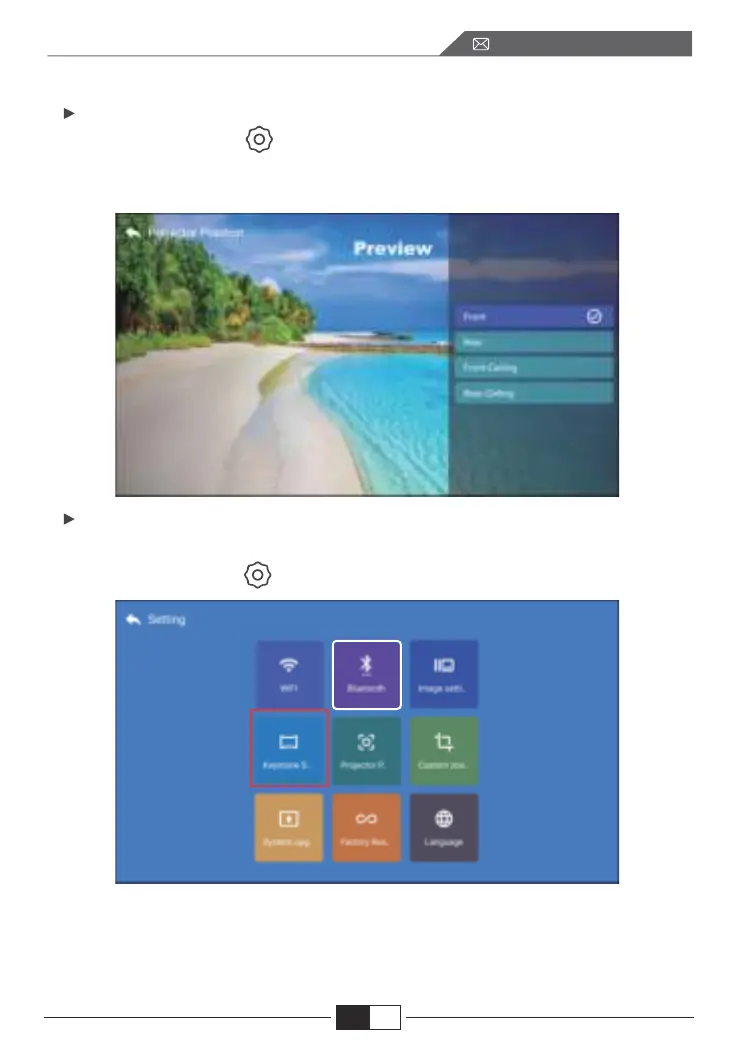
5.1. Projektionsmodus
5.2. Erweiterte Keystone & 4-Punkt-Keystone
5. Projektorbild-Einstellung
Wählen Sie dsd Menü [ ] -- Wählen Sie die Option [ Projektionsposition].
Drücken Sie die Pfeiltaste zur Auswahl und drücken Sie "OK", um die Projek-
tionsposition zu bestätigen.
1. Keystone-Korrektur
Wählen Sie das Menü [ ] -- Wählen Sie die Option [ Keystone-Einstellung].
Der Projektor verfügt sowohl über eine 4D Trapez- als auch über eine
4-Punkt-Trapez-Korrekturfunktion. Sie können das Bild nicht nur horizontal
oder vertikal anpassen, sondern auch die vier Punkte so einstellen, dass das
projizierte Bild ein Rechteck wird.
EN
DE
97
service@toptro.com


 To Next Page