INSTALLATION
Install the Left Front Panel
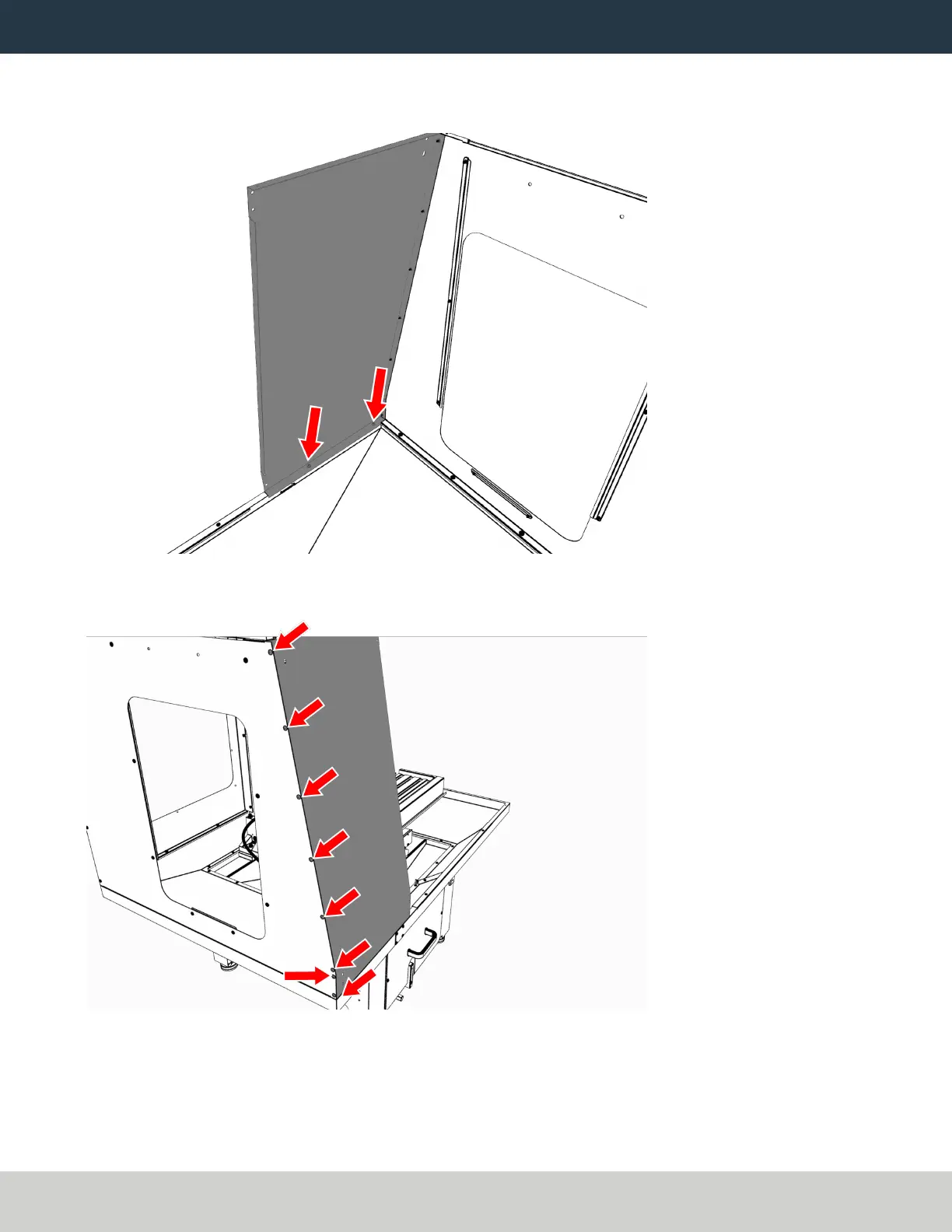
1. Attach the left front panel to the left chip pan with twoM6 × 1.0 - 12 screws.
Figure 5: Left front panel attached to the left chip pan.
2. Attach the left front panel to the left side panel with eight M5 × 0.8 - 10 screws.
Figure 6: Left front panel attached to the left side panel.
Page 7
©Tormach® 2022
Specifications subject to change without notice.
tormach.com
TD10535: Installation Guide: 1100M Enclosure (0522A)



 To Next Page