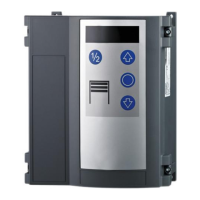
28-EN T100 R
Lighting and / or an advance warning light (optional)
The control is provided with 2 relay outputs by means of which
the lighting or the advance warning light is switched (menu
items45 and46).
External control devices / pulse generators (optional)
The door can be opened and closed by external control devices /
pulse generators.
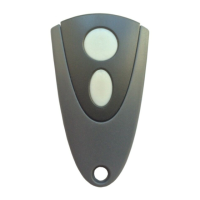
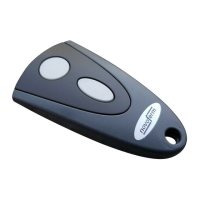
Radio hand-held transmitter (optional)
The operating mode for the radio hand-held transmitter can be
selected in menu6– menu item64.
Start button (functional process in pulse OPEN operating mode /
pulseCLOSE):
• Initial pulse generation:
Drive starts and moves the door to the end position OPEN
or CLOSE that is set.
• Pulse generation during the process:
Door stops.
• New pulse:
Door continues moving in the opposite direction.
AR operation:
• Pulse generation: Door opens
½ door opening button
• Function as for the start button, however, the door only
approaches the ½ door opening that is set.
Light button:
• The light function is a continuous light, which can be
switched irrespective of the "ON / OFF" door action.
Key switch function (optional)
The control is provided with an input for a key switch. This allows
you to activate various functions using menu item50, "Key switch
function".
Door action status display
Display State
Upper end position OPEN reached
Door end position has not been reached
Lower end position CLOSE reached
Representation of the door opening frequency
Representation of the door closing frequency
or
Inner segment display flashes: Timer for automatic
closing is active
8 Troubleshooting
Error State Diagnosed cause
E02 Door neither opens
nor closes. Safety in-
putJ4.3/4 triggered
Check status of the peripherals at
J4.3/4.
E03 Door neither opens
nor closes. Wicket
door open
Close wicket door.
E04 Door opens slowly Anti-crash sensor triggered.
Check door/door guide.
E05 Door neither opens
nor closes. Safety
switch has triggered
Connection line 8k2 strip dam-
aged, check slack rope switch.
E06 Door reverses / does
not close
Closing edge has triggered.
Check menu item35.
E07 Door reverses / does
not close
Photoelectric sensor has
triggered. Check menu item36.
E08 Door neither opens
nor closes. DES
safety circuit drive
open
Manual override actuated, Motor,
thermal switch has triggered, mo-
tor overload or blockage.
E09 Door neither opens
nor closes
No door end position pro-
grammed.
Program door end position under
menu items30 + 31.
E10 Menu item36 set to
value3 or 4
Completely open and close door
to determine the position of the
photoelectric sensor.
E11 Door neither opens
nor closes. Slack
rope switch has
triggered
Check ropes.
E91 Door neither opens
nor closes. Continu-
ous STOP command
detected
Check STOP button at J1. Stop
membrane key actuated.
F01 No door movement Faulty feedback for brake relay.
F2
F3
F4
No response Error occurred during self-testing.
Replace control.
F5 Reset has been ex-
ecuted
Check mains environment with
regard to electrical disturbance
sources, increase distance of mo-
tor cable and / or signal lines to
mains cables, actuate start button
on control for normal operation.
F10 Door stops shortly
after start command
Fault in the control electronics.
Exchange control.
F19 Door responds only to
dead man's control
for closing
Closing edge testing has failed.
Check closing edge safety
device.
F20 Door responds only to
dead man's control
for closing
Testing of photoelectric sensor
has failed. Check photoelectric
sensor.
F21 Brief operational in-
terruption
Door movement exceeded time
value detected (90sec). Check
door for ease of motion or block-
age. Check end positions.
F23 No response Electronic door lock EDL100 is
not responding. Check wiring.
Locking bolt is jammed, check
locking bolt for ease of motion.
Do not apply oil or grease to door
locking.


 To Next Page
 Loading...