
 Need help?
Do you have a question about the Tormax Automatic iMotion 2202 and is the answer not in the manual?
Identifies the operator and persons responsible for servicing and maintenance of the automatic sliding door.
Guidelines for storing and transferring the instruction manual to new owners.
Details the specific TORMAX iMotion sliding door drive models covered by these instructions.
Explains warning symbols, grey highlighted text, and symbols for factory settings and optional components.
Lists technical specifications including drive type, mains connection, power consumption, sensor supply, protective class, fuse, ambient temperature, sound level, EMV, and service life.
Defines responsibilities for instructing operators, system operation, maintenance, and testing.
Specifies the intended use of the automatic sliding doors and environments where specific models are suitable.
Details prohibited actions, modifications, and specific improper uses of the automatic door system.
Outlines prerequisites for system operation, including specialist installation and operator understanding of instructions.
Identifies residual risks like crushing, entanglement, collision, and hazards from damaged or misadjusted components.
Stresses the importance of performing regular checks and examinations as instructed by the manufacturer.
Details procedures for taking the automatic door out of service by a specialist during a fault.
Provides guidance on proper dismantling and disposal of the system at the end of its service life.
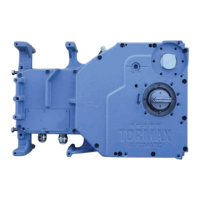
Describes the drive unit, including cladding, motor unit, control system, and guide system.
Lists optional drive accessories such as locks, manual activation, and emergency power supply.
Details the door leaves, including moving leaves, protection leaves, and their respective edges.
Covers various operating controls like the user interface, mode switch, and remote control.
Illustrates the system's electrical connections and component interactions through a block diagram.
Explains how the door operates automatically using sensors, including closing speed and obstruction detection.
Describes how to control traffic flow, allowing one-way movement or restricted opening widths.
Details the control system's monitoring of safety sensors and internal tests for fault detection.
Explains the function of the electro-mechanical lock for securing the door in the closed position.
Outlines possible functions during a power failure, such as emergency opening and battery operation.
Details the different operating modes (OFF, AUTOMATIC 1/2, EXIT, OPEN, Manual) and their functions.
Provides steps for commissioning the automatic sliding door before initial power-up.
Explains how to operate the door system using the TORMAX user interface, including mode selection and unlocking.
Describes how to interpret fault displays (H/E messages) on the user interface and reset them.
Explains the procedure for resetting the system, which involves a calibration run.
Details how to set operating modes using a simple operating mode switch.
Covers manual locking/unlocking and operating the door with a battery unit or key switch during power failure.
Guides users on how to view and reset faults using the TORMAX user interface.
Explains how to reset faults by changing the operating mode on the switch.
Provides instructions for resetting faults by disconnecting and reconnecting the power supply.
Alerts users to the risk of injury from entrapment and the need to disconnect power before maintenance.
Provides instructions for cleaning casing parts, user interface, and door leaves.
Details the requirement for functional checks at least every 3 months to detect faults early.
Warns about potential switching malfunctions and the hazard of impact or crushing, advising to secure the area.
Specifies that maintenance and testing must be performed by a trained specialist annually.
A comprehensive table listing system behaviors, causes, and remedies for faults.
A checklist detailing items to be checked, procedures, and expected results for functional checks.
Ensures the area around the door and movement path is clear of objects that could cause trips or obstructions.
Checks for damage to the power supply cable and advises on replacement by a technician if damaged.
 General
| Brand | Tormax Automatic |
|---|---|
| Model | iMotion 2202 |
| Category | Door Opening System |
| Language | English |


 To Next Page