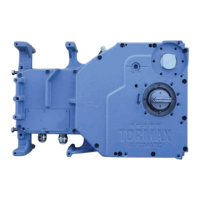
The TORMAX Win Drive 2201 is an electro-mechanical sliding door drive with a DC motor, designed for automatic sliding doors. It is suitable for use in dry premises as a pedestrian thoroughfare. The system is controlled by a 2201 MCU8-CONU-85-B control unit, which includes a monitoring system, power limitation, and permanent diagnosis capabilities. The drive operates on a mains connection of 1 x 230/1 x 115VAC, 50 – 60 Hz, 10 A, with a maximum power consumption of 200 W. The motor itself is a 24 V DC, 4.9 A unit, and the sensor supply is 24 V DC, 1 A. The drive has a protective class of IP 22 and can operate in ambient temperatures ranging from -20 °C to +50 °C. The noise emission level is less than 70 dB (A).
Function Description:
The automatic sliding door system is designed to open and close automatically when a person approaches, using sensors. In the AUTOMATIC operating mode, the door opens from both sides to its full opening width. The sensors are arranged and adjusted to ensure prompt opening and to keep the door open as long as a person is within the operating range. The door will only close after a hold-open time, which is set separately, or after an attendance time of approximately 1 minute if a person remains in the operating range. The system incorporates a reduced closing speed, set by the installer and adjusted to door weight, with a force of less than 150 N to prevent severe impact. Obstructions are detected by the control system, causing the door to automatically reverse.
The system offers various operating modes:
- Operating Mode OFF: Internal and external sensors are disregarded. The door remains closed, held by the motor or a holding magnet, and/or locked by an electro-mechanical lock. Access is only possible via a key switch. The door can still be used for 10 seconds after selecting OFF mode, indicated by a flashing display.
- Operating Mode AUTO: The standard daytime mode. The door opens automatically to its full width from both sides via internal and external sensors.
- Operating Mode AUTORED: Used for daytime operations, the door opens automatically with a reduced opening width from both sides via internal and external sensors. The opening width can be adjusted by the installer. This mode helps protect against environmental influences like wind or cold.
- Operating Mode EXIT: Typically used before closing a shop or office. The door opens automatically only when activated by the internal sensor. The external sensor is still monitored for safety. The opening width is determined by the previously selected AUTO or AUTORED mode. The door can be automatically blocked using a holding magnet.
- Operating Mode OPEN: The door opens and remains open. The opening width is determined by the prior selection of AUTO or AUTORED mode.
- Operating Mode Manual Operation: The door leaves can be freely moved, useful for cleaning or temporary shutdown. The system resets after exiting this mode.
The system includes automatic monitoring, where the control system continuously tests safety sensors and conducts internal system checks. If a safety-related component fails, the system automatically switches to a safe condition and displays a fault number on the user interface. An optional electro-mechanical lock can secure the door in the closed position, with its operation monitored for faults. In the event of a power failure, the system can perform immediate emergency opening or closing via a mechanical energy store, or continue operation for a specific time using a battery unit, with doors opening before the battery switches off. Unlocking and opening from outside can also be done via a key switch and battery unit.
Usage Features:
The TORMAX Win Drive 2201 can be operated using either a TORMAX user interface with 6 operating modes and status displays, or a simpler operating mode switch with 3 positions (OFF, AUTO, OPEN).
- Commissioning: Before switching on, ensure the mechanical door lock (if present) is unlocked, the movement area of the door leaves is clear, and the floor guide is clean. After switching on mains power and selecting AUTO mode, the door will perform a slow initial movement to check travel distance and define end positions.
- User Interface Operation: To select an operating mode, release the lock for the user interface and briefly press the selector key. The corresponding LED will illuminate. To switch to manual operation, press and hold the selector key for 5 seconds; all five LEDs will flash. Pressing the key briefly again switches out of manual mode.
- Operating Mode Switch Operation: The operating mode can be set directly using the switch.
- Operation on Power Failure:
- Manual Locking: Press the manual operation knob inwards and push the door closed until the latch engages.
- Manual Unlocking: Pull the manual operation knob outwards and push the door open by hand.
- Opening with Battery Unit (using Key Switch): Turn the key switch to "on" and hold for at least 5 seconds, then return it to the original position. The battery activates, the door unlocks, opens, closes slowly, and locks again. The battery switches off automatically after 90 seconds. The key switch must not remain permanently in the "on" position.
Maintenance Features:
The manufacturer recommends a service contract to ensure safe operation and longevity. Only genuine TORMAX spare parts should be used.
- Cleaning (6.1): The system must only be cleaned in OFF, OPEN, or Manual Operation mode to prevent crushing injuries. Clean casing parts, the user interface, and door leaves with a damp cloth and commercial cleaner. Remove dirt from the floor guide.
- Functional Checks (6.2): The operator must check the function and safety devices every 3 months. This includes:
- Sensors: Walk through the door from different directions at normal speed (inside and outside) to ensure the door opens promptly and with sufficient speed.
- Safety Sensors: Walk through the door at a slow speed (like an infirm person) from different directions (inside and outside) to ensure the door opens and remains open until you are completely through.
- Moving Leaves, Side Parts, Fixed Leaves: Check glass door fillings, edges, and rubber profiles for damage. Ensure no sharp edges, splintered glass, and that side parts and door seals are in place and undamaged.
- Guide System and Door Guides: Check for unusual or noticeable movement noises during door operation.
- Cladding: Check that the cladding is correctly slotted into place and secured.
- Operating Controls: Check the function and marking of operating controls for visibility and legibility.
- System Vicinity: Ensure access to the door and its movement area is free from objects that could cause tripping (e.g., shelves, plant containers, umbrella stands within a 50 cm radius of the movement area).
- Any detected defects should be rectified immediately by a TORMAX dealer. When performing functional checks, use a suitable object (e.g., styrofoam or cardboard) instead of any part of your body to avoid injury.
- Maintenance and Testing (6.3): Maintenance and testing should be carried out by a trained skilled person according to manufacturer's instructions, at least once per year, depending on frequency of use. The scope of work is specified in an inspection list. Test findings are recorded in a system test book, which the operator must keep safe.
Fault Procedure:
Faults are indicated by unusual door behavior or flashing LEDs. A single flashing LED or "Manual operation" indication (if the system shut down or emergency opening was triggered) points to a fault. The fault number is indicated by the single LED that is not illuminated.
- Restarting the Door System (Software Reset):
- With TORMAX user interface: Press and hold selector button 5 for 5 seconds to reset the software.
- After specific faults (e.g., fault number 5): Briefly press the selector key, change the operating mode, or quickly turn the key switch on and off.
- By Disconnecting Power Supply: If no battery unit is present, disconnect from the power supply for about 10 seconds.
If a fault persists or re-occurs, contact a TORMAX dealer, providing the fault number.

 Need help?
 General

 To Next Page