105
Customized Profiles
You can also sharpen skews with different geometries other than the standard shapes pro-
vided by the TTS-100 Setter. This is the way you can replicate an existing edge geometry
on a skew with a straight edge.
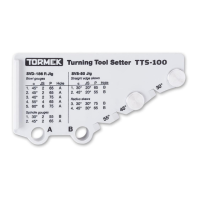
1. Mount the tool with a 65 mm protrusion using the TTS-100 Setter.
2. Set the skew angle as shown below.
• Set the edge angle with the Universal Support. Use the Marker Method (page 41).
3. Note the protrusion (P) and the jig setting on the recipe label, which comes
with the jig. Put the label on the ferrule. Protect it with clear varnish.
When resharpening the edge angle, you should use the Spacer Block Method (page 41).
Tip If the geometry does not differ too much from the shapes the TTS-100
offers, you should consider changing the shape to the TTS-100 shape for
easier replication in the future.


 To Next Page