EasyManua.ls Logo

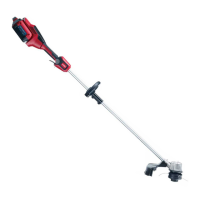
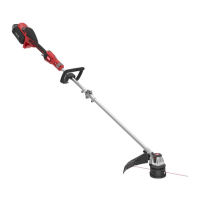
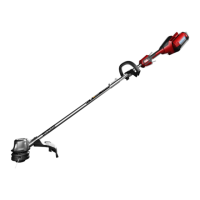
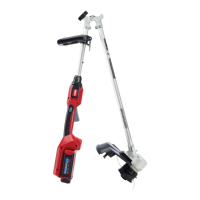
Toro Power Plex 51482 - User Manual

Toro Power Plex 51482
20 pages
Print Icon
To Next Page IconTo Next Page
Loading...
FormNo.3415-819RevA
PowerPlex
14in40VMAXString
Trimmer
ModelNo.51482—SerialNo.317000001andUp
ModelNo.51482T—SerialNo.317000001andUp
Registeratwww.Toro.com.
OriginalInstructions(EN)
*3415-819*A

Questions and Answers

  • P
    Paula PattersonSep 12, 2025
    What does it mean when 1 LED indicator is blinking on my Toro Power Plex 51482 Trimmer battery pack?
    • W
      William MontgomerySep 12, 2025
      If 1 LED indicator is blinking on the battery pack of your Toro Trimmer, the battery pack voltage is low. Place the battery pack on the charger.
  • N
    Natasha MejiaSep 13, 2025
    Why does my Toro Power Plex 51482 make an audible tone when advancing the line?
    • M
      mmorrisSep 13, 2025
      This is a normal occurrence. Stop the Toro Trimmer by releasing the trigger, and then start the tool again.
  • A
    angelicarodriguezSep 15, 2025
    How to remove a stuck battery pack from my Toro Power Plex 51482?
    • N
      Nathan MartinSep 15, 2025
      If it is difficult to remove the battery pack from your Toro Trimmer, the battery pack or tool might be new, or there could be corrosion on the terminals. Clean the terminals on both the battery pack and the tool, then apply dielectric grease to the battery terminals. Do not use any other type of lubricant, as it can damage the terminals.

Summary

Safety

Work Area Safety

Maintain a clean, well-lit, and safe work environment to prevent accidents.

Personal Safety

Essential precautions for operator safety, including alertness and protective equipment.

Power Tool Use and Care

Proper operation, maintenance, and handling of the trimmer for safety and longevity.

Battery Safety

Critical safety guidelines for handling, charging, and disposing of batteries.

Safety and Instructional Decals

Setup and Assembly

Loose Parts Identification

List of included parts to verify shipment contents.

Mounting the Battery Charger

Instructions for securely installing the optional battery charger.

Unfolding the Handle

Procedure for unfolding the trimmer's main handle assembly.

Installing the Auxiliary Handle

Guide to attaching and securing the auxiliary handle for better control.

Installing the Guard

Steps to correctly attach the trimmer guard for safety.

Operation

Starting the Trimmer

Steps to prepare and start the trimmer for use.

Stopping the Trimmer

Procedure for safely shutting down the trimmer.

Removing and Charging the Battery Pack

Instructions for removing the battery and the process for charging it.

Adjusting the Auxiliary Handle

How to adjust the auxiliary handle's position for user comfort.

Trimming and Line Advancement

Techniques for effective trimming and methods to advance the trimmer line.

Operating Tips

Maintenance and Spool Replacement

Routine Maintenance

Cleaning and checks to perform after each use for proper upkeep.

Replacing the Spool

Step-by-step guide on how to replace the trimmer spool.

Replacing the String

Instructions for winding new trimmer line onto the spool.

Storage and Battery Recycling

Troubleshooting

Warranty Information

Toro Power Plex 51482 Specifications

General IconGeneral
BrandToro
ModelPower Plex 51482
CategoryTrimmer
LanguageEnglish

Related product manuals