EasyManua.ls Logo

Toro Flex-Force Power System 51834 - User Manual

Toro Flex-Force Power System 51834
68 pages
Print Icon
To Next Page IconTo Next Page
Loading...
FormNo.3441-945RevE
Flex-ForcePowerSystem11inor13in60V
MAXStringTrimmer
DébroussailleuseàlFlex-ForcePower
System™60VMAXde28cm(11po)ou33
cm(13po)
Desbrozadoradehilo60VMAXde28cm
(11")o33cm(13")conFlex-ForcePower
System™
www.T oro.com.
*3441-945*

Questions and Answers

  • R
    Ryan VargasAug 13, 2025
    What to do if my Toro Trimmer does not start?
    • A
      Ann BurchAug 13, 2025
      If your Toro Trimmer doesn't start, first, remove and then replace the battery, ensuring it's fully installed and latched. If that doesn't work, remove the battery pack and charge it. As a last resort, try replacing the battery pack. If the issue persists, consider contacting an Authorized Service Dealer.
  • P
    Peggy JohnsonAug 17, 2025
    Why is the LED indicator light on my Toro Trimmer battery charger red?
    • E
      Emily TaylorAug 17, 2025
      A red LED indicator light on your Toro Trimmer battery charger usually means the charger and/or battery pack is outside the correct temperature range. Unplug the charger and move both the charger and battery pack to a dry place where the temperature is between 5°C (41°F) and 40°C (104°F).
  • D
    dawsonjordanAug 20, 2025
    What to do if my Toro Flex-Force Power System 51834 battery charger is not working?
    • K
      Karen MoralesAug 20, 2025
      If your Toro Trimmer battery charger isn't working, it could be due to a couple of reasons. First, the charger might be too hot or too cold; unplug it and move it to a dry place where the temperature is between 5°C (41°F) and 40°C (104°F). Second, the outlet may not have power; in this case, contact a licensed electrician to repair the outlet.
  • T
    thorntonjasonAug 25, 2025
    Why is the LED indicator light blinking red on my Toro Trimmer battery charger?
    • M
      Mrs. Crystal MullinsAug 25, 2025
      A blinking red LED on your Toro Trimmer charger indicates a communication error between the battery and charger, or a weak battery pack. Remove the battery, unplug the charger for 10 seconds, then plug it back in and reinsert the battery. If it continues blinking after two tries, dispose of the battery at a recycling facility because it could be weak.
  • P
    Patricia PalmerAug 28, 2025
    What to do if my Toro Flex-Force Power System 51834 Trimmer tool does not run or runs continuously?
    • A
      ashley23Aug 28, 2025
      If your Toro Trimmer tool isn't running or runs continuously, it may be due to moisture on the battery pack leads; allow the battery pack to dry or wipe it dry. Also, remove and then replace the battery into the tool making sure that it is fully installed and latched.
  • J
    Jennifer SimmonsSep 1, 2025
    Why is my Toro Flex-Force Power System 51834 Trimmer tool not reaching full power?
    • S
      Steven MelendezSep 1, 2025
      If your Toro Trimmer isn't reaching full power, remove the battery pack and fully charge it. Also, try cleaning the air vents to ensure proper airflow.
  • D
    Daniel HarperSep 4, 2025
    Why is my Toro Flex-Force Power System 51834 producing excessive vibration or noise?
    • W
      wmorganSep 4, 2025
      Excessive vibration or noise from your Toro Trimmer might be due to debris on the drum area; clean any debris off. Additionally, try advancing the line using the trigger switch and/or remove the line on the spool and wind the spool again.
  • A
    allentiffanySep 8, 2025
    Why does the battery pack on my Toro Trimmer lose charge quickly?
    • E
      Earl SantosSep 8, 2025
      If the battery pack on your Toro Trimmer loses charge quickly, move it to a place where it is dry and the temperature is between 5°C (41°F) and 40°C (104°F).

Summary

Flex-Force Power System 11 in or 13 in 60 V MAX String Trimmer

Introduction

Overview of the trimmer's intended use and general product information.

Product Overview

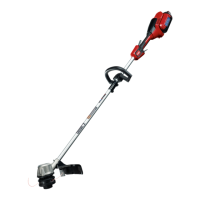
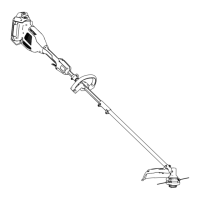
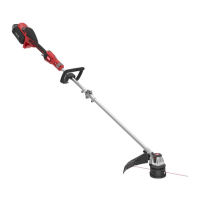
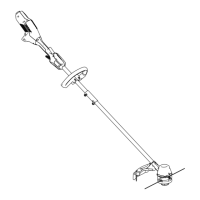
Identification of key trimmer components, including triggers, handle, guard, and string.

Specifications

Recommended temperature ranges for charging, storing, and using the battery and trimmer.

Safety

California Proposition 65 Warning

Legal warning regarding chemicals known to cause cancer or reproductive harm.

Important Safety Instructions

Covers operator training, preparation, and general safety precautions for using the trimmer.

Battery Pack Precautions

Handling of battery leakage, heat, and damage to prevent fire or injury.

Safety and Instructional Decals

Identification and usage of safety decals for the trimmer, charger, and battery pack.

California Proposition 65 Warning Information

Explanation of the purpose, scope, and comparison of California's Proposition 65 warning requirements.

Setup

Loose Parts Identification

Lists and describes the components included with the trimmer for setup.

Unfolding the Handle

Step-by-step instructions for assembling the trimmer handle using an Allen wrench.

Installing the Auxiliary Handle

Instructions for attaching the auxiliary handle to the trimmer using provided screws.

Installing Guards

Procedures for attaching the main guard and the wire edge guard to the trimmer.

Starting the Trimmer

Instructions for preparing the trimmer, inserting the battery, and activating the triggers.

Shutting Off and Removing Battery

Procedures for safely stopping the trimmer and removing the battery pack when not in use.

Maintenance, Charging, and Troubleshooting

Charging the Battery Pack

Guide to charging the battery pack, including LED indicator interpretations and important notes.

Advancing the Line

Procedures for advancing the trimmer line using the bump feed and manual methods.

Adjusting the Cutting Swath

Instructions on how to adjust the trimmer's cutting swath width from 28 cm to 33 cm.

Operating Tips

Tips for effective cutting, avoiding damage to the trimmer line, and protecting surroundings.

Maintenance

Covers routine cleaning, checking fasteners, clearing debris, and replacing the trimmer string.

Storage

Guidelines for proper storage of the tool, battery pack, and charger, including off-season.

Preparing the Battery Pack for Recycling

Guidance on preparing and recycling lithium-ion battery packs through designated programs.

Troubleshooting

Lists common issues, potential causes, and step-by-step corrective actions for the trimmer.

Toro Flex-Force Power System 51834 Specifications

General IconGeneral
TypeString Trimmer
Power SourceBattery
Voltage60V
Handle TypeAdjustable
Battery IncludedYes
Charger IncludedYes
Cutting Width14 inches
Line Diameter0.080 inches
FeaturesVariable speed

Related product manuals