Controls
Becomefamiliarwithallthecontrolsbeforeyoustart
theengineandoperatethemachine.
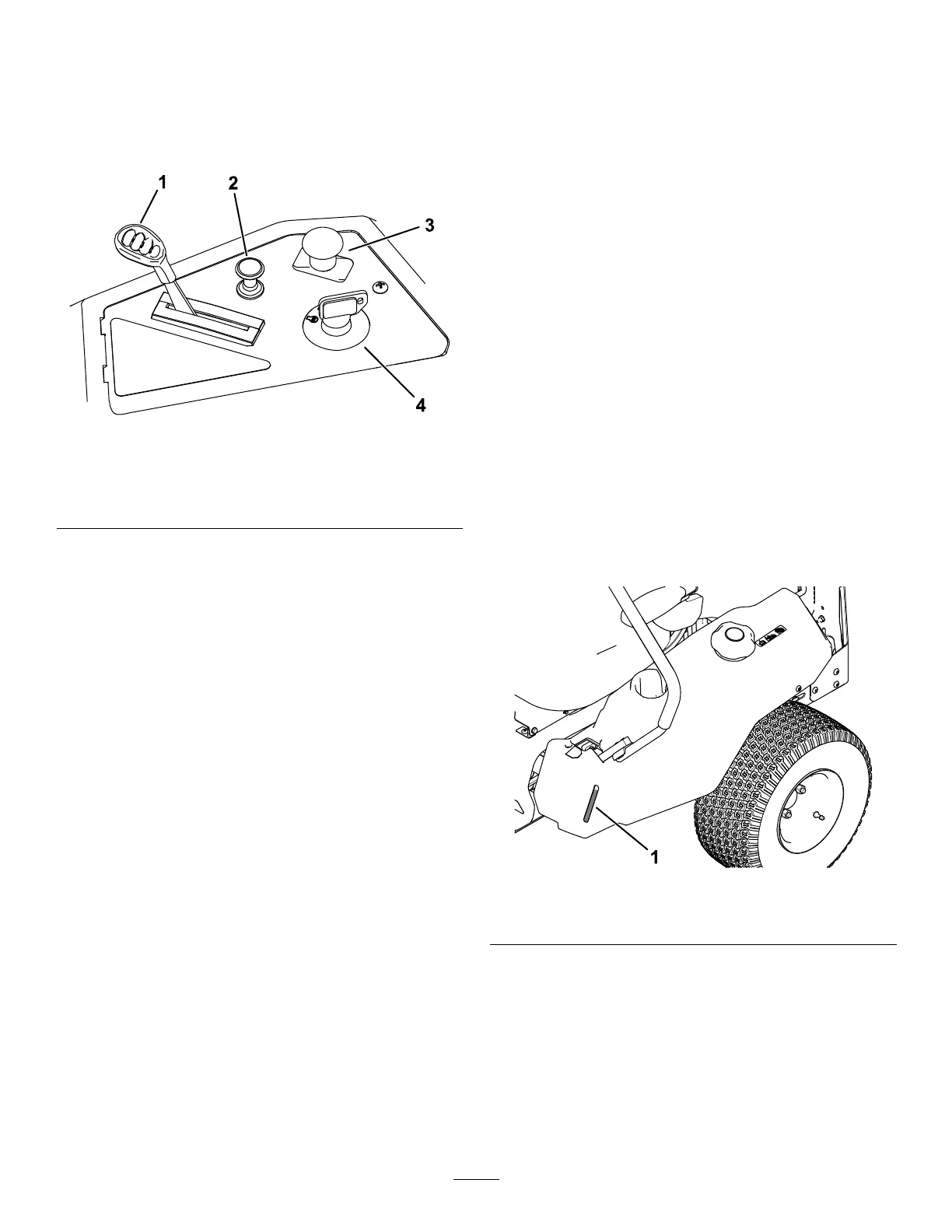
ControlPanel
g293303
Figure6
1.Throttlecontrol3.Blade-controlswitch
(powertakeoff)
2.Chokecontrol
4.Keyswitch
KeySwitch
Thekeyswitch,usedtostartandshutofftheengine,
has3positions:OFF,RUN,andSTART(Figure6).
ThrottleControl
Thethrottlecontrolstheenginespeed,andithasa
continuous-variablesettingfromtheSLOWtoFAST
position(Figure6).
ChokeControl
Usethechokecontroltostartacoldengine(Figure6).
Blade-ControlSwitch(Power
Takeoff)
Theblade-controlswitch,representedbya
power-takeoff(PTO)symbol,engagesand
disengagespowertothemowerblades(Figure6).
Motion-ControlLevers
Usethemotion-controlleverstodrivethemachine
forward,reverse,andturneitherdirection(Figure5).
ParkPosition
Movethemotion-controlleversoutwardfromthe
centertothePARKpositionwhenexitingthemachine
toengagetheelectricbrake(Figure20).Always
positionthemotion-controlleversintothePARK
positionwhenyoustopthemachineorleaveit
unattended.
SmartSpeed™ControlSystem
Lever
TheSmartSpeed™Control-Systemlever,located
belowtheoperatingposition,givesyouachoiceto
drivethemachineat3speedranges—trim,tow,and
mow(Figure5).
Fuel-PresenceWindow
Youcanusethefuelwindow,locatedontheleftside
ofthemachine,toverifythepresenceoffuelinthe
tank(Figure7).
g292100
Figure7
1.Fuel-presencewindow
11



 To Next Page
 Loading...