EasyManua.ls Logo

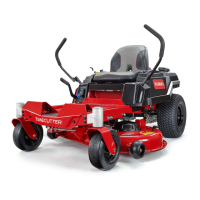
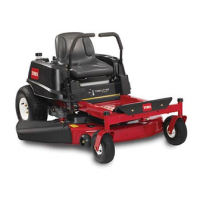
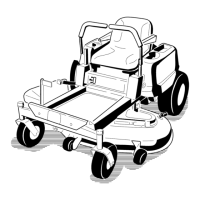
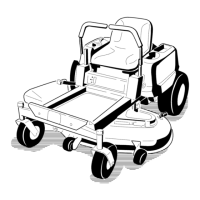
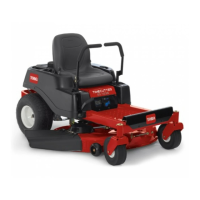
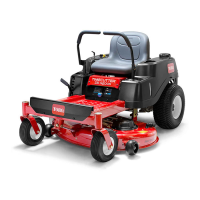
Toro TimeCutter ZR 4200T - User Manual

Toro TimeCutter ZR 4200T
56 pages
Print Icon
To Next Page IconTo Next Page
Loading...
Form No. 3465-191 Rev A
T imeCutter
®
ZR 4200T or ZS4200T
Zero T urn Riding Mower
Model No. 74677 —Serial No. 414700000 and Up
Model No. 74679 —Serial No. 414700000 and Up
Register at www .T oro.com.
Original Instructions (EN)
*3465-191*

Table of Contents

Questions and Answers

  • A
    amyedwardsAug 15, 2025
    What to do if my Toro Lawn Mower cutting height is uneven?
    • J
      Joshua MendozaAug 15, 2025
      If your Toro Lawn Mower has an uneven cutting height, several factors could be responsible. The blade(s) may not be sharp, so sharpen the blade(s). A cutting blade(s) might be bent, so install a new cutting blade(s). Ensure the mower is level from side-to-side and front-to-rear. If applicable, adjust the anti-scalp wheel height. Clean the underside of the mower deck. Adjust the tire pressure. For a bent blade spindle, contact an Authorized Service Dealer.
  • L
    Leonard GardnerAug 20, 2025
    Why does my Toro Lawn Mower engine lose power?
    • J
      James VasquezAug 20, 2025
      Your Toro Lawn Mower engine might be losing power due to several reasons. The engine load could be excessive, so try reducing the ground speed. A dirty air cleaner can cause power loss, so clean the air-cleaner element. Low oil level in the crankcase, add oil to the crankcase. Check if the cooling fins and air passages under the engine blower housing are plugged and remove any obstruction. Also, inspect the spark plug(s) for pitting, fouling, or incorrect gap and install a new, correctly gapped spark plug(s). For a blocked fuel-tank vent, dirt, water, or stale fuel in the fuel system, or incorrect fuel in the fuel tank, contact an Authorized Service Dealer.
  • A
    amandabrownAug 23, 2025
    Why don't the blades rotate on my Toro Lawn Mower?
    • R
      robert40Aug 23, 2025
      If the blades on your Toro Lawn Mower aren't rotating, it could be due to a worn, loose, or broken drive belt, so install a new drive belt. It could also be that the drive belt is off of the pulley, in this case install the drive belt and check the adjusting shafts and belt guides for the correct position. For a faulty power-takeoff (PTO) switch or PTO clutch, or a worn, loose, or broken mower belt, contact an Authorized Service Dealer.
  • D
    David HallAug 27, 2025
    What to do if my Toro TimeCutter ZR 4200T engine overheats?
    • K
      Kelly CunninghamAug 27, 2025
      If your Toro Lawn Mower engine overheats, there are several possible causes. The engine load may be excessive, so reduce the ground speed. The oil level in the crankcase may be low, so add oil to the crankcase. The cooling fins and air passages under the engine-blower housing may be plugged, so remove the obstruction from the cooling fins and air passages. The air cleaner may be dirty, so clean or replace the air-cleaner element. If the issue is due to dirt, water, or stale fuel in the fuel system, contact an Authorized Service Dealer.
  • B
    berrygregoryAug 31, 2025
    What to do if my Toro Lawn Mower starter does not crank?
    • J
      James BrownAug 31, 2025
      If the starter on your Toro Lawn Mower doesn't crank, check the following: Ensure the blade-control switch is disengaged. Make sure the motion-control levers are in the PARK position. If the battery is dead, charge it. Inspect the electrical connections for good contact. Replace the fuse if it's blown. For a damaged relay or switch, contact an Authorized Service Dealer.
  • D
    Dr. Patrick Robinson MDSep 4, 2025
    What to do if my Toro TimeCutter ZR 4200T Lawn Mower machine vibrates abnormally?
    • J
      Jason YuSep 4, 2025
      If your Toro Lawn Mower is vibrating abnormally, check these potential causes: The cutting blade(s) might be bent or unbalanced, so install new cutting blade(s). Ensure the blade mounting bolt is tight. Tighten the engine mounting bolts if they are loose. Also, tighten the engine pulley, idler pulley, or blade pulley if any of them are loose. For a damaged engine pulley, bent blade spindle, or a loose/worn motor mount, contact an Authorized Service Dealer.
  • T
    theresa97Sep 7, 2025
    What to do if my Toro TimeCutter ZR 4200T Lawn Mower machine does not drive?
    • H
      Henry EdwardsSep 7, 2025
      If your Toro Lawn Mower isn't driving, the bypass valves might be open; close the tow valves. For issues related to worn, loose, or broken traction belts, traction belts off the pulleys, or a failed transmission, contact an Authorized Service Dealer.
  • D
    daniel30Nov 11, 2025
    Why does my Toro TimeCutter ZR 4200T Lawn Mower engine not start, start hard, or fail to keep running?
    • D
      David GreerNov 11, 2025
      Several factors can cause your Toro Lawn Mower engine to not start, start with difficulty, or fail to keep running. These include an empty fuel tank (fill the fuel tank), the choke not being on (move the choke lever to the ON position), a dirty air cleaner (clean or replace the air-cleaner element), a loose or disconnected spark-plug wire(s) (install the wire(s) on the spark plug), a pitted, fouled, or incorrectly gapped spark plug(s) (install a new, correctly gapped spark plug(s)), dirt in the fuel filter (replace the fuel filter), incorrect fuel in the fuel tank (drain the tank and replace the fuel with the proper type), or a low oil level in the crankcase (add oil to the crankcase). For issues related to dirt, water, or stale fuel in the fuel system, it's best to contact an Authorized S...

Summary

Introduction

Model and Serial Number Location

Identify and record the product model and serial numbers for reference.

Safety Alert Symbol Meaning

Explains the meaning of the safety-alert symbol used in the manual and on the machine.

Safety

General Safety Precautions

Outlines essential safety rules for operating the machine to prevent injury.

Slope Indicator

Safety and Instructional Decals

Battery Symbols Explained

Details various safety symbols found on the battery and their meanings.

Key Decal Information

Highlights manufacturer's mark, belt routing, and hazard warning decals.

Product Overview

Controls

Control Panel Operation

Describes the control panel functions: throttle, choke, blade switch, and key switch.

Motion-Control and Smart Speed Levers

Explains levers for machine movement, park position, and speed control.

Fuel-Presence Window

Locates and describes the window for checking fuel level.

Specifications

Attachments and Accessories

Fuel Safety

Adding Fuel

Recommended Fuel and Additives

Specifies recommended fuel type, octane rating, and warnings about additives.

Filling the Fuel Tank

Provides step-by-step instructions for safely filling the fuel tank.

Performing Daily Maintenance

Breaking In a New Machine

Guidance on the initial break-in period for new machines to ensure full power and performance.

Safety-Interlock System Testing

Explains the system and the procedure for testing its functionality.

Positioning the Seat

Adjusting the Motion-Control Levers

Adjusting Lever Height and Tilt

Instructions for adjusting the height and tilt of motion-control levers for comfort.

Removing the Discharge Cover

Installing the Discharge Cover for Mulching

During Operation Safety

General Safety During Operation

Key safety guidelines to follow while operating the machine to prevent accidents.

Slope Safety

Towing Safety

Operating the Mower Blade-Control Switch (PTO)

Engaging and Disengaging PTO

Step-by-step guides on how to engage and disengage the mower blades using the PTO switch.

Operating the Throttle

Operating the Choke

Starting the Engine

Shutting Off the Engine

Using the Motion-Control Levers

Driving Forward

Instructions on how to operate the machine to move forward using the control levers.

Driving Backward

Smart Speed Control System

Speed Range Selection (Trim, Tow, Mow)

Explains the three speed ranges and their suggested uses.

Using the Side Discharge

Adjusting the Height of Cut

Adjusting the Anti-Scalp Rollers

Operating Tips

Mowing Best Practices

Tips on air circulation, cutting lawns, direction, intervals, speed, and height.

Stopping the Machine

Keeping Mower Deck Underside Clean

Maintaining the Blades

After Operation Safety

General Safety After Operation

Safety procedures to follow after the machine has been operated.

Cleaning the Machine

Pushing the Machine by Hand

Transporting the Machine

Selecting a Trailer

Loading the Machine

Unloading the Machine

Maintenance

Maintenance Safety

Crucial safety precautions to take before performing any maintenance on the machine.

Recommended Maintenance Schedule(s)

Pre-Maintenance Procedures

Releasing the Mower-Deck Curtain

Steps to release the mower-deck curtain for access to the deck's top.

Raising the Machine

Lubrication

Greasing the Bearings

Instructions for greasing the caster wheel bearings at specified intervals.

Engine Maintenance

Engine Safety

Safety guidelines specific to engine maintenance procedures.

Servicing the Air Cleaner

Procedures for cleaning and replacing the air cleaner elements.

Servicing the Paper Air-Cleaner Element

Installing the Air-Cleaner Elements

Servicing the Foam Element

Servicing the Engine Oil

Checking the Engine-Oil Level

Daily procedure to check and maintain the correct engine oil level.

Changing the Engine Oil and Oil Filter

Servicing the Spark Plug

Removing and Checking the Spark Plug

Steps for removing, inspecting, and checking the spark plug gap.

Fuel System Maintenance

Replacing the In-Line Fuel Filter

Yearly procedure for replacing the in-line fuel filter.

Cleaning the Cooling System

Electrical System Maintenance

Electrical System Safety

Safety precautions for working on the machine's electrical system.

Servicing the Battery

Procedures for servicing the machine's battery.

Removing the Battery

Charging the Battery

Installing the Battery

Servicing the Fuses

Drive System Maintenance

Checking the Tire Pressure

Procedures for checking and maintaining proper tire pressure for optimal cutting.

Releasing the Electric Brake

Adjusting the Tracking

Belt Maintenance

Inspecting the Belts

How to inspect belts for wear, cracks, or other signs of damage.

Replacing the Mower Belt

Detailed steps for replacing the mower drive belt.

Mower Maintenance

Blade Safety

Essential safety rules for inspecting and servicing mower blades.

Servicing the Cutting Blades

Procedures for servicing the mower cutting blades.

Before Inspecting or Servicing Blades

Inspecting the Blades

Checking for Bent Blades

Removing the Blades

Sharpening the Blades

Installing the Blades

Leveling the Mower Deck

Checking Side-to-Side Deck Level

Procedure to check if the mower deck is level from side to side.

Checking Front-to-Rear Blade Slope

Procedure to check the front-to-rear slope of the mower deck blades.

Leveling from Side to Side

Adjusting the Front-to-Rear Blade Slope

Removing the Mower Deck

Installing the Mower Deck

Replacing the Grass Deflector

Cleaning

Washing the Underside of the Mower Deck

Instructions for cleaning the mower deck underside using a washout fitting.

Storage

Storage Safety

Safety precautions to follow when storing the machine and fuel.

Cleaning and Storage Preparation

Steps for cleaning and preparing the machine for long-term storage.

Disposing of Waste

Storing the Battery

Battery Storage Tips

Advice on how to properly store the battery when it's not installed in the machine.

Troubleshooting

Schematics

Toro TimeCutter ZR 4200T Specifications

General IconGeneral
Deck TypeFabricated
Blade EngagementElectric PTO
Cutting Width42 inches
Blade Type3 Blades
Cutting Height Range1.5-4.5 inches
Turning RadiusZero-Turn

Related product manuals