8-13
OPTIONAL DEVICES
If you have selected Simultaneous under the Display options of HW Setup,
both the external monitor and the internal LCD will be active when you turn on the
computer. If Auto-Selected is selected, only the external monitor will be active.
To change the display settings, press Fn + F5. If you disconnect the monitor
before you turn the computer off, be sure to press Fn + F5 to switch to the internal
display. Refer to Chapter 5, The Keyboard, for details on using hotkeys to change
the display setting.
NOTE: If you set Simultaneous for the computer’s display, you must
set the computer’s display resolution to the same as that of the external
monitor or other device, such as a projector.
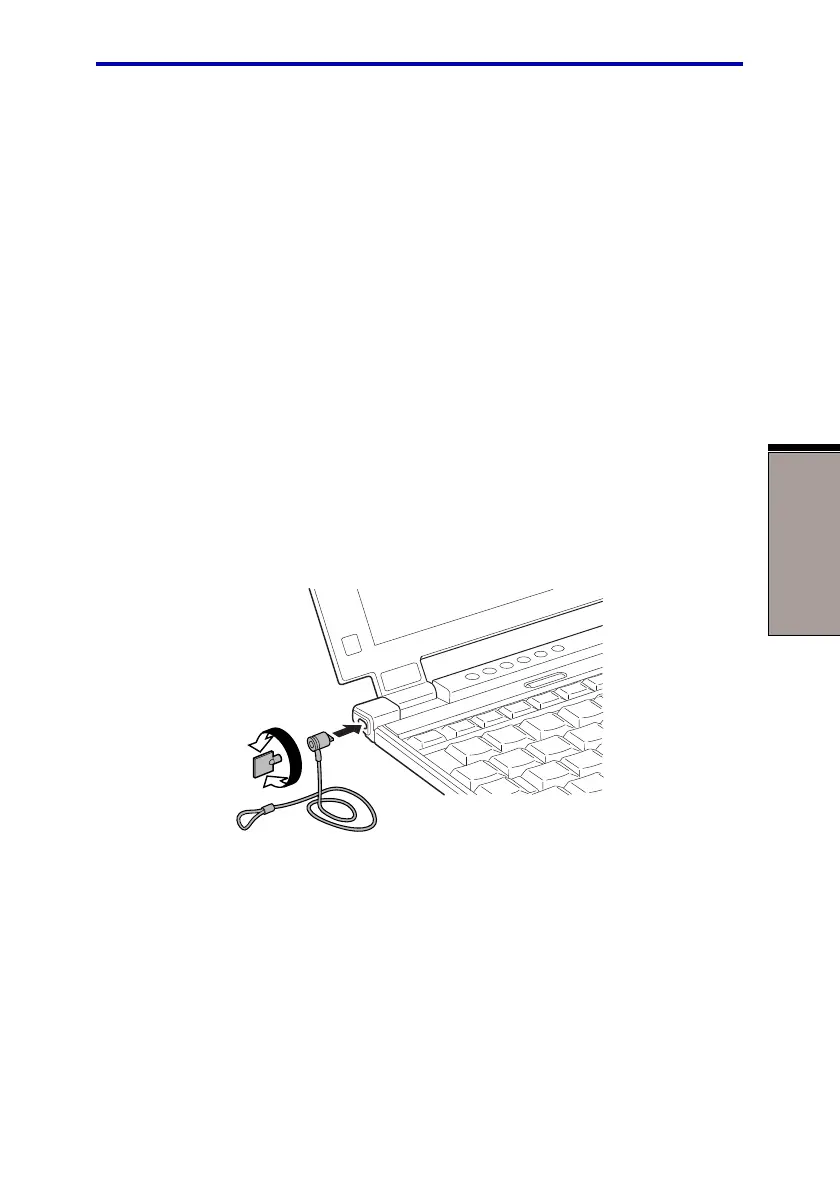
Security lock
A security lock enables you to anchor your computer to a desk or other heavy
object to help prevent unauthorized removal of the computer.
Attach one end of a cable to the desk and the other end to the security lock slot on
the left side of the computer.
Figure 8-11 Security lock
Security lock



 To Next Page
 Loading...





