OPERATING BASICS
4-7
LAN
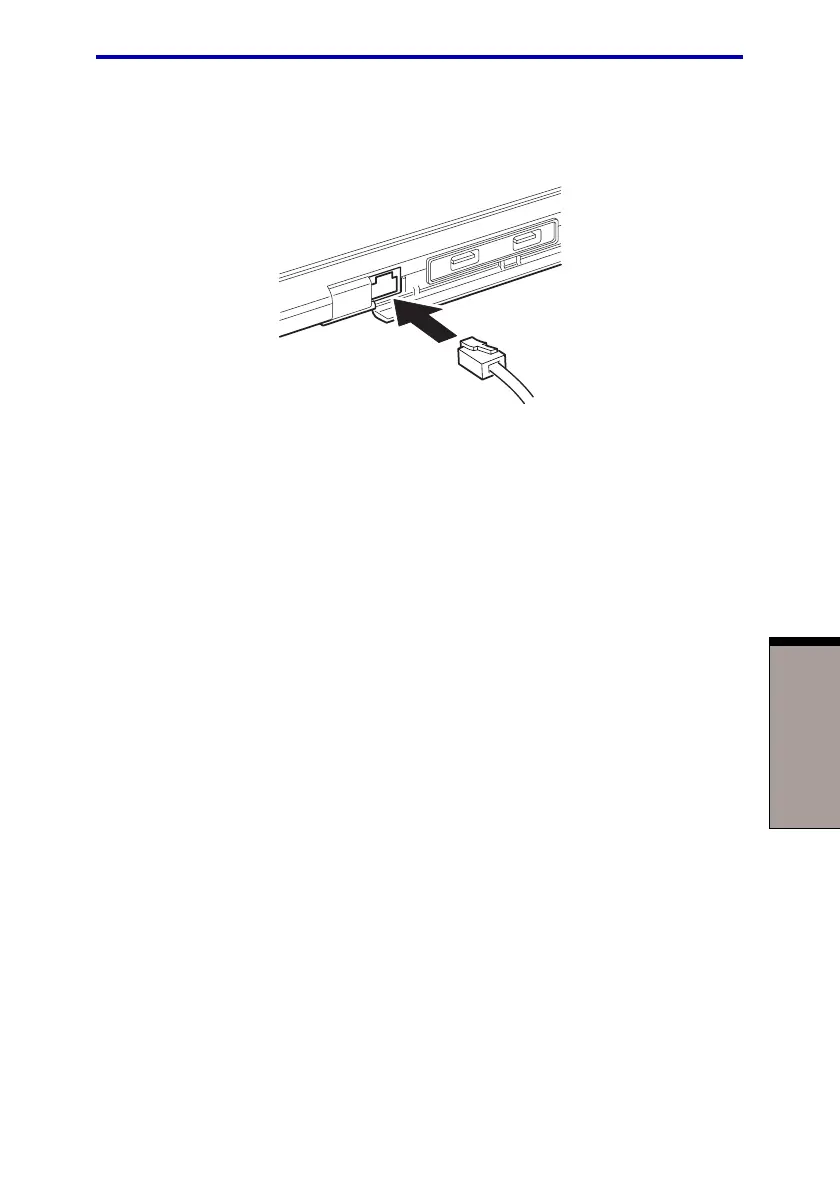
2. Plug one end of the cable into the LAN’s jack. Press gently until you hear the
latch click into place.
Figure 4-4 Connecting the LAN cable
3. Plug the other end of the cable into a LAN hub connector. Check with your
LAN administrator before connecting to a hub.
Disconnecting cable
To disconnect the LAN cable, follow the steps below.
1. Pinch the lever on the connector in the computer and pull out the connector.
2. Disconnect the cable from the LAN hub in the same manner. Check with your
LAN administrator before disconnecting from the hub.



 To Next Page
 Loading...





