63-EN
ENGLISH
43
Synchronizing system clock
This menu is provided to set the built-in clock of the
computer.
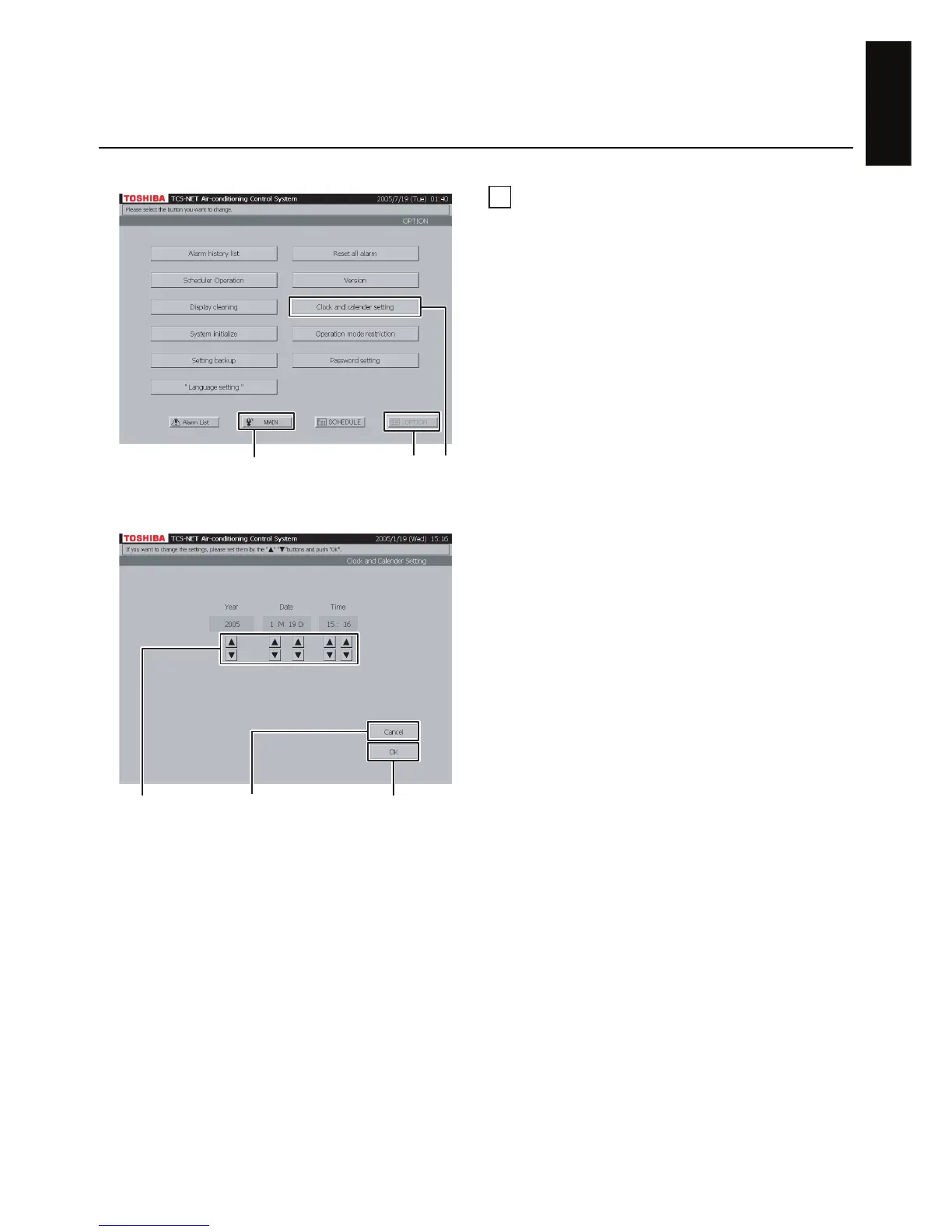
A Push [OPTION]. The Menu screen (Fig. 43-1)
appears.
To return to the Monitoring screen, push [MAIN].
B Push [Clock and calendar setting]. The Clock/
Calendar Setting screen (Fig. 43-2) appears.
C Set year, month, day, and time with the ▲ and
▼ buttons.
D Confirm the setting, and then push [OK].
To cancel the setting, push [Cancel].
Fig. 43-1 Menu Screen
Fig. 43-2 Clock/Calendar Setting Screen
AB
To return to Monitoring screen (A)
To cancel setting (D)
CD


 To Next Page
 Loading...