4 EDITING FUNCTIONS
Page Number 143
Page Number
You can add a page number on the copied paper.
1
Place paper in the drawer(s).
2
Place the original(s).
3
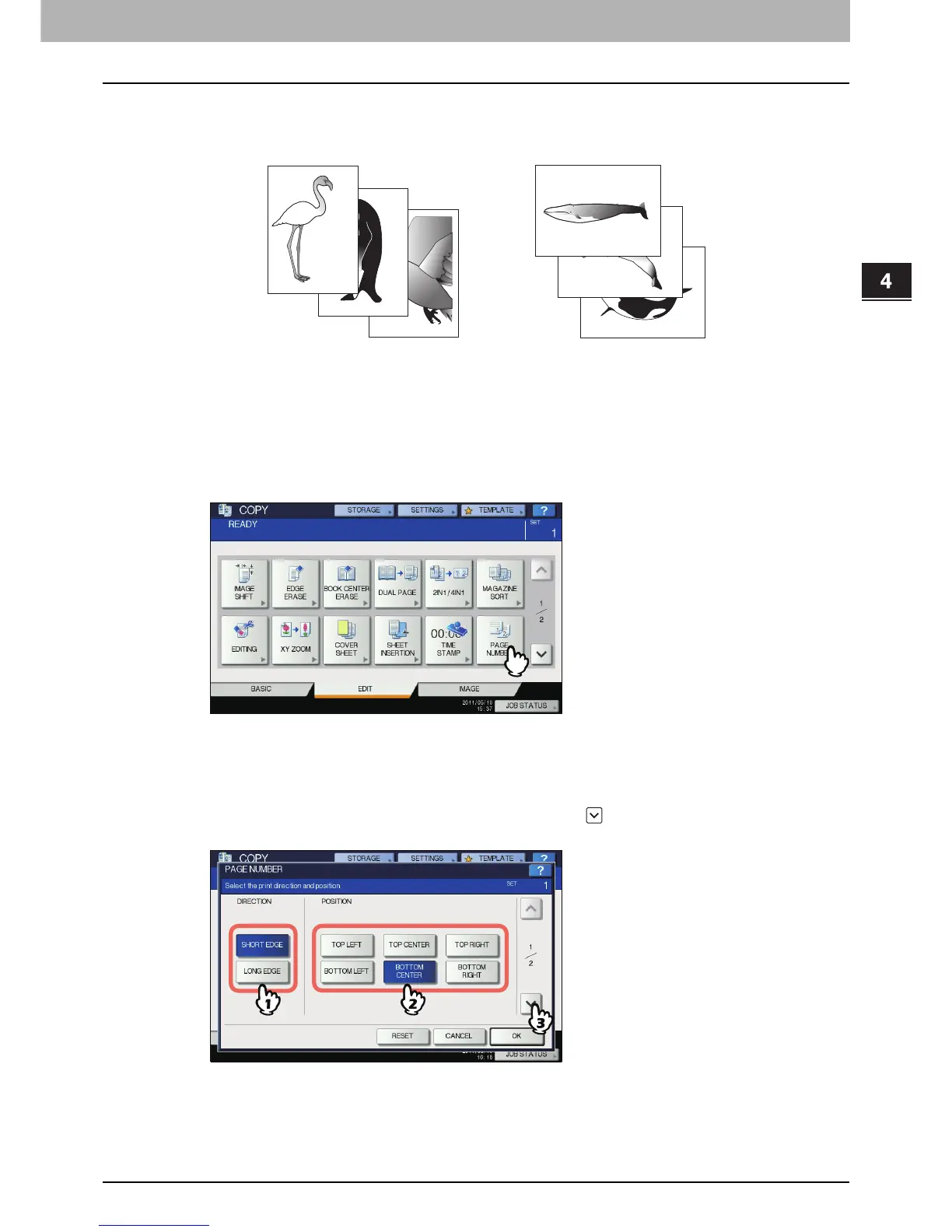
Press [PAGE NUMBER] on the EDIT menu.
4
Select the direction and position of a page number.
1) Select the direction ([SHORT EDGE] or [LONG EDGE]).
2) Select the position ([TOP LEFT], [TOP CENTER], etc.).
3) If you want to specify the page number to start with, press and go to step 5. Otherwise, press
[OK] and go to step 6.
3
2
1
3
2
1
Printed at the bottom center
of a portrait copy
Printed at the top right
of a landscape copy



 To Next Page
 Loading...






