5 IMAGE ADJUSTMENT
176 Using Image Adjustment Functions
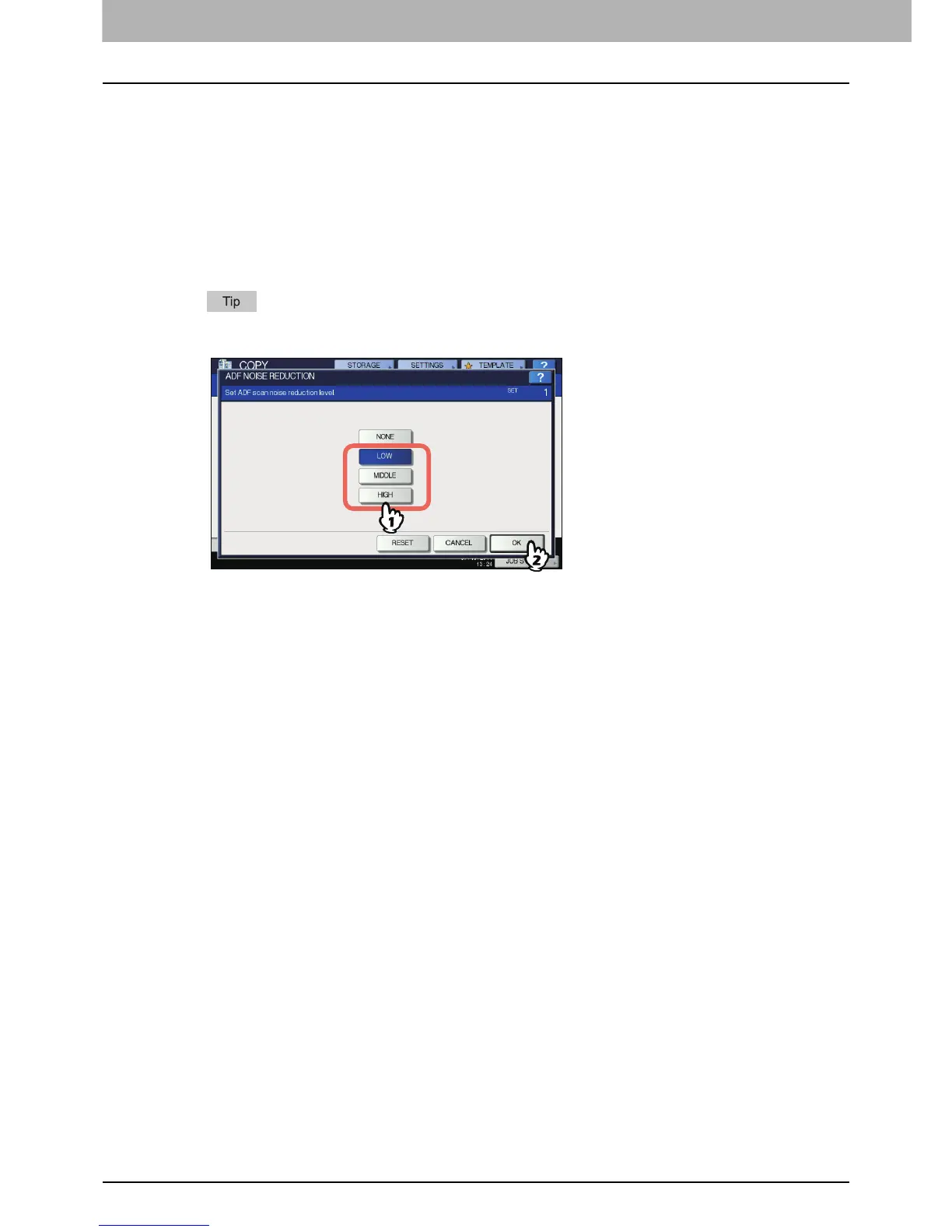
ADF Scan Noise Reduction
You can set the scan noise reduction level for scanning originals with the Reversing Automatic Document
Feeder at copying. Scan noise can be reduced if it is conspicuous on images due to fine dust.
1
Press [ADF NOISE REDUCTION] in the IMAGE menu.
2
Press [LOW], [MIDDLE], or [HIGH] to adjust the scan noise reduction level, and then
press [OK].
Fine lines other than scan noise may become faint if you set the scan noise reduction level higher.
Canceling the ADF scan noise reduction
Press [NONE] or [RESET], and then [OK].



 To Next Page
 Loading...






