1 BEFORE USING EQUIPMENT
24 Placing Paper
Attribute
*1 Fax transmission and reception is available only when the FAX Unit is installed.
*2 When lists are printed, paper set as “FAX” is used. For printing lists, refer to the MFP Management Guide.
*3 When “ROTATE SORT” is turned ON for RX printing in the FAX menu, “FAX” cannot be set for attribute. For how to set RX printing,
refer to GD-1320/GD-1350/GD-1270/GD-1260 Operator's Manual for FAX Unit.
2
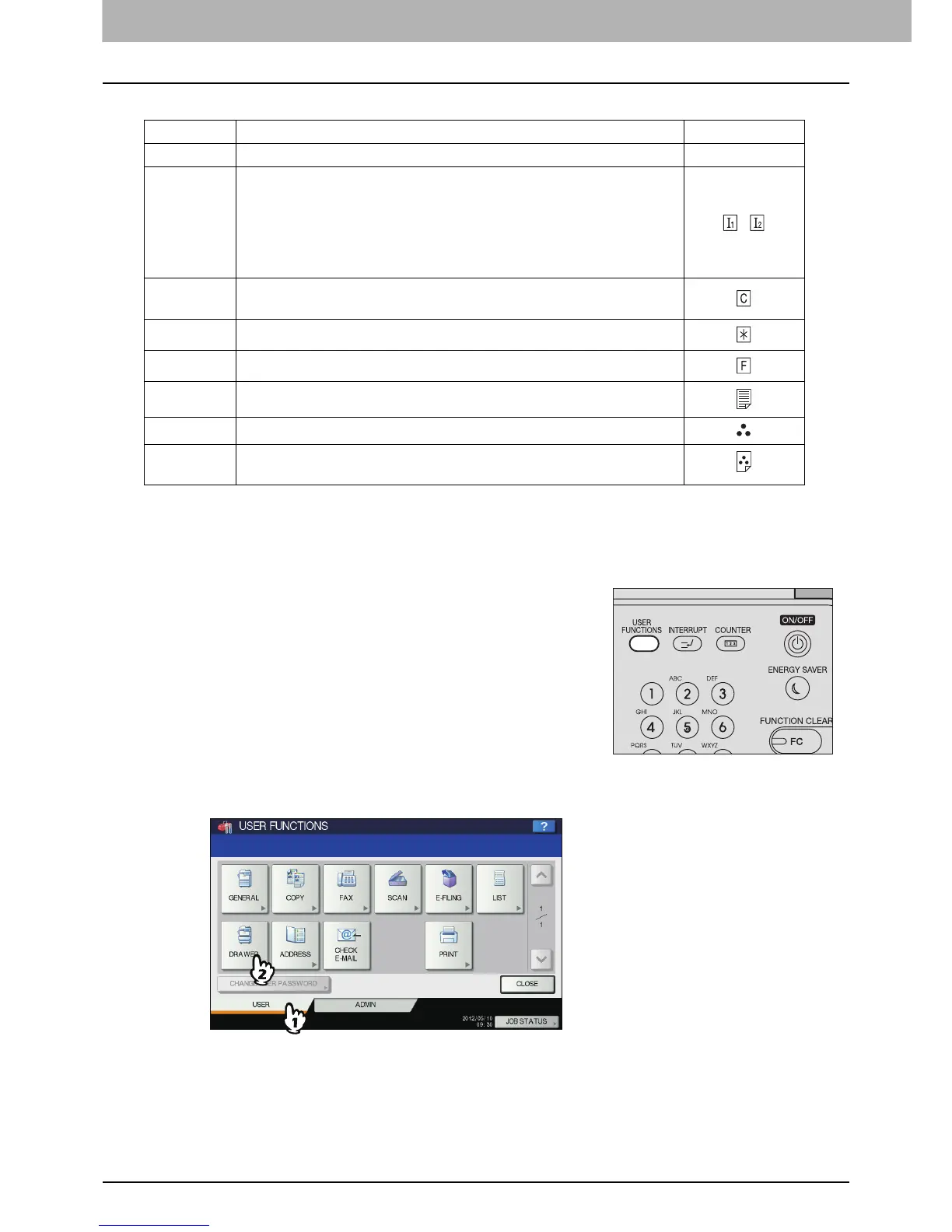
Press the [USER] tab on the touch panel to display the user setting menu, and then
press [DRAWER].
Button Description Icon
NONE No attribute specified —
INSERT Sheets used in the sheet insertion mode
P.139 “Sheet Insertion”
Up to 2 types of sheets (Insertion sheets 1 and 2) can be set. To set
Insertion sheet 1 and 2, select the drawer for Insertion sheet 1 and
press [INSERT], and then select a drawer for Insertion sheet 2 and
press [INSERT].
,
COVER Sheets used in the cover sheet mode
P.136 “Cover Sheet”
SPECIAL Colored paper or paper with watermarks, etc.
FAX
*1, *2, *3
FAX paper
1SIDE Only 1-sided copy allowed
BLACK Only black and white copy allowed
1SIDE
BLACK
Only 1-sided black and white copy allowed
1
Press the [USER FUNCTIONS] button on the control
panel.



 To Next Page
 Loading...






