2.HOW TO MAKE COPIES
Bypass Copying 53
2 HOW TO MAKE COPIES
3
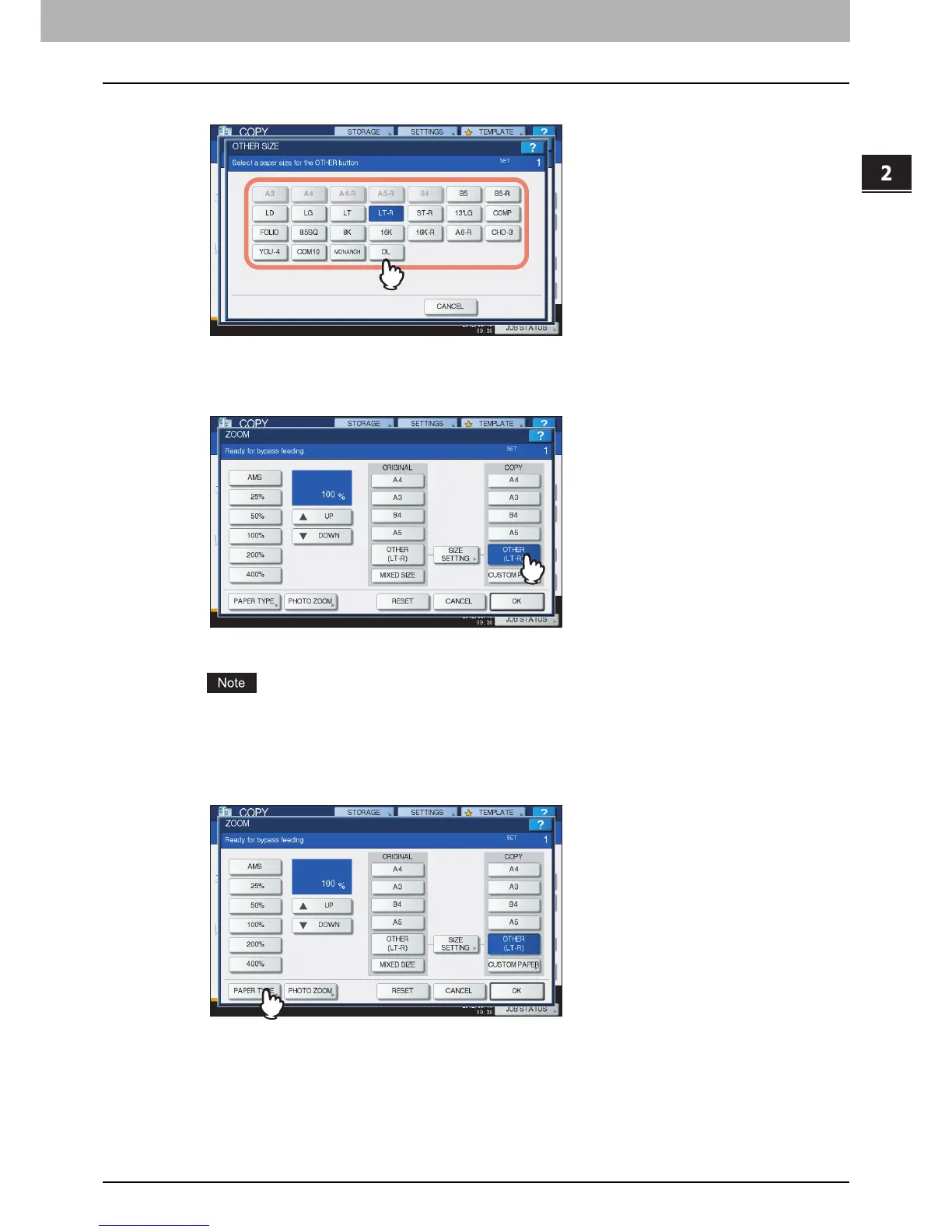
Press the button of the same size as the paper you placed on the bypass tray.
The selected size will be registered as an “OTHER” size.
4
Press [OTHER] under “COPY”.
The paper size is now set to the one registered as “OTHER” size.
If the paper size is not selected in this step, copying may be slowed down.
5
Press [PAPER TYPE] if the paper you placed on the bypass tray is other than plain
paper.



 To Next Page
 Loading...






