3.BASIC COPY MODES
Selecting Finishing Mode 91
3 BASIC COPY MODES
3
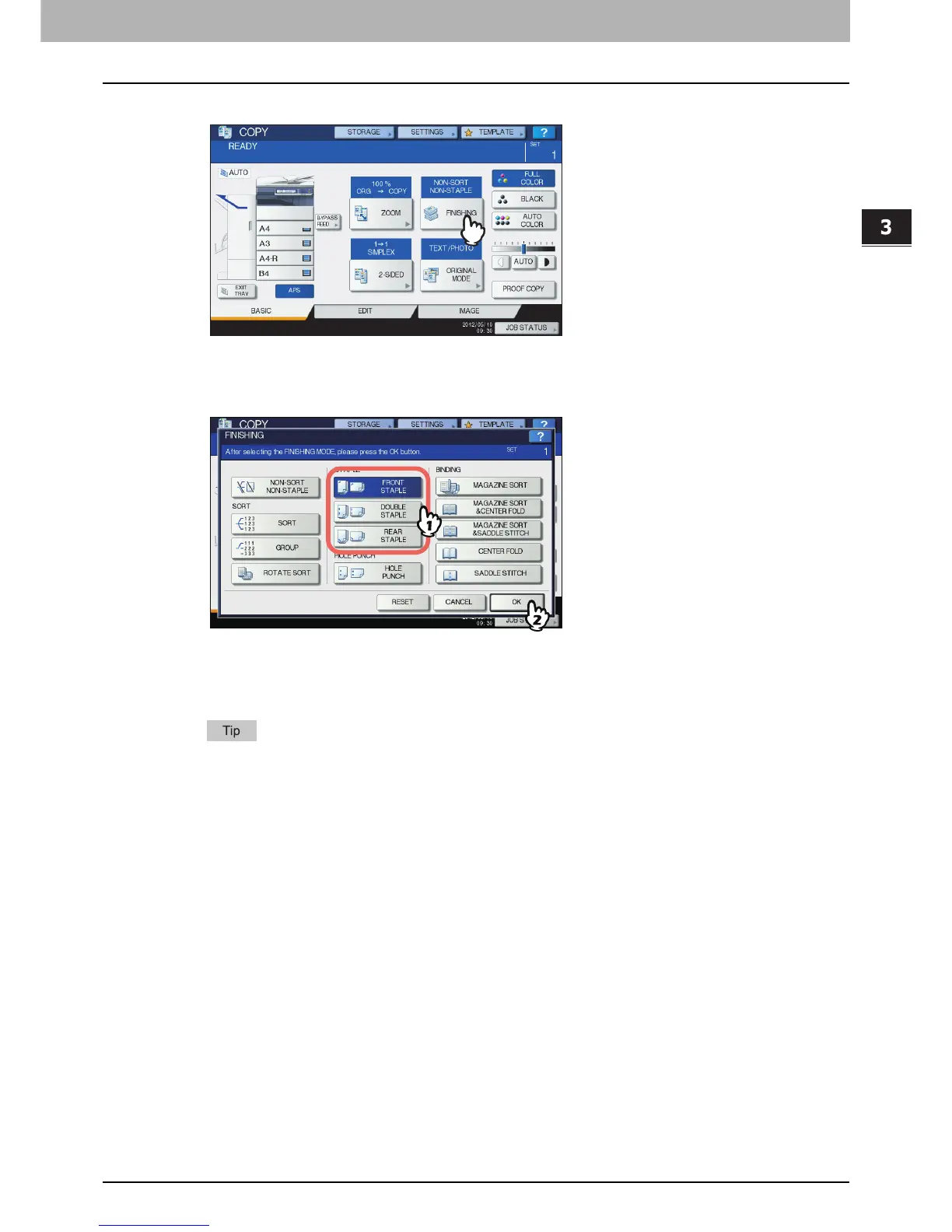
Press [FINISHING] on the touch panel.
4
Select the desired stapling position from [FRONT STAPLE], [DOUBLE STAPLE] or
[REAR STAPLE], and then press [OK].
5
Select other copy modes as required, and then press the [START] button on the control
panel.
When the number of sheets exceeds the maximum number of sheets available for stapling, this
equipment automatically enters into the sort mode.



 To Next Page
 Loading...






