2 SENDING A FAX
16 Specifying Recipients
Selecting recipients from the address book
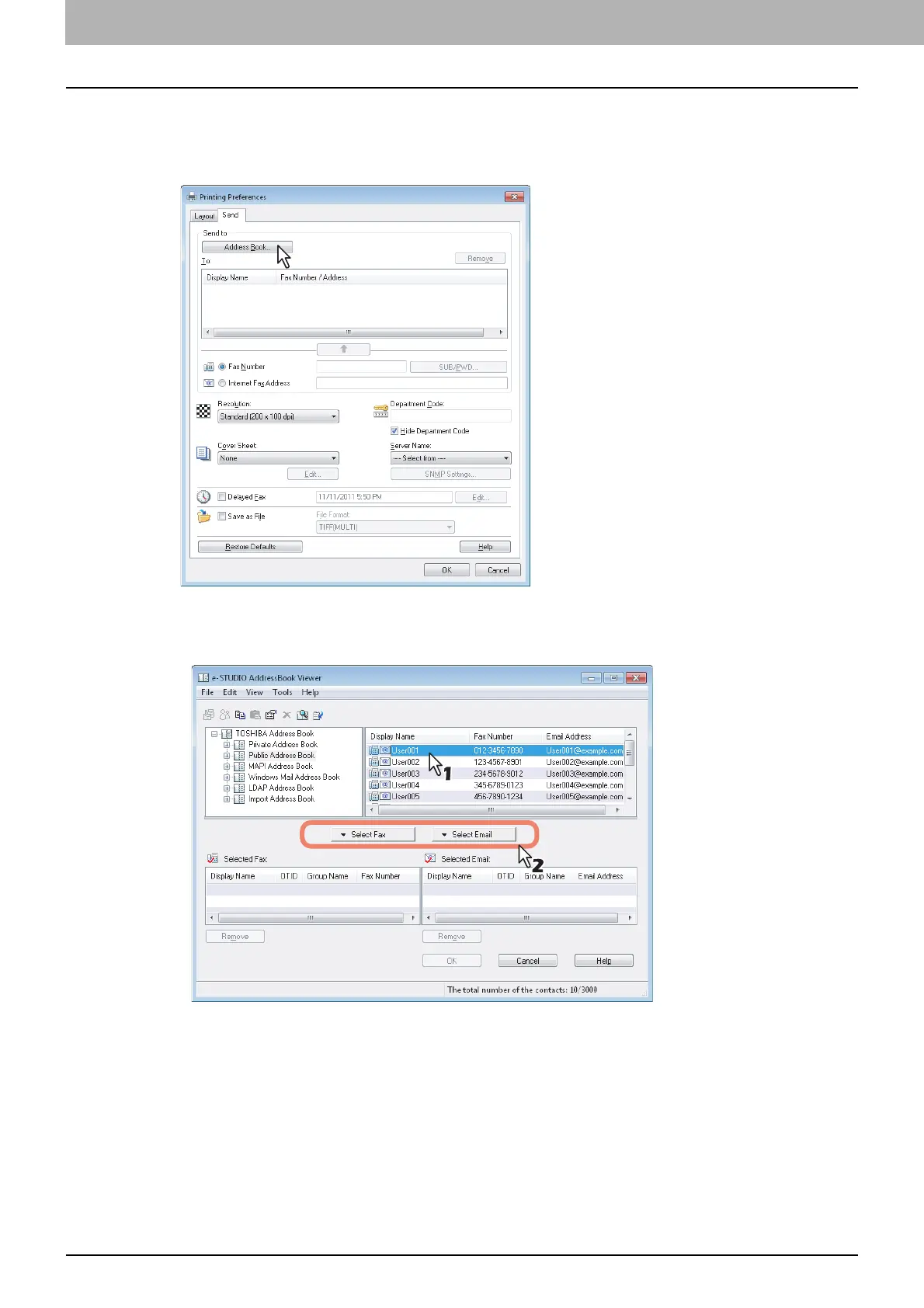
Select a recipient from the address book in the AddressBook Viewer.
1
Click [Address Book].
The AddressBook Viewer runs.
2
When selecting a fax number after selecting a contact from the contact list, click [Select
Fax] and when selecting an Email address, click [Select Email].
The selected recipients are listed in the “Selected Fax” or “Selected Email”.



 To Next Page
 Loading...











