6.INTERNET FAX
Sending Internet Faxes 115
6 INTERNET FAX
Saving sent data as a file (Internet Fax and File)
1
Refer to “Sending Internet Fax”( P.111) and follow steps 1 to 5.
2
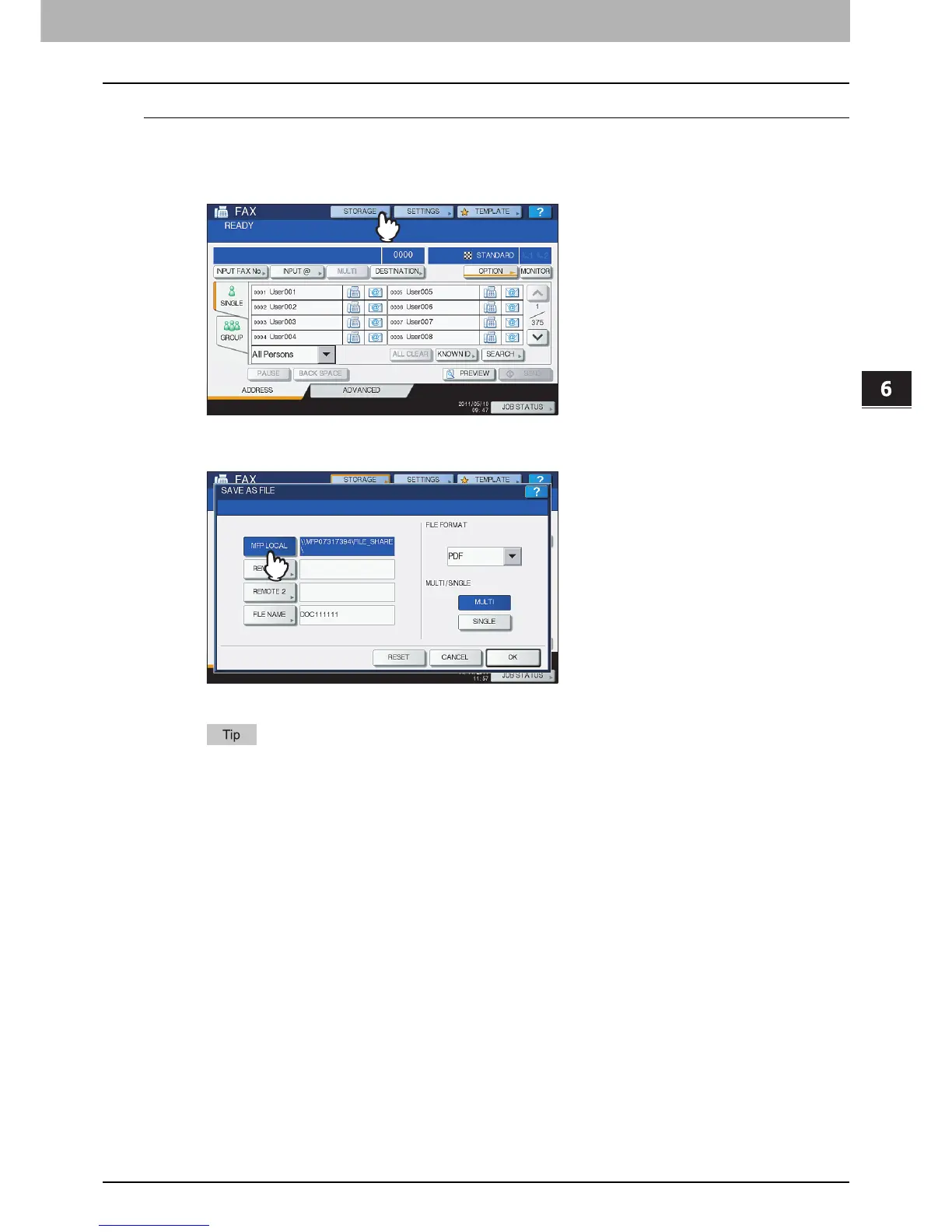
Press [STORAGE].
3
If you want to store the data in the equipment’s shared folder, select [MFP LOCAL] and
make sure that the button is highlighted.
Proceed to step 6.
If saving data in a network folder is enabled by the administrator, you can select 2 file destinations
from [MFP LOCAL], [REMOTE 1] and [REMOTE 2]. If you want to select [REMOTE 1] and/or
[REMOTE 2], proceed to step 4.



 To Next Page
 Loading...






