3.USEFUL FUNCTIONS
Specifying E-mail Addresses 67
3 USEFUL FUNCTIONS
Refining your search
1
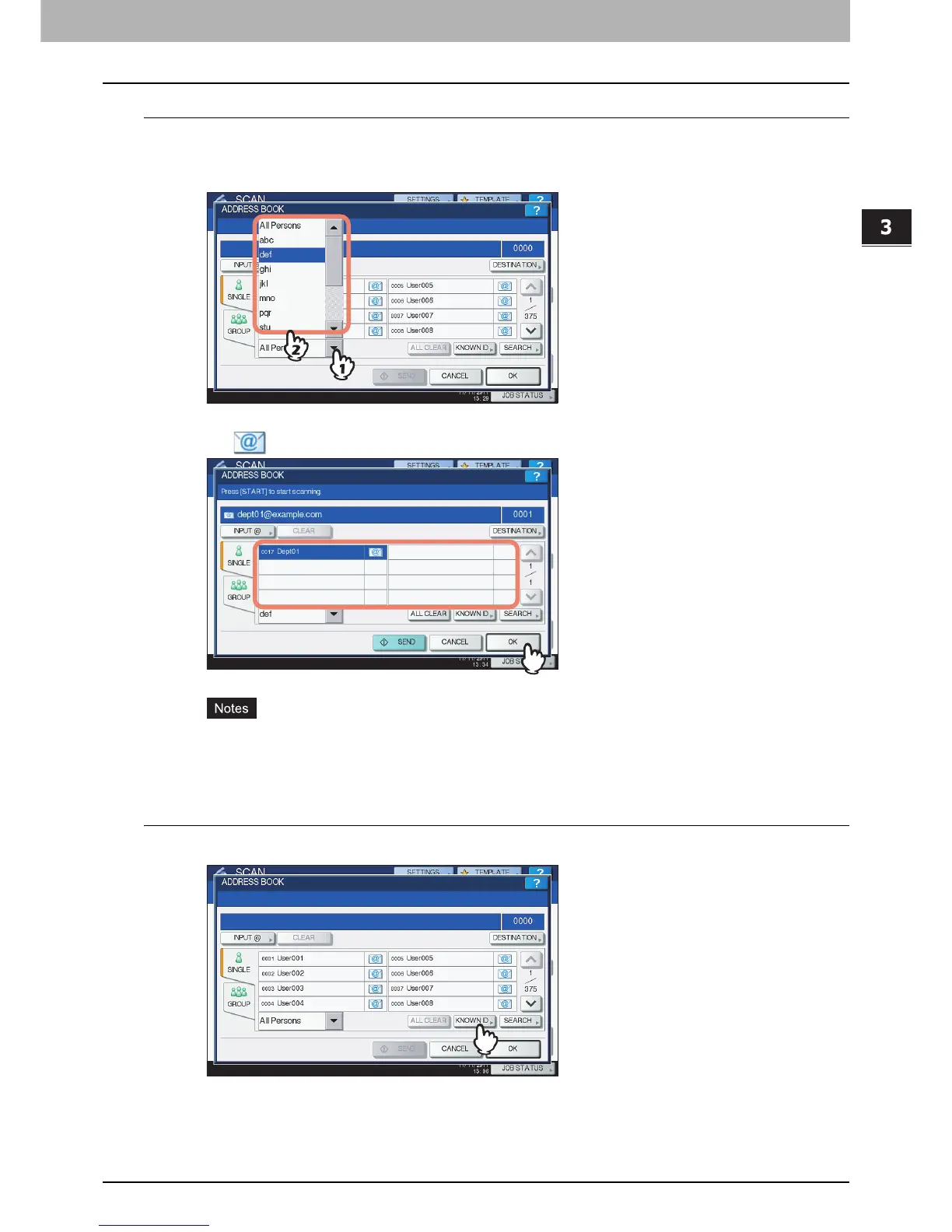
Click the pull-up menu, and then select letters that you want to display.
1) Click the pull-up menu.
2) Select letters that you want to display.
Addresses with the selected letter(s) first are displayed.
2
Press for the desired contacts. For Scan to E-mail, press [OK] at the end.
Before pressing [OK], you can specify additional e-mail addresses.
If you want to view or delete the specified e-mail addresses, press [DESTINATION].
P.78 “Viewing/Deleting specified e-mail addresses”
Searching the address book with ID numbers
1
Press [KNOWN ID].



 To Next Page
 Loading...






