3 USEFUL FUNCTIONS
70 Specifying E-mail Addresses
3
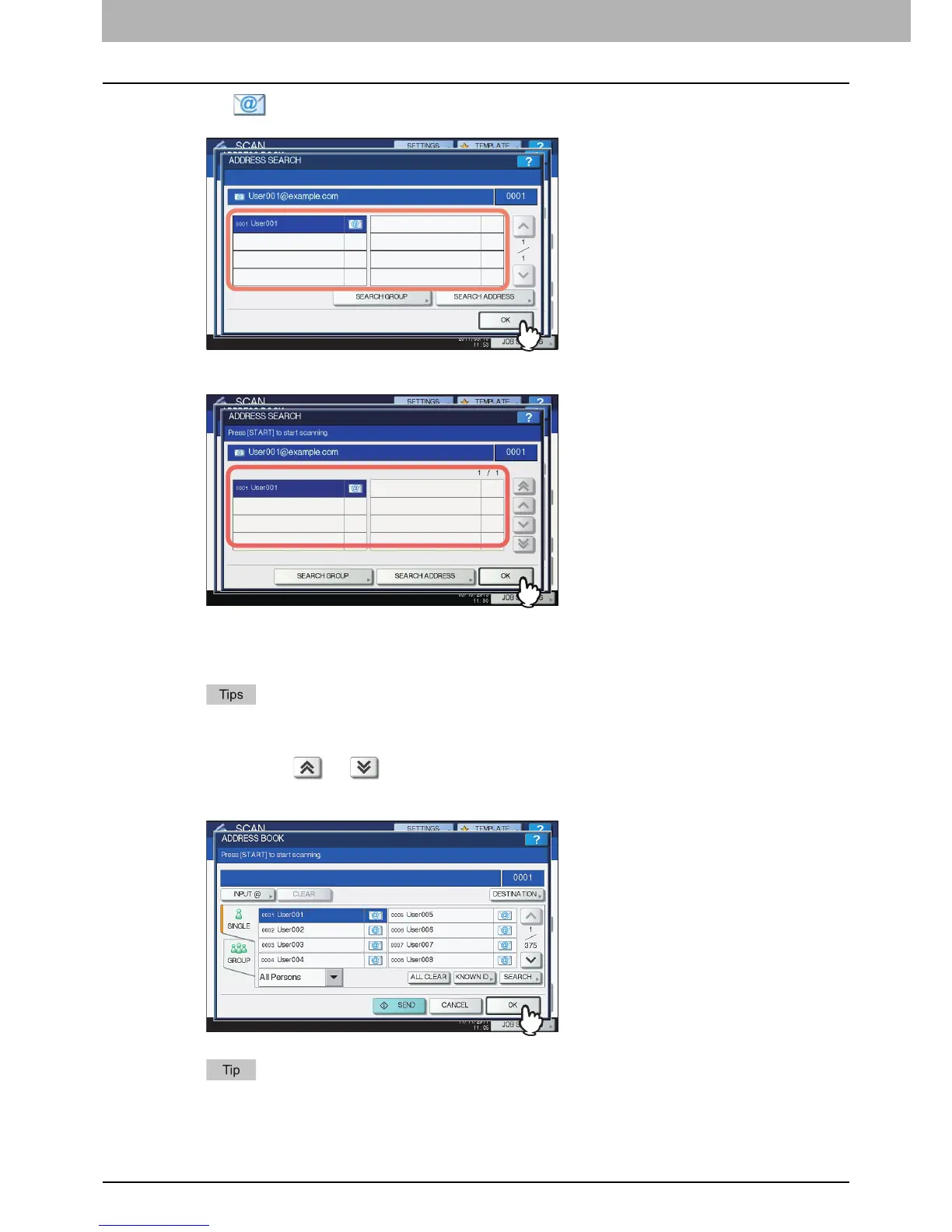
Press for the desired contacts and then press [OK].
For the equipment other than the e-STUDIO2550C Series and e-STUDIO5055C Series
For the e-STUDIO2550C Series and e-STUDIO5055C Series
For Scan to E-mail, proceed to step 4.
For Internet faxing, the e-mail addresses are specified. To specify additional e-mail addresses,
repeat the above steps.
For Scan to E-mail, pressing [SEARCH ADDRESS] or [SEARCH GROUP] allows you to
continue searching for individual contacts or groups with other search strings.
Pressing or allows you to skip 5 pages
4
Press [OK].
If you want to view or delete the specified e-mail addresses, press [DESTINATION].
P.78 “Viewing/Deleting specified e-mail addresses”



 To Next Page
 Loading...






