Basic Fax Operation
The basic procedures for sending a fax, such as specifying fax numbers in the address book or setting the transmission
conditions, are as follows.
24
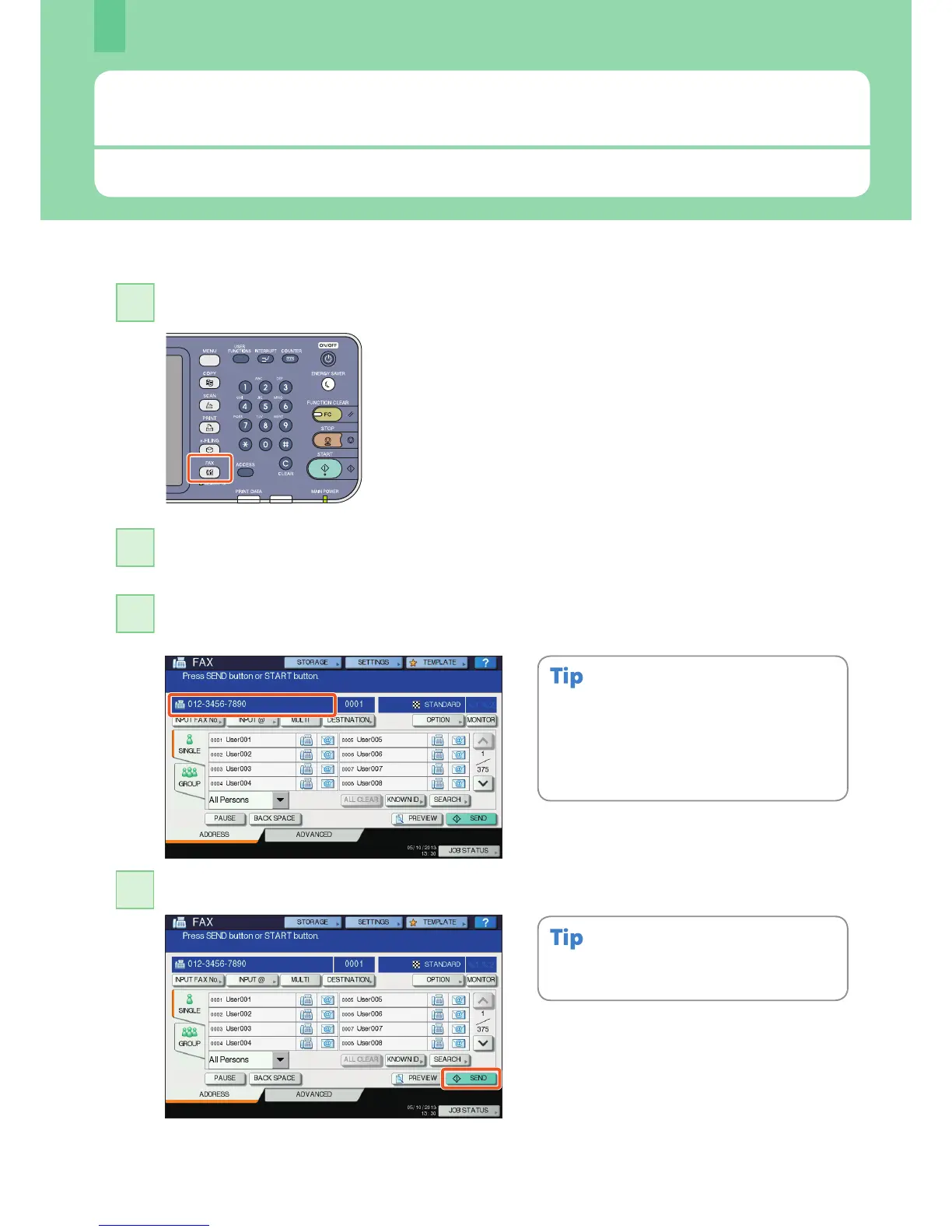
Press the [FAX] button on the control panel.
1
Sending a fax
If you make a mistake when entering a fax number,
press [BACK SPACE] on the touch panel to delete
them one by one.
Or press the [CLEAR] button on the control panel or
[CLEAR] on the touch panel to delete all the
numbers you entered.
Alternatively, you can press the [START] button on
the control panel to send a fax.
Key in the fax number of the recipient by pressing [INPUT FAX No.] on the touch panel or
the digital keys on the control panel.
3
Press [SEND] on the touch panel. The fax starts being sent.
4
Place the original(s).
& P.16 “Placing originals” in this manual
2



 To Next Page
 Loading...






