2 PRINTING FROM WINDOWS
72 Setting Up Print Options
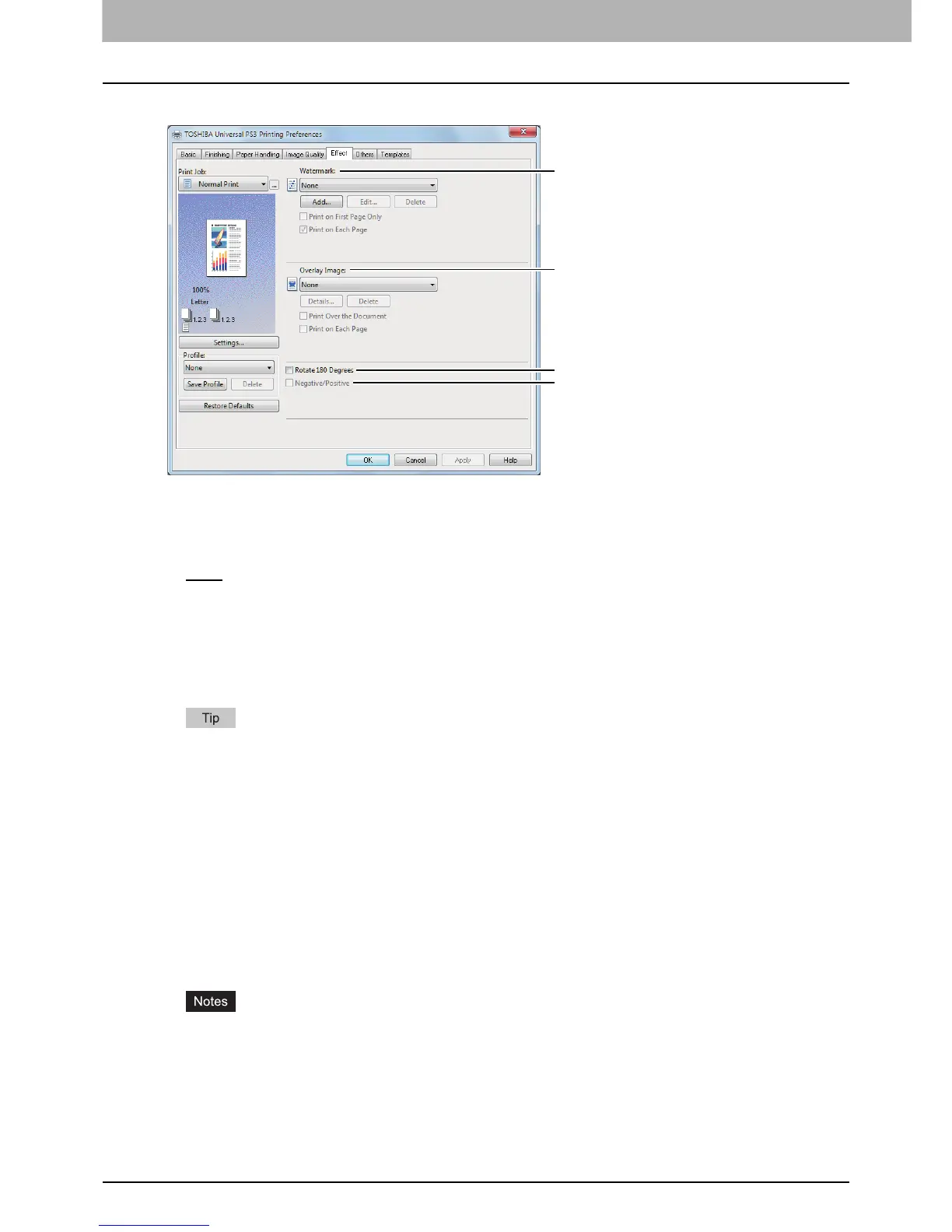
[Effect] tab for Universal PS3
1) Watermark
This selects the watermark to be used or edited. The following values except [None] are the default
watermarks that have been registered in the printer driver. Up to 15 new watermarks can be added in this
box.
- None
— Select this if no watermark is desired.
The following default watermarks are also displayed in the box:
- TOP SECRET
- CONFIDENTIAL
-DRAFT
- ORIGINAL
-COPY
For the detailed instructions on how to print with the [Watermark] setting, see the following page:
P.123 “Printing with watermarks”
[Add]
Click this to create a new watermark. The [Watermark] dialog box appears when you click on this.
P.74 “Add/Edit Watermark”
[Edit]
Select a watermark from the [Watermark] box and click it to edit the watermark. The [Watermark] dialog
box appears when you click on this.
P.74 “Add/Edit Watermark”
[Delete]
Select a watermark from the [Watermark] box and click it to delete a watermark.
P.125 “Deleting a watermark”
The default watermarks can be deleted but, once deleted, they cannot be restored.
[None] cannot be deleted.
Print on First Page Only
Select this check box to print a watermark on the first page only. This setting will become available when
any watermark is selected from the [Watermark] box.









 To Next Page