2.PRINTING FROM WINDOWS
Setting Up Print Options 85
2 PRINTING FROM WINDOWS
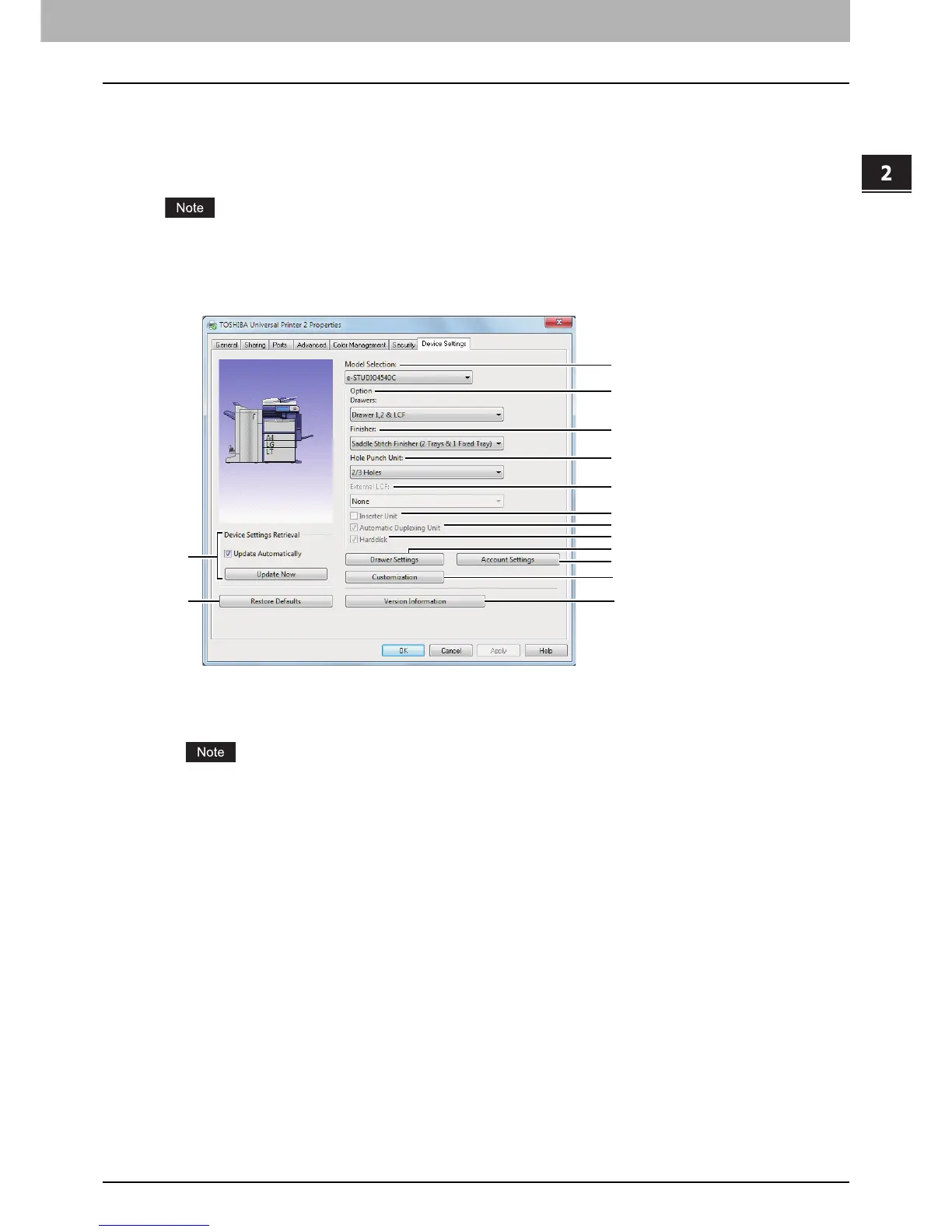
[Device Settings] tab
The [Device Settings] tab allows you to configure options. When any optional unit is installed in this
equipment, set the configuration of the machine on this tab. The [Device Settings] tab can be displayed only
from the Printers folder (and not when displaying the properties from the application’s print dialog box).
In order to set the [Device Settings] tab, you must access the printer driver properties from the [Devices
and Printers] folder (Windows Vista / Windows Server 2008: [Printer], Windows Server 2003: [Printers and
Faxes]). For detailed instructions on how to set the [Device Settings] tab, see the following page:
P.16 “Configuring options manually”
1) Model
This sets the model type.
Selecting [Universal] restricts the printer driver functions to those common to all printers on the network,
which is convenient for using other printers with your printer driver.









 To Next Page