104
4.SETTING ITEMS (ADMIN)
2.SETTING GENERAL FUNCTIONS (Cont.)
4
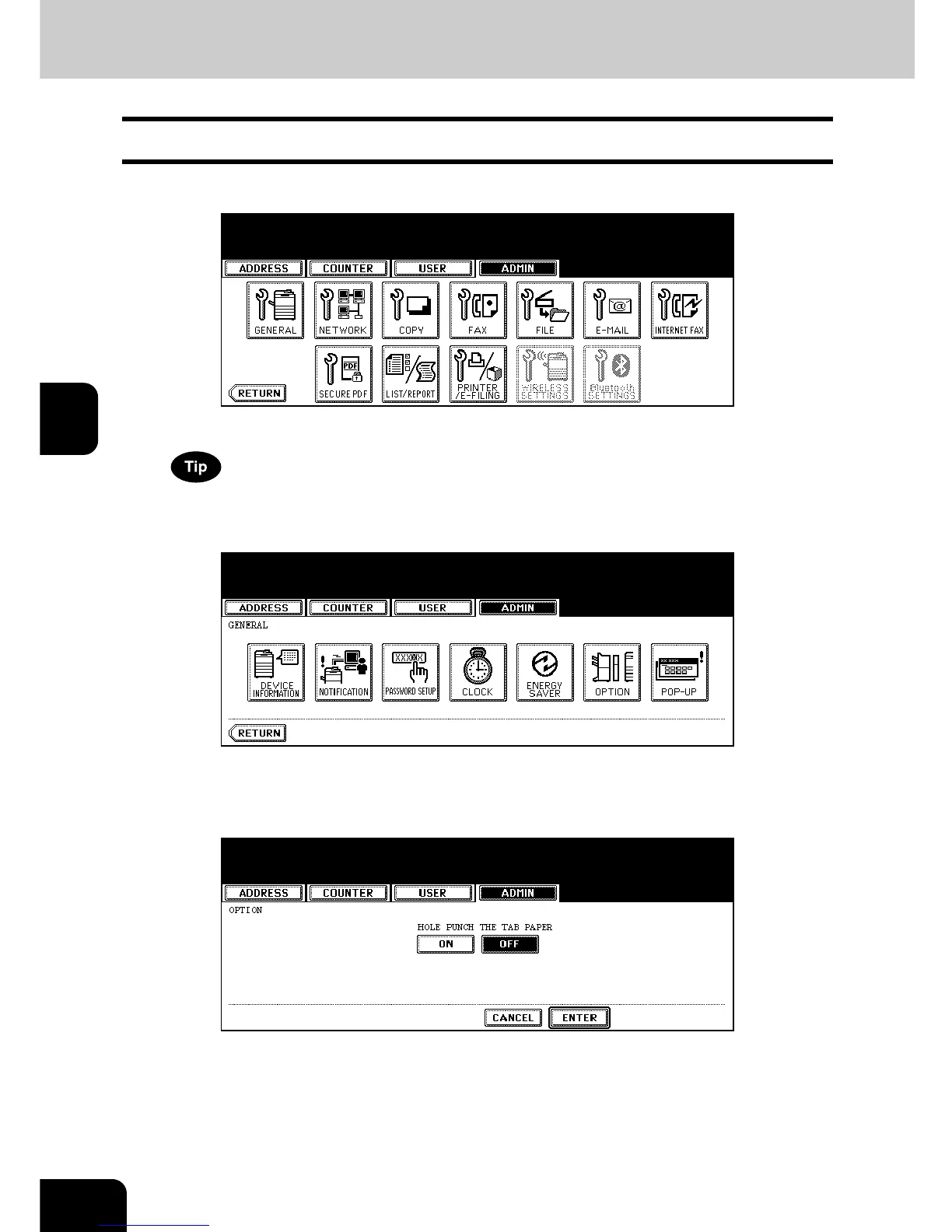
Setting the Option
This function allows you to enable or disable the hole punching on tab papers.
1
Press the [GENERAL] button in the ADMIN menu.
• The GENERAL menu is displayed.
To display the ADMIN menu, see “1.ENTERING TO ADMIN MENU”. P. 8 7
2
Press the [OPTION] button.
• The OPTION screen is displayed.
3
Press the [ON] button to enable hole punching on tab papers, or [OFF]
to disable hole punching on tab papers.
4
Press the [ENTER] button.
• The Option setting is completed.



 To Next Page
 Loading...












