37
Advanced playback
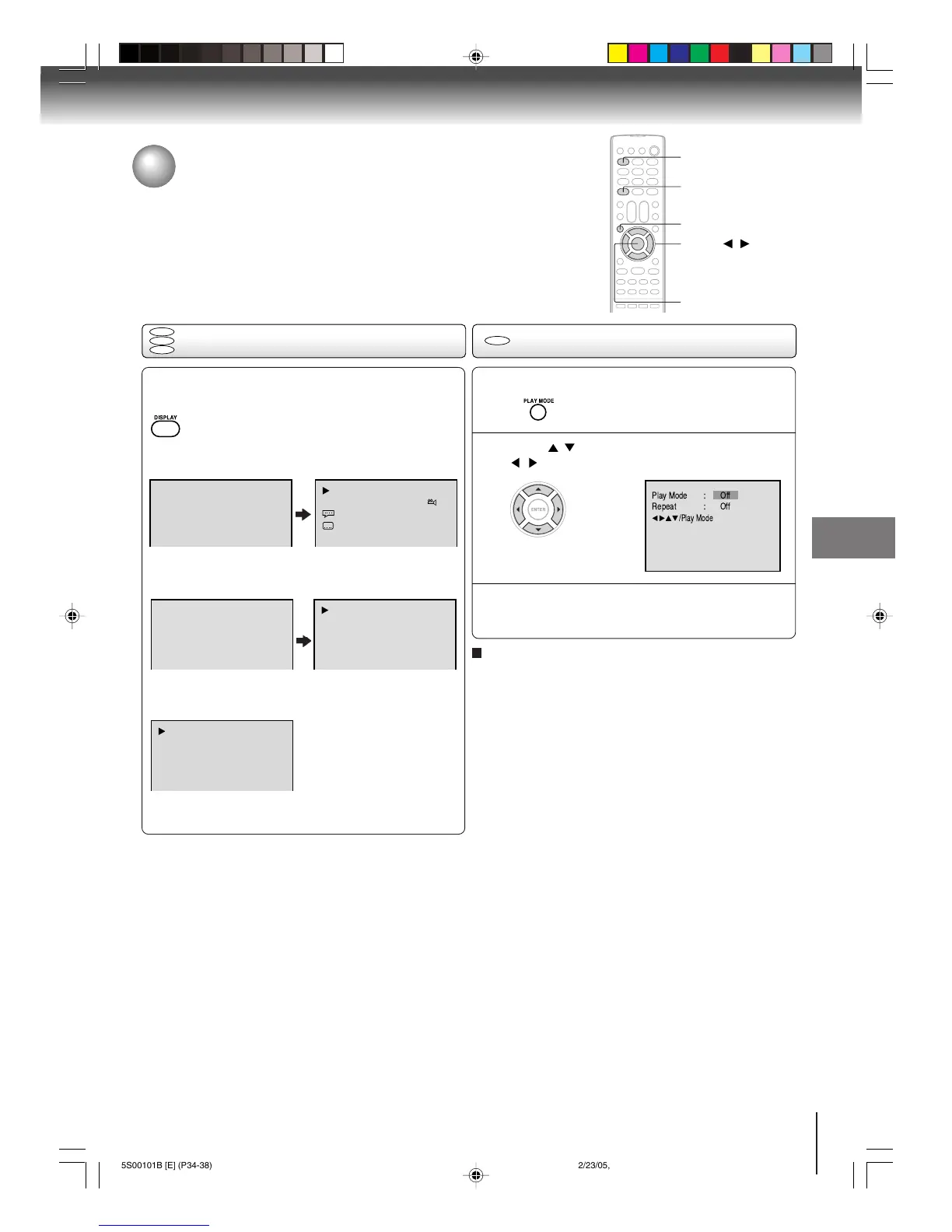
Disc status/To turn off the PBC
1
DISPLAY
ENTER
With each press of DISPLAY, the status of the disc
will appear on the screen and change as follows.
DVD
To make status display disappear, press DISPLAY again.
Video CD
When you playback the CD disc, the status display will
appear on the screen and continue displaying.
00:34:56 01:12:33
00:34:56 01:12:33
1/9
Title 1/99
1/8
1/32
Chapter 1/999
Eng Dolby Digital
Eng
00:12 04:32 00:12 04:32
Tra ck –/–
PBC
34:56 71:33
Track 11/99
To make status display disappear, press DISPLAY again.
Audio CD
Disc status
VCD
To turn off the PBC
DVD
VCD
CD
▲ / ▼ / /
PLAY MODE
Press / to select Play Mode, then press
/ to select “Off”.
1
Press PLAY MODE in the stop mode.
2
Press PLAY MODE again to make the screen
disappear.
3
Select Play Mode : “PBC” in step 2.
Note:
You can also turn off the PBC by pressing number button 1
and ENTER in the stop mode.
To turn on the PBC



 To Next Page
 Loading...