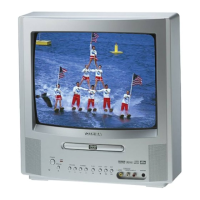
Check the following guide for the possible cause of a problem before contacting service.
®
r SYMPTOMS CAUSE POSSIBLE SOLUTIONS IPAGE_
POWER
No power, The AC power cord is not connected, outlet,C°nnectthe AC powercord to the AC 5
TV BROADCAST RECEPTION
Poor or no picture.
TV station experiencing problems. Try another channel. 21
Picture control is not adjusted. Check picture control adjustments. 30
Possible local interference. Check for source of reception 56
disturbance.
Poor or no color.
Antenna (CABLE) connector is not
connected or possible local interference.
TV station experiencing problems.
Picture control is not adjusted.
Possible local interference.
Check CABLE connection or VHF/UHF
antenna, reposition or rotate antenna. 13, 14
Try another channel. 21
Check picture control adjustments. 30
Check for source of reception distur- 56
bance.
Picture wobbles or drifts.
Antenna (CABLE) connector is not
connected or possible local interference.
TV station experiencing problems.
Antenna (CABLE) connector is not
connected or possible local interference.
Cable TV channel is scrambled.
CABLE connector is not connected.
Check CABLE connection or VHF/UHF
antenna, reposition or rotate antenna. 13, 14
Try another channel. 21
Check CABLE connection or VHF/UHF
antenna, reposition or rotate antenna. 13, 14
Try another channel. 21
Check all CABLE connections. 14
No CATV reception.
No reception above
channel 13.
TV/CABLE selection is set to the TV
position.
Cable TV service interrupted.
TV/CABLE selection is not set to the
appropriate position.
UHF antenna is not connected.
Set the selection to the CABLE position.
Contact your Cable TV company.
Make sure selection is in the appropriate
position.
Check UHF antenna.
25
25
13
Poor or no sound.
TV station experiencing problems. Try another channel. 21
Antenna (CABLE) connector is not Check CABLE connection or VHF/UHF 13, 14
connected or possible local interference, antenna, reposition or rotate antenna.
Possible local interference. Check for source of reception 56
disturbance.
The MUTE button is pressed. Press the MUTE button to cancel mute
22
function.
TV shuts off.
Closed caption is not
activated.
TV station stopped broadcasting. 21
Sleep timer is set. 22
TV station experiencing problems or 21
program tuned is not closed captions.
TV signal is weak. Check CABLE connection of VHF/UHF
antenna, reposition or rotate antenna. 13, 14
The CLOSED CAPTION button is not Press the CLOSED CAPTION button to
turn on the closed caption. 23, 24
Try another channel.
Set Sleep Timer to "0".
Try another channel.
pressed.
®
I
54
5YS0|01A indb 54 12'15 2006 12:21:39 PM



 To Next Page
 Loading...