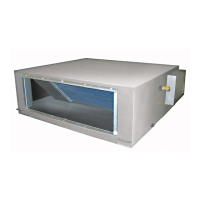
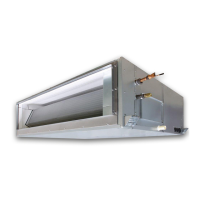
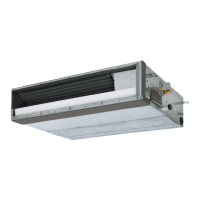
This document serves as the Owner's Manual for TOSHIBA Air Conditioners, specifically the Fresh Air Intake Indoor Unit models MMD-UP0721HFP-E1, MMD-UP0961HFP-E1, MMD-UP1121HFP-E1, and MMD-UP1281HFP-E1, which utilize R410A refrigerant and are intended for commercial use.
Function Description
The Fresh Air Intake Indoor Unit is designed to condition fresh air before introducing it into a room. It operates in various modes:
- COOL Mode: Cools the fresh air and supplies it to the room.
- HEAT Mode: Heats the fresh air and supplies it to the room.
- FAN Mode: Circulates fresh air without temperature modification.
The unit controls the temperature of the supply air to be close to the set temperature on the remote controller. However, the actual supply air temperature may vary depending on the outdoor/suction air temperature and the operating conditions of other indoor units in a multi-line air conditioning system. It's important to note that this fresh air intake unit cannot control the room temperature directly; a separate indoor unit for air conditioning is required for room temperature control.
The air conditioner is a multi-type system, meaning it can be connected to multiple indoor units. It is designed for use by expert or trained users in shops, light industry, or for commercial use by lay persons.
Important Technical Specifications
The manual provides sound pressure levels and weight specifications for the different models:
| Model |
Cooling (dBA) |
Heating (dBA) |
Weight (kg) |
| MMD-UP0721HFP-E1 |
38 |
38 |
99 |
| MMD-UP0961HFP-E1 |
40 |
40 |
99 |
| MMD-UP1121HFP-E1 |
42 |
42 |
99 |
| MMD-UP1281HFP-E1 |
44 |
44 |
99 |
Refrigerant: The unit uses R410A, an environmentally friendly refrigerant.
Operating Temperature Ranges:
- COOL Mode: If the outdoor/suction air temperature is under the setup temperature +3°C, the unit automatically switches to FAN status. If the outdoor/suction air is under 19°C, FAN status is also activated regardless of the setup temperature. Operation automatically stops if the outdoor/suction air temperature is under 5°C to protect the equipment.
- HEAT Mode: If the outdoor/suction air temperature is over the setup temperature -3°C, the unit automatically switches to FAN status. If the outdoor/suction air is over 15°C, FAN status is also activated regardless of the setup temperature. Operation automatically stops if the outdoor/suction air temperature is under -10°C (or -5°C for non-SMMS-u outdoor units) to protect the equipment. For operation below -10°C, a duct heater (locally procured) is required.
Usage Features
The air conditioner is operated via a remote controller with an LCD backlight that illuminates for 15 seconds during operation.
Operation Modes:
- ON/OFF: Turns the unit on or off.
- Setting Temperature: Adjustable in 1.0°C steps.
- Cooling: 13 to 25°C (SMMS-u), 16 to 27°C (other). Factory default: 18°C.
- Heating: 18 to 30°C (SMMS-u), 18 to 25°C (other). Factory default: 25°C.
- Fan Speed: Selectable from Auto, Low, Low+, Med, Med+, High, or Fix (for models capable of fixed fan speed). In cooling and heating, "AUTO" fan speed is equivalent to "High".
- OFF Timer: Allows setting the unit to stop after a specified time (0.5h, 1h, 2h, up to 24h). The timer can be canceled by not pushing any button for 30 seconds after activation or by pushing the OFF timer button again.
Indicators on Remote Controller:
- Operation mode indicator: Shows the selected mode (Cool, Heat, Fan).
- Central control indicator: Displays when the unit is centrally controlled, and buttons may be disabled.
- Setting indicator: Indicates automatic model check after a breaker throw.
- Service indicator: Displays during protective device activation or checks.
- Test run indicator: Displays during test run.
- Temperature setting indicator: Shows the set temperature.
- Fan speed indicator: Shows the selected fan speed.
- OFF timer indicator: Displays when the OFF timer is active.
- Pre-heat indicator: Displays during heating mode pre-heating or defrost cycle, during which the indoor fan may stop or operate in fan mode.
- Operation standby indicator: Indicates system limitations (e.g., inability to cool while another unit heats, or outside temperature is out of range).
- Notice display: Displays notice codes.
Safety Precautions:
- Installation, maintenance, repair, and removal must be performed by a qualified installer or service person.
- Wear protective gear (gloves, safety clothing, helmets, protective toe cap shoes) during handling.
- Do not use refrigerants other than specified.
- Ensure proper ventilation, especially when operating with combustion appliances, to prevent oxygen deficiency.
- Avoid direct and prolonged exposure to cool air.
- Do not insert fingers or objects into air intake/discharge.
- Turn off the circuit breaker before opening intake grilles or service panels, or before cleaning.
- Do not move or repair the unit yourself.
- Do not climb or place objects on the outdoor unit.
- Do not customize the unit.
- Ensure proper earthing.
- Lay drain hoses for perfect drainage to prevent flooding.
- Connect to an exclusive power supply of the rated voltage.
- Fix outdoor units securely to their base.
- Do not use for special purposes like preserving food or breeding animals.
- Avoid touching switches with wet fingers.
- Turn off the main switch/circuit breaker if not used for a long time.
- Operate within specified temperature ranges.
- Prevent liquids from falling onto the remote controller.
- Do not wash the air conditioner directly.
- Keep flammable sprays or materials away from the unit.
Troubleshooting: The manual includes a detailed troubleshooting guide for common symptoms like misty cold air, strange noises, indicator lights, and operational issues. It also describes how to check the troubleshooting history (up to 4 incidents) via the remote controller.
Maintenance Features
Daily Maintenance:
- Air Filter Cleaning: For models listed in the warning at the top of the maintenance chapter, air filter cleaning requires high-place work and should be performed by a qualified service person. Clogged filters can reduce cooling/heating performance.
- Long Life Prefilter: Remove dust with a vacuum cleaner or rinse with water. For excessive dirt, use a soft brush and neutral detergent. Dry in the shade. Do not wash with water over 50°C, expose to fire, or use harsh chemicals.
- High-efficiency Filter: Replace when it's time (approximately 2500 hours of operation recommended). Cannot be washed or reused. Lifetime may vary based on intake air conditions.
- Indoor Unit and Remote Controller Cleaning: Wipe with a dry, soft cloth. Avoid benzine, thinner, scouring powder, or chemical cloths.
- Drain Pan Cleaning: Should be cleaned by a qualified service person before the cooling/heating season to prevent waste accumulation and overflow.
Periodic Inspection:
- After long periods of use, parts may deteriorate, malfunction, or drainage may worsen. An inspection by the dealer is recommended.
Before Operation:
- Turn on the power switch at least 12 hours before starting operation after disuse.
- Ensure the earth wire is securely connected.
- Ensure the air filter is attached to the indoor unit.
Protective Devices:
- High Pressure Switch: Automatically stops the air conditioner if excessive load is applied. The unit stops, and the operation lamp blinks. The remote controller displays an indicator and a check code. This can occur if the outdoor unit's air intake/discharge is blocked or if strong winds blow against the outdoor unit's discharge during cooling, or if the indoor unit's air filter is dirty or the indoor unit's air discharge is blocked during heating. If activated, turn off the power switch, remove the cause, and restart.
Simultaneous Operation:
- Indoor units connected to the same outdoor unit cannot perform cooling and heating simultaneously. If attempted, units performing cooling will stop, and a running preparation indicator will be displayed. Heating units will continue running. If an operation is attempted without configured settings, the running preparation indicator will display, and operation will stop.
Power Failure:
- All operations stop during a power failure. To resume, push the ON/OFF button.
3-minute Protection:
- The outdoor unit will not operate for approximately 3 minutes after immediate restart or power-on to protect the system.
Defrosting:
- During heating, if frost forms on the outdoor unit, defrosting (2-10 minutes) is automatically performed to increase heating effect. The indoor fan stops during defrosting.


 To Next Page
 General