EasyManua.ls Logo

Toshiba RAS-10UKHP-E - User Manual

Toshiba RAS-10UKHP-E
28 pages
Print Icon
To Next Page IconTo Next Page
Loading...
TOSHIBA RAS-07/10/13UKHP-E (US) 1075000801
OWNER’S MANUAL
MODE D’EMPLOI
BEDIENUNGSANLEITUNG
MANUAL D’ISTRUZIONE
MANUAL DEL USUARIO
MANUAL DO UTILIZADOR
PУКOBOДCTBO ПO ЭКCПЛУATAЦИИ
VLASNIČKI PRIRUČNIK
UŽIVATELSKÁ PŘÍRUČKA
FELHASZNÁLÓI KÉZIKÖNYV
KULLANIM KILAVUZU
RAS-07UKHP-E / RAS-07UAH-E
RAS-10UKHP-E / RAS-10UAH-E
RAS-13UKHP-E / RAS-13UAH-E
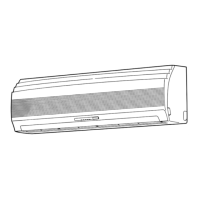
Indoor Unit Outdoor Unit
Unité intérieure Unité extérieure
Raumgerät Außengerät
Unità interna Unità esterna
Unidad interior Unidad exterior
Unidade Interior Unidade Exterior
Bнyтpeнний блок Hapyжный блок
Unutarnja jedinica Vanjska jedinica
Vnitřní jednotka Venkovní jednotka
Beltéri egység Kültéri egység
İç Ünite Dış Ünite
AIR CONDITIONER (SPLIT TYPE)
CLMATISEUR (MODELE SEPARE)
KLIMAGERÄT
(GETEILTE AUSFÜHRUNG)
CONDIZIONATORE DARIA
(TIPO SCOMPONIBILE)
ACONDICIONADOR DE AIRE
(TIPO SPLIT)
SISTEMA DE AR CONDICIONADO
(TIPO SPLIT)
КOHДИЦИOHEP BOЗДУХA
(CПЛИT-CИCTEMA)
KLIMATSKI UREĐAJ (RASTAVLJIV MODEL)
KLIMATIZAČNÍ ZAŘÍZENÍ (DĚLENÝ TYP)
LÉGKONDICIONÁLÓ (OSZTOTT TÍPUS)
KLİMA (SPLİT TİPİ)
1075000801
For general public use
Pour utilisation grand public
Für allgemeine Verwendung
Per l’uso in generale
Para el uso público general
Para utilização do público em geral
Oбщeго нaзнaчeния
Za opću javnu primjenu
Pro širokou uživatelskou veřejnost
Általános célú felhasználásra
Evlerde kullanım için
01RAS-07/10/13UKHP_E COVER 1/31/02, 5:41 PM1

Table of Contents

Other manuals for Toshiba RAS-10UKHP-E

Question and Answer IconNeed help?

Do you have a question about the Toshiba RAS-10UKHP-E and is the answer not in the manual?

Summary

SAFETY PRECAUTIONS

DANGER

General safety warnings and prohibitions for operating the unit.

INSTALLATION WARNINGS

Safety guidelines and cautions related to the installation process.

OPERATION WARNINGS

Safety advice and cautions for operating the air conditioner.

MOVEMENT AND REPAIR WARNINGS

Safety precautions when moving or repairing the unit.

INSTALLATION CAUTIONS

OPERATION CAUTIONS

PARTS NAME

Outdoor unit components

Identification of parts belonging to the outdoor unit.

Indoor unit components

Identification of parts belonging to the indoor unit.

INDOOR UNIT INDICATORS AND CONTROLS

Display panel indicators

Explanation of indicators and their meanings on the indoor unit display.

TEMPORARY button operation

Instructions for using the TEMPORARY button for operation.

REMOTE CONTROL FUNCTIONS

Basic Operation Buttons

Buttons for starting, stopping, and mode selection.

Temperature and Airflow Controls

Buttons for adjusting temperature, fan speed, and louver direction.

Timer and Memory Functions

Buttons for setting timers, memory, preset, and ECO modes.

Special Function Buttons

Buttons for Hi POWER, FILTER reset, and AUTO operation.

REMOTE CONTROL INDICATIONS

Display Overview and Transmission Mark

Overall display and signal transmission indication.

Operation Mode and Temperature Indicators

Displays for operating mode, temperature, and fan speed.

Timer, Hi POWER, and ECO Indicators

Indicators for timer, Hi POWER, and ECO timer functions.

PREPARATION AND CHECK BEFORE USE

Loading remote control batteries

Step-by-step guide for inserting batteries into the remote control.

Battery replacement

Information and tips for replacing batteries in the remote control.

SETTING THE CLOCK

Initial clock setting

Procedure for setting the clock for the first time.

Adjusting the clock

Instructions on how to change the current time display.

PREPARING THE FILTERS

Attaching Zeo lite and purifying filters

Guide for installing the optional Zeo lite and purifying filters.

REMOTE CONTROL HANDLING

Handling cautions

Important safety and handling precautions for the remote control.

Remote control location

Advice on optimal placement of the remote for signal reception.

Remote control holder installation

Instructions for mounting the remote control holder.

AUTOMATIC OPERATION MODES

Automatic Operation

How the unit automatically selects cooling, heating, or fan only.

Automatic Operation (Auto Changeover)

Auto changeover mode for selecting operation based on room temperature.

SPECIFIC OPERATION MODES

Cooling;Heating;Fan Only Operation

How to operate the unit in cooling, heating, or fan-only modes.

Dry Operation

How to use the dehumidification function of the air conditioner.

ADVANCED OPERATION MODES

Hi POWER Operation

How to activate and use the high power operation mode.

Timer Operation

Setting ON and OFF timers for automated operation.

TIMER SETTING DETAILS

Combined Timer (OFF -> ON)

Setting timers to stop then restart operation.

Combined Timer (ON -> OFF)

Setting timers to start then stop operation.

Every Day Combined Timer

Setting recurring daily timer operations.

Cancelling Timer Operation

How to cancel any programmed timer settings.

MEMORY AND PRESET FUNCTIONS

MEMO Button Function

How to memorize frequently used operation settings.

PRESET Button Function

How to recall and apply previously memorized settings.

AIR FLOW DIRECTION ADJUSTMENT

Adjusting Vertical Air Flow

How to control the direction of vertical airflow using the remote.

Adjusting Horizontal Air Flow

Manual method for adjusting the horizontal air flow direction.

AUTO RESTART OPERATION

Setting Auto Restart

Procedure to enable the automatic restart feature.

Cancelling Auto Restart

Procedure to disable the automatic restart feature.

HOW THE AIR CONDITIONER WORKS

Automatic Operation Explanation

Detailed explanation of automatic mode functionality.

Hi POWER Operation Explanation

Detailed explanation of the Hi POWER operation mode.

ECO Timer Operation Explanation

Detailed explanation of the ECO timer operation mode.

OPERATIONAL DETAILS AND TIPS

Dry Operation Details

Specifics of the dry operation mode and its regulation.

Economical Operation Hints

Tips for efficient and cost-effective use of the air conditioner.

Temporary Operation and Filter Reset

Using temporary operation and resetting the filter indicator.

MAINTENANCE PROCEDURES

Cleaning Unit Components

Instructions for cleaning the indoor unit and remote control.

Pre-Operation Checks

Essential checks to perform before operating the unit.

Air Filter Cleaning

Step-by-step guide for cleaning the air filters.

Cleaning Air Inlet Grille

Instructions for cleaning the air inlet grille.

Zeo Lite Filter Care

Maintenance recommendations for the Zeo Lite filter.

Purifying Filter Care

Maintenance recommendations for the Purifying filter.

AIR CONDITIONER OPERATIONS AND PERFORMANCE

Three-minute Protection Feature

Protection mechanism preventing immediate restarts.

Heating Characteristics

Details on preheating and warm air control during heating.

Defrosting Operation

Explanation of the automatic defrosting process.

Heating Capacity and Snow Consideration

Explanation of heat pump system and outdoor unit placement advice.

Power Failure and Operating Conditions

Unit behavior during power loss and recommended operating ranges.

TROUBLES AND CAUSES

Inoperative Unit Troubleshooting

Steps to diagnose and resolve issues when the unit is not operating.

Performance Issues Troubleshooting

Steps to diagnose and resolve poor cooling or heating performance.

SPECIFICATIONS

Unit Type and Models

Information on the type of air conditioner and available models.

Power Supply Requirements

Details on the electrical power supply needed for the unit.

Cooling and Heating Capacities

Performance specifications for cooling and heating capabilities.

Electrical Ratings

Electrical current (Amps) and power (Watts) for operation.

Physical Dimensions and Weight

Specifications for the unit's size and weight.

Operating Condition Data

Conditions under which specified capabilities were determined.

REMOTE CONTROL TROUBLES AND CAUSES

Setting Change Issues

Troubleshooting when settings cannot be changed on the remote.

Display Issues

Troubleshooting for display not turning on or disappearing.

Signal Receiving Tone Issues

Troubleshooting for missing audio feedback from the indoor unit.

Summary

SAFETY PRECAUTIONS

DANGER

General safety warnings and prohibitions for operating the unit.

INSTALLATION WARNINGS

Safety guidelines and cautions related to the installation process.

OPERATION WARNINGS

Safety advice and cautions for operating the air conditioner.

MOVEMENT AND REPAIR WARNINGS

Safety precautions when moving or repairing the unit.

INSTALLATION CAUTIONS

OPERATION CAUTIONS

PARTS NAME

Outdoor unit components

Identification of parts belonging to the outdoor unit.

Indoor unit components

Identification of parts belonging to the indoor unit.

INDOOR UNIT INDICATORS AND CONTROLS

Display panel indicators

Explanation of indicators and their meanings on the indoor unit display.

TEMPORARY button operation

Instructions for using the TEMPORARY button for operation.

REMOTE CONTROL FUNCTIONS

Basic Operation Buttons

Buttons for starting, stopping, and mode selection.

Temperature and Airflow Controls

Buttons for adjusting temperature, fan speed, and louver direction.

Timer and Memory Functions

Buttons for setting timers, memory, preset, and ECO modes.

Special Function Buttons

Buttons for Hi POWER, FILTER reset, and AUTO operation.

REMOTE CONTROL INDICATIONS

Display Overview and Transmission Mark

Overall display and signal transmission indication.

Operation Mode and Temperature Indicators

Displays for operating mode, temperature, and fan speed.

Timer, Hi POWER, and ECO Indicators

Indicators for timer, Hi POWER, and ECO timer functions.

PREPARATION AND CHECK BEFORE USE

Loading remote control batteries

Step-by-step guide for inserting batteries into the remote control.

Battery replacement

Information and tips for replacing batteries in the remote control.

SETTING THE CLOCK

Initial clock setting

Procedure for setting the clock for the first time.

Adjusting the clock

Instructions on how to change the current time display.

PREPARING THE FILTERS

Attaching Zeo lite and purifying filters

Guide for installing the optional Zeo lite and purifying filters.

REMOTE CONTROL HANDLING

Handling cautions

Important safety and handling precautions for the remote control.

Remote control location

Advice on optimal placement of the remote for signal reception.

Remote control holder installation

Instructions for mounting the remote control holder.

AUTOMATIC OPERATION MODES

Automatic Operation

How the unit automatically selects cooling, heating, or fan only.

Automatic Operation (Auto Changeover)

Auto changeover mode for selecting operation based on room temperature.

SPECIFIC OPERATION MODES

Cooling;Heating;Fan Only Operation

How to operate the unit in cooling, heating, or fan-only modes.

Dry Operation

How to use the dehumidification function of the air conditioner.

ADVANCED OPERATION MODES

Hi POWER Operation

How to activate and use the high power operation mode.

Timer Operation

Setting ON and OFF timers for automated operation.

TIMER SETTING DETAILS

Combined Timer (OFF -> ON)

Setting timers to stop then restart operation.

Combined Timer (ON -> OFF)

Setting timers to start then stop operation.

Every Day Combined Timer

Setting recurring daily timer operations.

Cancelling Timer Operation

How to cancel any programmed timer settings.

MEMORY AND PRESET FUNCTIONS

MEMO Button Function

How to memorize frequently used operation settings.

PRESET Button Function

How to recall and apply previously memorized settings.

AIR FLOW DIRECTION ADJUSTMENT

Adjusting Vertical Air Flow

How to control the direction of vertical airflow using the remote.

Adjusting Horizontal Air Flow

Manual method for adjusting the horizontal air flow direction.

AUTO RESTART OPERATION

Setting Auto Restart

Procedure to enable the automatic restart feature.

Cancelling Auto Restart

Procedure to disable the automatic restart feature.

HOW THE AIR CONDITIONER WORKS

Automatic Operation Explanation

Detailed explanation of automatic mode functionality.

Hi POWER Operation Explanation

Detailed explanation of the Hi POWER operation mode.

ECO Timer Operation Explanation

Detailed explanation of the ECO timer operation mode.

OPERATIONAL DETAILS AND TIPS

Dry Operation Details

Specifics of the dry operation mode and its regulation.

Economical Operation Hints

Tips for efficient and cost-effective use of the air conditioner.

Temporary Operation and Filter Reset

Using temporary operation and resetting the filter indicator.

MAINTENANCE PROCEDURES

Cleaning Unit Components

Instructions for cleaning the indoor unit and remote control.

Pre-Operation Checks

Essential checks to perform before operating the unit.

Air Filter Cleaning

Step-by-step guide for cleaning the air filters.

Cleaning Air Inlet Grille

Instructions for cleaning the air inlet grille.

Zeo Lite Filter Care

Maintenance recommendations for the Zeo Lite filter.

Purifying Filter Care

Maintenance recommendations for the Purifying filter.

AIR CONDITIONER OPERATIONS AND PERFORMANCE

Three-minute Protection Feature

Protection mechanism preventing immediate restarts.

Heating Characteristics

Details on preheating and warm air control during heating.

Defrosting Operation

Explanation of the automatic defrosting process.

Heating Capacity and Snow Consideration

Explanation of heat pump system and outdoor unit placement advice.

Power Failure and Operating Conditions

Unit behavior during power loss and recommended operating ranges.

TROUBLES AND CAUSES

Inoperative Unit Troubleshooting

Steps to diagnose and resolve issues when the unit is not operating.

Performance Issues Troubleshooting

Steps to diagnose and resolve poor cooling or heating performance.

SPECIFICATIONS

Unit Type and Models

Information on the type of air conditioner and available models.

Power Supply Requirements

Details on the electrical power supply needed for the unit.

Cooling and Heating Capacities

Performance specifications for cooling and heating capabilities.

Electrical Ratings

Electrical current (Amps) and power (Watts) for operation.

Physical Dimensions and Weight

Specifications for the unit's size and weight.

Operating Condition Data

Conditions under which specified capabilities were determined.

REMOTE CONTROL TROUBLES AND CAUSES

Setting Change Issues

Troubleshooting when settings cannot be changed on the remote.

Display Issues

Troubleshooting for display not turning on or disappearing.

Signal Receiving Tone Issues

Troubleshooting for missing audio feedback from the indoor unit.

Toshiba RAS-10UKHP-E Specifications

General IconGeneral
BrandToshiba
ModelRAS-10UKHP-E
CategoryAir Conditioner
LanguageEnglish

Related product manuals