This document is the owner's manual for a TOSHIBA Air Conditioner (Split Type) designed for general public use. It covers models with HFC R410A refrigerant.
Function Description
The Toshiba air conditioner provides cooling, heating, and dehumidification functionalities. It features various operating modes including Automatic, Cooling, Heating, Fan Only, Dry, Hi-POWER, ECO, Quiet, and Comfort Sleep. The unit can be controlled via a wireless remote control, which also has the option for wired operation.
Important Technical Specifications
Refrigerant: HFC R410A
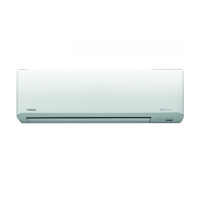
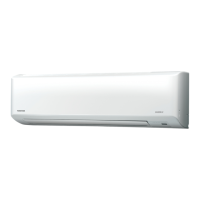
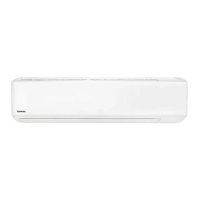
Indoor Unit Models: RAS-10, 13, 16, 18, 22, 24N3KV2-A1
Outdoor Unit Models: RAS-10N3AV2-A1, RAS-13, 16, 18, 22N3AV2-A
Operating Conditions (Outdoor Temperature):
- Heating: -15°C ~ 24°C (Room Temperature: Less than 28°C)
- Cooling: -10°C ~ 46°C (Room Temperature: 21°C ~ 32°C)
- Dry: -10°C ~ 46°C (Room Temperature: 17°C ~ 32°C)
Power Supply: Requires an independent power outlet.
Safety Features:
- Means for disconnection from the supply with a contact separation of at least 3 mm in all poles must be incorporated in the fixed wiring.
- Three-minute protection feature to prevent immediate restart.
- Preheating operation for heating mode.
- Automatic defrosting for heating mode.
- Auto Restart Operation after power failure (if enabled).
Usage Features
Remote Control:
The remote control features buttons for:
- Start/Stop: Turns the unit on/off.
- Mode Select (MODE): Cycles through Automatic, Cool, Heat, Dry, and Fan Only modes.
- Temperature (TEMP): Adjusts the desired temperature.
- Fan Speed (FAN): Selects fan speed (AUTO, LOW-, LOW+, MED--, MED+----, HIGH).
- Swing Louver (SWING): Initiates automatic louver swing.
- Set Louver (FIX): Stops the louver at a desired vertical position.
- On Timer (ON) / Off Timer (OFF): Sets a timer for unit to turn on or off.
- Setup (SET) / Clear (CLR): Used for timer settings.
- Memory and Preset (PRESET): Stores and recalls preferred operation settings.
- One-Touch (ONE-TOUCH): Activates customized, automated operation.
- Hi-POWER: Provides faster cooling or heating.
- ECO: Activates energy-saving operation.
- Quiet: Operates at super low fan speed for quietness.
- Comfort Sleep: Automatically controls airflow and turns off after a set time.
- Filter Reset (FILTER): Resets the filter indicator.
- Set Clock (CLOCK): Adjusts the time on the remote control.
- Check (CHECK): Used for remote control A-B selection.
- Reset (RESET): Resets the remote control or enables/disables Auto Restart.
Indoor Unit Display:
The indoor unit has indicator lights for:
- Hi POWER (Green): Indicates Hi-POWER mode is active.
- FILTER (Orange): Indicates filter cleaning is required.
- PRE.DEF (Preheat/Defrost) (Orange): Indicates preheating or defrosting is active.
- TIMER (Yellow): Indicates timer is set.
- OPERATION (Green): Indicates the unit is operating.
- RESET button: Manual reset button on the indoor unit.
Air Flow Direction:
- Vertical: Adjustable via the FIX button on the remote control or automatic swing via the SWING button.
- Horizontal: Adjustable manually.
Timer Operation:
- ON Timer: Sets a time for the unit to turn on.
- OFF Timer: Sets a time for the unit to turn off.
- Daily Timer: Allows setting both ON and OFF timers to activate daily.
Special Operations:
- Preset Operation: Stores and recalls preferred operation settings.
- Auto Restart Operation: Automatically restarts the unit after a power failure.
- Quiet Operation: Operates at super low fan speed for reduced noise.
- Comfort Sleep Operation: Automatically adjusts temperature and airflow for comfortable sleep, and can be set to turn off after 1, 3, 5, or 9 hours.
- Hi-POWER Operation: Provides faster cooling or heating by automatically controlling room temperature and airflow.
- ECO Operation: Automatically controls room temperature to save energy (in cooling, set temperature increases 1 degree/hour for 2 hours; in heating, set temperature decreases).
- Dry Operation: Dehumidifies with moderate cooling performance.
- Temporary Operation: If the remote control is misplaced or discharged, pressing the RESET button on the indoor unit starts/stops the unit in AUTOMATIC mode, 24°C preset temperature, and automatic fan speed.
- Self Cleaning Operation (Cool and Dry Operation Only): Runs the fan for 30 minutes after cooling or dry mode to reduce moisture and prevent bad smells.
Remote Control A-B Selection:
Allows separating the use of remote controls for two indoor units installed nearby, preventing interference.
Maintenance Features
Filter Cleaning:
- The FILTER lamp on the indoor unit indicates when filters need cleaning.
- Filters should be removed from the air inlet grille and cleaned.
- The FILTER lamp can be turned off by pressing the RESET button on the indoor unit or the FILTER button on the remote control.
Unit Cleaning:
- The indoor unit and remote control should be cleaned with a wet cloth.
- Avoid using benzine, thinner, polishing powder, or chemically-treated duster.
- Do not wash the main air-conditioning unit with water.
- After cleaning the front panel/air filter, wipe away any water and allow to dry completely.
- Internal cleaning of the air-conditioning unit should be requested from the supplying retail dealership or a Toshiba dealership.
General Maintenance:
- It is recommended that maintenance be performed by a specialist after the unit has been operated for a long time.
- At least once a year, check if the mounting table of the outdoor unit is damaged.

 Need help?
 General

 To Next Page
