EasyManua.ls Logo

Toshiba RAS-13PAVP-E - User Manual

Toshiba RAS-13PAVP-E
32 pages
Print Icon
To Next Page IconTo Next Page
Loading...
ENGLISH EN
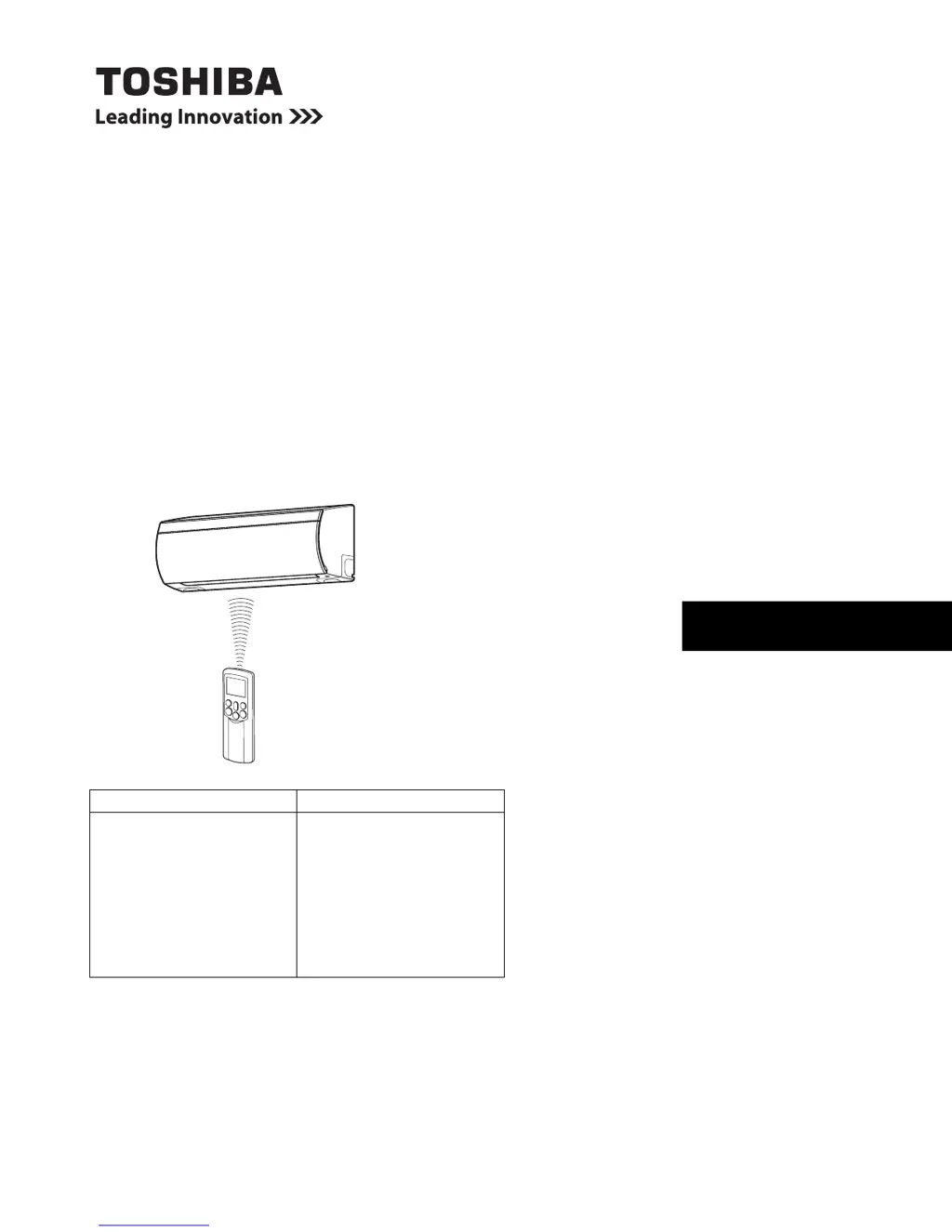
AIR CONDITIONER (SPLIT TYPE)
OWNER’S MANUAL
For general public use
Indoor Unit Outdoor Unit
RAS-07PKVP-E
RAS-10PKVP-E
RAS-13PKVP-E
RAS-16PKVP-E
RAS-18PKVP-E
RAS-07PKVP-ND
RAS-10PKVP-ND
RAS-13PKVP-ND
RAS-16PKVP-ND
RAS-18PKVP-ND
RAS-07PAVP-E
RAS-10PAVP-E
RAS-13PAVP-E
RAS-16PAVP-E
RAS-18PAVP-E
RAS-07PAVP-ND
RAS-10PAVP-ND
RAS-13PAVP-ND
RAS-16PAVP-ND
RAS-18PAVP-ND

Other manuals for Toshiba RAS-13PAVP-E

Questions and Answers

Summary

TOSHIBA AIR CONDITIONER OWNERS MANUAL

Product Model Identification

Lists the various indoor and outdoor unit models covered by the manual.

ACCESSORIES

Included Accessories List

Lists the accessories that come with the air conditioner.

PRECAUTION FOR SAFETY

Safety Warning Levels and Symbols

Explains safety levels (DANGER, WARNING, CAUTION) and their meanings.

Electrical, Physical, and Installation Safety

Covers electrical hazards, finger injury, installation, and modification safety.

OPERATIONAL SAFETY PRECAUTIONS

Location and Power Supply Safety

Precautions for choosing a safe installation location and using power supply.

Safe Operation and Error Handling

Warnings during operation, error conditions, and handling refrigerant.

Cleaning and Handling Precautions

Safety advice for cleaning the unit and handling components.

FURTHER SAFETY GUIDELINES

Unit Placement and Environmental Safety

Safety for unit placement, maintenance, and environmental factors.

Operational Hazard Avoidance

Safety measures for specific conditions like thunder or using near water.

UNIT COMPONENTS AND INDICATORS

Indoor and Outdoor Unit Parts Identification

Identifies and illustrates parts of the indoor and outdoor units.

Indoor Unit Display Panel and Controls

Explains indoor unit indicators and the RESET button function.

REMOTE CONTROLLER OPERATION

Remote Controller Functions and Buttons

Details the functions of each button on the remote controller.

REMOTE CONTROLLER INDICATOR GUIDE

Understanding Remote Display Indicators

Explains the meaning of various indicators on the remote controller display.

INITIAL SETUP AND PREPARATION

Remote Controller Battery and Clock Setup

Instructions for battery installation and setting the remote controller clock.

CLOCK SETTING DETAILS

Adjusting the Remote Controller Time

Detailed steps for adjusting the clock on the remote controller.

USING THE REMOTE CONTROLLER EFFECTIVELY

Signal Transmission and Placement Advice

Guidelines for proper remote controller placement and signal reception.

Signal Tones and Default Settings

Explains signal reception tones and default settings upon reset.

BASIC OPERATING MODES

Automatic Operation Modes Explained

How AUTO and AUTO CHANGEOVER modes operate based on temperature.

STANDARD OPERATION MODES

Cooling, Heating, and Dry Operations

Instructions for setting up cooling, heating, and dry operations.

SPECIALIZED OPERATION MODES

8°C Heating Functionality

Using the 8°C heating function for freeze prevention in unoccupied rooms.

AIR PURIFICATION AND HIGH POWER MODES

Pure Operation (Air Purification)

How to activate and use the electrical air purifying function.

Hi Power Operation for Rapid Conditioning

How to use the high power mode for quick cooling or heating.

TIMER SETTINGS

Setting ON and OFF Timers

Instructions for setting individual ON and OFF timers.

COMBINED AND DAILY TIMER FUNCTIONS

Setting Combined ON;OFF Timers

How to set both ON and OFF timers simultaneously for daily use.

MEMORY AND MY COMFORT FEATURES

Storing and Recalling Operation Settings

How to store and recall preferred settings using MEMO and MY COMFORT.

AIR FLOW DIRECTION CONTROL

Adjusting Vertical and Horizontal Louvers

How to adjust the air flow direction using the remote controller.

Automatic Louver Swing Operation

How to activate and control the automatic air flow swing feature.

AUTO RESTART FUNCTIONALITY

Setting and Cancelling Auto Restart

Instructions for enabling and disabling the auto restart feature.

AIR CONDITIONER FUNCTIONAL EXPLANATIONS

Automatic, Hi Power, Sleep, and Dry Modes

Explains the logic behind automatic, Hi Power, sleep, and dry modes.

ECONOMICAL OPERATION AND SPECIAL MODES

Tips for Energy Saving Operation

Provides advice for economical operation and energy saving.

Temporary Operation and Cleaning Cycle

Explains the temporary operation feature and the cleaning cycle.

ROUTINE MAINTENANCE

Cleaning Indoor Unit and Remote Controller

Guidance on safely cleaning the indoor unit and remote controller.

Preparation for Long-Term Storage

Steps for preparing the unit for storage lasting over a month.

AIR FILTER CARE

Air Filter Removal and Cleaning Procedure

Detailed instructions for removing and cleaning the air filter.

OPERATION PERFORMANCE AND CONDITIONS

Operation Features and Protection Mechanisms

Explains operation features like protection and defrosting.

Recommended Operating Temperature Ranges

Specifies the recommended operating temperatures for different modes.

GENERAL TROUBLESHOOTING

Critical Issues and Initial Checks

Lists critical issues requiring dealer contact and initial troubleshooting steps.

Troubleshooting Poor Performance

Addresses common problems like poor cooling or heating performance.

ADDITIONAL TROUBLESHOOTING POINTS

Non-Defect Operational Phenomena

Explains occurrences that are not considered unit defects.

Unit Sounds and Air Flow Changes

Describes normal sounds and air flow behaviors.

REMOTE CONTROLLER TROUBLESHOOTING

Remote Controller Operational Issues

Solutions for problems like incorrect mode switching or unresponsive buttons.

Display and Signal Reception Problems

Troubleshooting for display issues and lack of signal reception tones.

TECHNICAL SPECIFICATIONS

Detailed Model Specifications

Provides comprehensive technical specifications for various models.

OPERATING CONDITIONS AND PERFORMANCE DATA

Cooling and Heating Performance Conditions

Specifies the conditions under which performance data was determined.

MANUFACTURER AND COMPLIANCE INFORMATION

EMC Directive Compliance Details

Provides manufacturer and importer details and EMC Directive compliance.

Toshiba RAS-13PAVP-E Specifications

General IconGeneral
TypeSplit System
Cooling Capacity3.5 kW
Heating Capacity4.0 kW
RefrigerantR410A
Power Supply220-240V, 50Hz
Energy Efficiency Ratio (EER)3.21
Coefficient of Performance (COP)3.61
Outdoor Unit Dimensions (W x H x D)780 x 550 x 290 mm
Indoor Unit Weight9 kg
Noise Level (Outdoor)50 dB(A)

Related product manuals