EasyManua.ls Logo

Toshiba RAS-13PAVP-ND - User Manual

Toshiba RAS-13PAVP-ND
32 pages
Print Icon
To Next Page IconTo Next Page
Loading...
ENGLISH EN
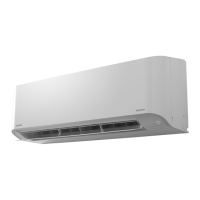
AIR CONDITIONER (SPLIT TYPE)
OWNER’S MANUAL
For general public use
Indoor Unit Outdoor Unit
RAS-07PKVP-E
RAS-10PKVP-E
RAS-13PKVP-E
RAS-16PKVP-E
RAS-18PKVP-E
RAS-07PKVP-ND
RAS-10PKVP-ND
RAS-13PKVP-ND
RAS-16PKVP-ND
RAS-18PKVP-ND
RAS-07PAVP-E
RAS-10PAVP-E
RAS-13PAVP-E
RAS-16PAVP-E
RAS-18PAVP-E
RAS-07PAVP-ND
RAS-10PAVP-ND
RAS-13PAVP-ND
RAS-16PAVP-ND
RAS-18PAVP-ND

Other manuals for Toshiba RAS-13PAVP-ND

Questions and Answers

  • L
    Lindsey LivingstonAug 7, 2025
    What to do if my Toshiba Air Conditioner is not turning on?
    • R
      Robin PriceAug 7, 2025
      If your Toshiba Air Conditioner is inoperative, there are several possible reasons. First, ensure that the main power switch is turned on. Also, check if the circuit breaker has been activated, cutting off the power supply, and reset it if necessary. Examine the main power fuse and replace it if it has blown. Verify that there is an electric current. Replace the batteries in the remote controller. If the ON timer is set, disable it. Finally, remember that as a protective measure, the air conditioner may not operate for 3 minutes after restarting or turning on the main power; wait for 3 minutes and try again.
  • P
    psanchezAug 17, 2025
    Why is my Toshiba RAS-13PAVP-ND not cooling properly?
    • M
      Mr. Joseph SchmidtAug 17, 2025
      If your Toshiba Air Conditioner isn't cooling effectively, several factors could be responsible. Check that the air inlet or outlet of the outdoor unit isn't blocked. Ensure all doors and windows are closed. A clogged air filter can also reduce performance, so clean it. Make sure the louver is correctly positioned. Check that the fan speed isn't set too low, and adjust it as needed. The air conditioner might be in DRY or SLEEP mode, so switch to a more suitable setting. If you are in cooling operation, the temperature setting might be too high, so lower it. Finally, ensure that the air conditioner is being used within its specified operating conditions. If none of these steps work, remove the cause of the problem, and after about 30 seconds, turn on the circuit breaker again.
  • D
    Daniel ValdezAug 28, 2025
    What to do if my Toshiba RAS-13PAVP-ND Air Conditioner is not heating properly?
    • M
      Makayla ElliottAug 28, 2025
      If your Toshiba Air Conditioner isn't heating effectively, several factors could be responsible. Check that the air inlet or outlet of the outdoor unit isn't blocked. Ensure all doors and windows are closed. A clogged air filter can also reduce performance, so clean it. Make sure the louver is correctly positioned. Check that the fan speed isn't set too low, and adjust it as needed. The air conditioner might be in DRY or SLEEP mode, so switch to a more suitable setting. If you are in heating operation, the temperature setting might be too low, so increase it. Finally, ensure that the air conditioner is being used within its specified operating conditions. If none of these steps work, remove the cause of the problem, and after about 30 seconds, turn on the circuit breaker again.

Summary

ACCESSORIES

SAFETY PRECAUTIONS

General Safety Warnings

Provides critical warnings and cautions for safe installation and operation of the air conditioner.

COMPONENT IDENTIFICATION

Indoor Unit Parts and Indicators

Identifies parts of the indoor unit and explains the functions of its display panel indicators.

REMOTE CONTROLLER OPERATION

Remote Control Button Functions

Details the purpose and operation of each button on the remote control for various functions.

REMOTE INDICATOR GUIDE

Remote Control Display Indicators

Describes the meaning of various indicators shown on the remote control's display screen.

INITIAL SETUP AND PREPARATION

Setting the Remote Controller Clock

Guides on how to set the current time on the remote controller for accurate timer operations.

REMOTE CONTROLLER USAGE

Remote Controller Usage and Location

Covers optimal placement, holder installation, signal reception, and understanding notification tones.

AUTOMATIC OPERATION MODES

Automatic Operation

Explains how the unit automatically selects cooling, heating, or fan mode based on room temperature.

Auto Changeover Operation

Details how the unit automatically switches between cooling and heating based on room temperature.

BASIC OPERATION MODES

Cooling, Heating, and Dry Operation

Instructions for performing standard cooling, heating, and dry (dehumidification) cycles.

SPECIALIZED OPERATION MODES

8°C Operation Mode

Explains the function of maintaining a minimum room temperature of 8°C to prevent freezing.

AIR PURIFICATION AND POWER MODES

Pure Operation

Details the electrical air purifying operation and its activation/deactivation.

HI POWER OPERATION

TIMER FUNCTIONS

Setting ON and OFF Timers

Instructions for setting timed start and stop operations for the air conditioner.

SETTING MEMORY AND COMFORT MODES

Storing and Recalling Settings

Guides on using the MEMO button to store favorite settings and the MY COMFORT button to recall them.

AIR FLOW DIRECTION CONTROL

Adjusting Air Flow Direction

Covers manual adjustment of vertical and horizontal air flow louvers and automatic swing function.

AUTO RESTART FUNCTION

AIR CONDITIONER WORKING PRINCIPLES

Operation Modes Explained

Explains how Automatic, Hi POWER, SLEEP MODE, and Dry operations function.

ECONOMICAL OPERATION AND SPECIAL MODES

Economical Operation Tips

Provides advice on maintaining comfortable temperatures, cleaning filters, and using timers for energy efficiency.

TEMPORARY OPERATION

CLEANING OPERATION

ROUTINE MAINTENANCE

Cleaning, Storage, and Checks

Instructions for cleaning components, preparing for storage, and performing pre-operation checks.

PERFORMANCE AND OPERATING CONDITIONS

Features, Performance, and Limits

Describes protection features, heating characteristics, operating temperature limits, and power failure response.

TROUBLESHOOTING BASICS

General Troubleshooting Checks

Steps to check for common issues like inoperability or poor cooling/heating before contacting service.

NORMAL OPERATIONAL PHENOMENA

INDICATOR AND SOUND TROUBLESHOOTING

REMOTE CONTROLLER ISSUES

Remote Control Operational Issues

Covers problems with mode switching, fan speed control, display, and signal reception.

TECHNICAL SPECIFICATIONS

EMC DIRECTIVE COMPLIANCE

Toshiba RAS-13PAVP-ND Specifications

General IconGeneral
BrandToshiba
ModelRAS-13PAVP-ND
CategoryAir Conditioner
LanguageEnglish

Related product manuals