EasyManua.ls Logo

Toshiba RBC-ASCU11-E - User Manual

Toshiba RBC-ASCU11-E
8 pages
Print Icon
To Next Page IconTo Next Page
Loading...
ENDK NLLV FRNO GRHR DEPL RUCZ ITBG TRSK ESRO SESL PTET FIHU
Air conditioner (split type)
Model:
RBC-ASCU11-E
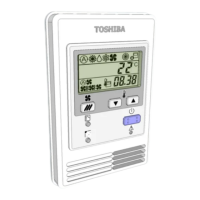
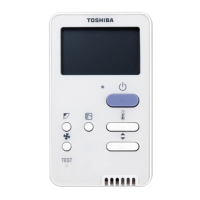
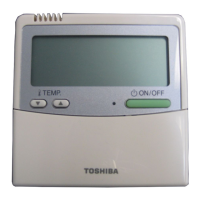
Compact wired remote controller
Owner's Manual
Thank you for purchasing Toshiba air conditioner remote controller.
Before using the air conditioner remote controller, please read this Owner's Manual carefully.
Be sure to obtain the Owner's Manual and Installation Manual from the manufacturer (or dealer).
Requirements for manufacturers or dealers
Please clearly explain the contents of the Owner's Manual, and then hand over this Owner's
Manual to the user.
1
Safety Precautions
Read “Safety Precautions” carefully before use.
The following cautions cover important safety-related items. Please be sure to obey.
Before reading the text, please understand the following details (instructions and symbols) and
follow the instructions below.
Identication Meanings of identication
Warning
The warnings indicate that if you fail to operate properly and follow the instructions
in the warnings, it may cause serious personal injury or death.
Caution
The caution indicate that if you fail to operate properly and, it may cause serious
personal injury or property damage. (*1)
*1: Property damage includes loss of buildings, family property, poultry, and pets.
Warning
Installation
Be sure to ask a qualied electric installer to install the remote controller. If you install the
remote controller improperly by yourself, it may cause electric shock, re or other problems.
Be sure to install Toshiba-specied air conditioners and consult your exclusive dealer during
installation. If you install the air conditioner by yourself, it may cause electric shock, re or
other problems.
Operation
When you nd that the air conditioner is abnormal (for example, you smell the odor of burning
objects), please immediately turn o󰀨 the main power switch or open the circuit breaker to turn
o󰀨 the air conditioner, and contact the dealer. If the air conditioner runs in abnormal state, it
may cause machine fault, electric shock, re, or other problems.
Reinstallation and repair
Do not repair any part of the air conditioner by yourself.
Whenever the air conditioner needs repair, be sure to contact your dealer.
If you repair it improperly, it may cause electric shock, re or other problems.
When reinstalling the air conditioner, be sure to contact your dealer.
If you install it improperly, it may cause electric shock, re or other problems.

Other manuals for Toshiba RBC-ASCU11-E

Question and Answer IconNeed help?

Do you have a question about the Toshiba RBC-ASCU11-E and is the answer not in the manual?

Summary

Safety Precautions

Installation Safety

Instructions for safe installation by qualified installers to prevent electric shock, fire, or other problems.

Operation Safety

Steps to take when the air conditioner is abnormal to prevent faults, shock, or fire.

Reinstallation and Repair Safety

Advice on not repairing yourself and contacting dealers for reinstallation/repair to avoid shock or fire.

Component Names and Functions

Remote Controller Buttons

Details the functions of the ON/OFF, Setting, and Timer off buttons and the operation lamp.

Menu Button Function

Explains the function of the menu button for selecting modes, fan speed, and wind direction.

Indication Icons Overview

Illustrates and explains various icons displayed on the remote controller's LCD screen.

Operation

Standby Mode

Requirements and behavior of the remote controller during standby mode.

Run Operation Guide

Step-by-step guide for operating the air conditioner, including ON/OFF, mode, fan speed, wind direction, and temperature.

Timer Off Operation

Setting Timer Off

Instructions for setting and activating the timer off function for the air conditioner.

Cancel Timer

Procedure to cancel the previously set timer off function.

Troubleshooting

Validation Checks

Information on error display, check codes, and the number of faulted indoor units.

Troubleshooting History

Steps to view and confirm troubleshooting history, including requirements and data deletion.

Overview

The Toshiba RBC-ASCU11-E is a compact wired remote controller for Toshiba split-type air conditioners, designed to provide comprehensive control and monitoring capabilities. This owner's manual outlines its safety precautions, component names and functions, operation, timer settings, and troubleshooting procedures.

Function Description

The RBC-ASCU11-E serves as the primary interface for controlling Toshiba air conditioning units. It allows users to:

  • Turn the air conditioner ON/OFF: A dedicated button initiates or terminates operation.
  • Select running modes: Users can choose from various modes such as Normal Operation, Operation Mode, Fan Speed, and Wind Direction. Available modes include Auto, Heat, Dry (Dehumidify), Cool, and Fan.
  • Adjust temperature: The controller allows precise temperature settings within a range of 18.0°C to 29.0°C, with 0.5°C sensitivity.
  • Control fan speed: Depending on the indoor unit model, users can select from three-speed (Auto, Low, Med, High, Fix) or five-speed (Auto, Low, Low+, Med, Med+, High, Fix) fan settings.
  • Set wind direction: The controller enables adjustment of the louver position and swing, with options for five different wind directions.
  • Set a timer off: Users can program the air conditioner to turn off automatically after a set period, ranging from 0.5 hours (30 minutes) up to 24 hours.

Important Technical Specifications

While specific technical specifications like power consumption or dimensions are not detailed in the provided excerpts, the manual highlights several operational characteristics:

  • Display: Features an LCD with a backlight that illuminates for 15 seconds when a button is operated.
  • Control modes: Supports central control, where the air conditioner can be managed by a central remote controller or other central control devices. In such cases, certain functions on the local remote controller may be restricted.
  • Multi-connection system compatibility: For Toshiba Super Smart multi-connection systems, specific operational limitations apply, such as the inability to cool/heat if another indoor unit is under heating/cooling, or if outside temperatures exceed the operating range.
  • Self-cleaning operation: The controller displays an icon when the indoor unit's heat exchanger is undergoing dehumidification via the self-cleaning function.
  • Error display: In case of a system error, the controller displays an error code and the number of the faulted indoor unit, aiding in troubleshooting.

Usage Features

The RBC-ASCU11-E is designed for user-friendliness with clear indications and intuitive controls:

  • Button layout: Features distinct buttons for ON/OFF, Setting, Timer Off, and Menu, each with a specific function.
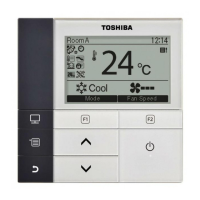
  • Indication icons: A comprehensive set of icons on the LCD provides visual feedback on the current running mode, central control status, setting status, repair status, test run status, temperature setting, wind direction, louver position, louver locking, fan speed, timer off, preheating, running standby, remote controller sensor usage, and self-cleaning operation.
  • Standby mode: When "SETTING" flickers, the system is in standby, and operations will not be accepted.
  • Power-on sequence: After power is turned on, the remote controller becomes operational after approximately 1 minute. For long periods of disuse, it is recommended to turn on the power switch at least 12 hours in advance.
  • Automatic settings: If no button is operated within 30 seconds during mode, fan speed, or wind direction selection, the selection process will automatically end.
  • Heating preheating: During heating operation, the air conditioner may preheat for 3-5 minutes before sending out hot air, especially if the indoor unit fan mode is off.
  • Multi-connection system specifics: "Auto" mode for multi-connection systems is only available and selectable on super heat recovery multi-connection systems. "Dehumidify" is not available for concealed duct high static pressure type units.

Maintenance Features

The remote controller includes features to assist with maintenance and troubleshooting:

  • Validation checks: If the air conditioner fails, the timer off indication will alternately display a check code and the number of the faulted indoor unit, facilitating initial diagnosis.
  • Troubleshooting history: The controller can store up to four records of troubleshooting history. Users can access this history by long-pressing the timer off button for more than 10 seconds. The display will show the troubleshooting history order (e.g., "01: Troubleshooting History Order"), check code, and faulted indoor unit number.
  • Repair indication: A dedicated icon displays when an inspection is being performed or a protective device is running.
  • Test run indication: An icon indicates when the unit is in a test run period.
  • Reporting issues: When requesting maintenance or repairs, users are advised to provide the combinations of letters (A, E, F, H, L, P) and numbers from the check code displayed on the LCD to the service provider (Toshiba Carrier Air Conditioning (China) Co.,Ltd).
  • Resetting history: In troubleshooting history mode, if the menu button is not pressed for more than 10 seconds, all troubleshooting history of the indoor unit will be deleted.

Toshiba RBC-ASCU11-E Specifications

General IconGeneral
BrandToshiba
ModelRBC-ASCU11-E
CategoryRemote Control
LanguageEnglish

Related product manuals