
 To Next Page
J
Joseph GarciaSep 18, 2025
Why does video or color fade in and out when copying a cassette tape on my Toshiba SDV398 DVD VCR Combo?
- CCindy StephensSep 18, 2025
You cannot copy a copyrighted cassette tape.

Why does video or color fade in and out when copying a cassette tape on my Toshiba SDV398 DVD VCR Combo?
You cannot copy a copyrighted cassette tape.
Why is there no sound from my Toshiba DVD VCR Combo?
Check the following: * Adjust the volume to an audible level. * Ensure the speakers and audio cables are correctly and firmly connected. * Verify that the audio component is powered on and the input settings are correct. * Check the VIDEO/AUDIO cable connections to the TV.
What to do if there is no picture on Toshiba DVD VCR Combo?
First, make sure the video cable is firmly connected. Next, ensure you're using a compatible video disc. Press the [DVD] button on the remote and check if the DVD indicator lights up. Finally, verify that the “PROGRESSIVE” setting in the “DISPLAY” menu is correctly configured based on your TV's capabilities and connection type.
What to do if my Toshiba DVD VCR Combo disc cannot be played back?
First, ensure that a disc is actually inserted. If it is, try cleaning the disc and placing it correctly with the label side up. If the issue persists, test with another disc to check for defects. Also, verify or cancel the parental lock settings. Handle the disc carefully to avoid fingerprints, scratches, or dust.
Why can't I change the camera angle on my Toshiba DVD VCR Combo?
The angle cannot be switched for DVDs which do not contain multiple angles. In some cases multiple angles are only recorded for specific scenes; this is not a malfunction.
Why does “ ” appear on the TV screen, prohibiting an operation on my Toshiba SDV398 DVD VCR Combo?
If that operation is prohibited by the unit or the disc, this is not a malfunction.
Why do I see poor picture or noise on my Toshiba SDV398 DVD VCR Combo?
This may be due to interference. Try changing the position and direction of the unit.
What to do if my Toshiba SDV398 has no power?
First, ensure that the power plug is securely connected to an AC outlet. Then, verify that the power switch is turned on.
What to do if my Toshiba SDV398 DVD VCR Combo has a completely distorted picture?
Connect the unit directly to the TV. Also, ensure the disc is compatible with the unit and that the PROGRESSIVE mode is set correctly.
What to do if my Toshiba SDV398 DVD VCR Combo has a playback picture that is partially noisy?
Adjust the tracking control for a better picture by pressing [CHANNEL / ]] on the unit or [CH. K / L] on the remote control.
Safety information regarding laser usage and potential eye injury.
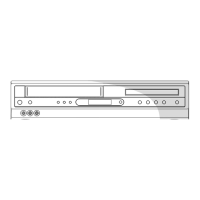
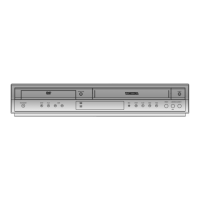
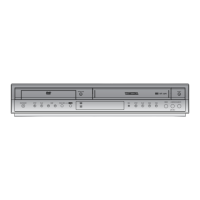
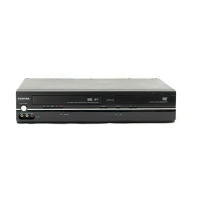
Identification of front and rear panel components and their functions.
Instructions for connecting the unit to a TV with various quality options.
Steps for turning on the unit, setting channels, language, and other initial configurations.
Basic playback, pause, picture search, index, and time search operations.
Recording, OTR, timer recording setup, and accidental erasure prevention.
Instructions for standard playback, disc menus, resume, and paused playback.
How to play audio and image files from discs.
Accessing and using QUICK and CUSTOM menus for DVD playback settings.
Setting parental levels and changing the password for content restriction.
Solutions for common problems encountered with the unit.
 General
| Type | DVD VCR Combo |
|---|---|
| Brand | Toshiba |
| Model | SDV398 |
| Video Format | NTSC |
| Audio Output | Stereo |
| Recording Format | VHS |
| Playback Formats | DVD, VHS |
| Remote Control | Yes |
| DVD Type | DVD Player |
| Progressive Scan | Yes |
| DVD Player | Yes |
| VCR Player | Yes |
| DVD Formats | DVD Video |
| VHS Playback | Yes |
| Output Resolution | 480p |
| Product Type | DVD/VCR Combo |
| Playable Disc Formats | DVD-R, DVD-RW |