TCS-NET General Purpose Interface
Installation Manual
Toshiba
–9–
EN
5 Connection of Power cables/Earth wires/
Signal wires
CAUTION
• Power lines have polarity.
• The TCC-LINK signal lines have no polarity.
REQUIREMENT
Disconnect the AC adaptor for this appliance from the main power supply.
• The AC adaptor for this appliance must be connected to the main supply by a circuit breaker or switch with a
contact separation of at least 3 mm.
Power cables/Earth wires/Signal wires
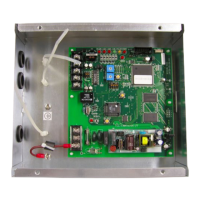
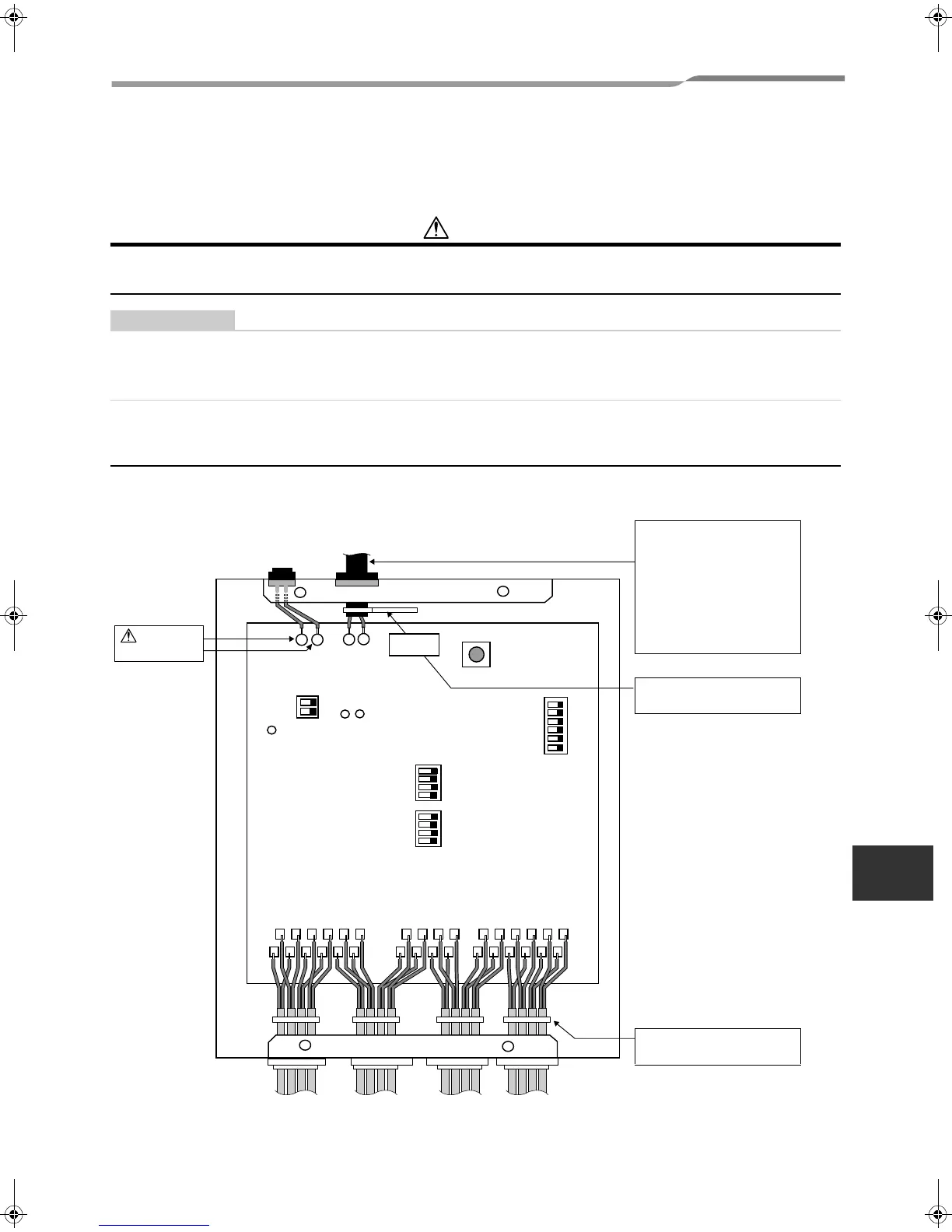
Connect power cables, earth wires, and signal wires to the specified terminals on the terminal block as shown
below.
LED POWER
LED TCC-LINK (YELLOW)
LED TCC-LINK ERROR (RED)
SW6
SW5
SW7
SW1
SW2
U2
U1
+
-
AI4+-
AI4-
AI6-
AI6+
AO3-
AO3+-
SWART
CN5
AI3-
AI5+
AI5-
AI3+-
AO2+- AO2-
RO1-RO1+
RO3+RO3-
RO2-
RO2+
RO4+RO4-
DI1+
DI1-
DI3+ DI3-
DI5+DI5-
DI2+
DI2-
DI4+ DI4- DI6+
DI6-
-
TCC-LINK
communication line
DC power input
15V ±5%
Connect the shield of the
TCC-LINK communication
line to earth on the air
conditioner side.
Do not connect the shield
wire to this board. It should
be open and insulated.
U1 and U2 have no
polarity.
CAUTION
Polarity
Secure each cable with a
cable clamp.
Secure each cable with a
cable clamp.
Analog input Relay output Digital input
8-EN
+00DE89308101_01EN_TCB-IFCG10TLE_gene_IM.book Page 9 Monday, December 15, 2008 3:49 PM



 To Next Page
 Loading...