EasyManua.ls Logo

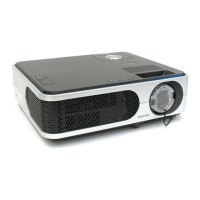
Toshiba TLP-SX3500 - User Manual

Toshiba TLP-SX3500
56 pages
Print Icon
To Next Page IconTo Next Page
Loading...
1
Projector
TLP-SX3500
TLP-SX3500
User's Manual - Operating Guide
Thank you for purchasing this projector.
TRADEMARK ACKNOWLEDGMENT :
• VGA and XGA are registered trademarks of the International Business Machines Corporation.
• Apple and Mac are registered trademarks of Apple Computer, Inc.
• VESA and SVGA are trademarks of the Video Electronics Standard Association.
• Windows is a registered trademark of Microsoft Corporation.
• Internet Explorer is a trademark of Microsoft Corporation.
All other trademarks are the property of their respective owners.
WARNING Before using, first read the "Before using" section of this
manual. Then read other sections of this manual to ensure correct usage
through understanding. After reading, store them in a safe place for future
reference.
• The information in this manual is subject to change without notice.
• The manufacturer assumes no responsibility for any errors that may appear in this manual.
• The reproduction, transmission or use of this document or contents is not permitted without
express written authority.
NOTE


Table of Contents

Other manuals for Toshiba TLP-SX3500

Questions and Answers

  • K
    Kevin LarsonSep 12, 2025
    What to do if my Toshiba TLP-SX3500 is lighting in Red (LAMP indicator) and Turned off (TEMP indicator)?
    • S
      Shawn LittleSep 13, 2025
      If the LAMP indicator is lighting in red and the TEMP indicator is turned off, the interior portion of the projector may be overheated. Turn the power off and allow the unit to cool down for at least 20 minutes. After cooling, check the projector before turning it on again.
  • A
    angela00Aug 25, 2025
    What to do if my Toshiba TLP-SX3500 displays sounds but no pictures?
    • L
      Lorraine JacksonAug 25, 2025
      If you hear sound but see no picture on your Toshiba Projector, try the following: * Ensure the lens cap is removed. * Check that the signal cables are correctly connected. * Increase the brightness level in the menu settings. * If the screen is blanked, press the BLANK button to return to the input signal screen.
  • J
    Jennifer AdamsAug 25, 2025
    What to do if my Toshiba TLP-SX3500 Projector displays neither sounds nor pictures?
    • J
      John SaundersAug 26, 2025
      If your Toshiba Projector is not outputting any sound or picture, consider these solutions: * Ensure the signal cables are correctly connected. * Verify that the signal source is correctly set up by referring to its manual. * Check and correct any mismatched input changeover settings by selecting the correct input signal.
  • K
    Kelsey RobinsonSep 23, 2025
    Why do neither sounds nor pictures are outputted from my Toshiba TLP-SX3500 Projector?
    • A
      Andrew WalkerSep 23, 2025
      If neither sounds nor pictures are being outputted, check that the signal cables are correctly connected. Also, ensure the signal source is correctly set up by referring to its manual. Finally, verify that the input changeover settings are correctly matched to the input signal.
  • K
    Keith TaylorSep 13, 2025
    What does it mean if my Toshiba TLP-SX3500 is lighting in Red and Blinking in Red (LAMP indicator and TEMP indicator)?
    • M
      Michael CarrSep 14, 2025
      If the LAMP and TEMP indicators are lighting and blinking in red, it indicates that the lamp or lamp cover is either missing or not properly fixed. Turn the power off and allow the unit to cool down for at least 45 minutes. After cooling, check the attachment state of the lamp and lamp cover, and then turn the power on again.
  • C
    Carl PerkinsSep 22, 2025
    What to do if my Toshiba TLP-SX3500 Projector says 'CHANGE THE LAMP AFTER REPLACING LAMP, RESET THE LAMP TIMER. THE POWER WILL TURN OFF AFTER ** hr.'?
    • N
      Natalie ElliottSep 22, 2025
      When the lamp usage reaches 2000 hours, the power will automatically turn off. Please change the lamp. After changing the lamp, be sure to reset the lamp timer.
  • J
    Jeremy HughesSep 6, 2025
    Why do colors have a faded-out appearance, or color tone is poor on my Toshiba TLP-SX3500 Projector?
    • C
      Christopher WolfSep 6, 2025
      If the colors on your Toshiba Projector appear faded or the color tone is poor, adjust the color settings by changing the COLOR BAL R, COLOR BAL G, COLOR BAL B, COLOR, and/or TINT settings in the menu.
  • H
    huntjamesSep 7, 2025
    Why does my Toshiba Projector say 'NO INPUT IS DETECTED ON ***'?
    • A
      Ashley BarrSep 7, 2025
      This message on your Toshiba Projector means there is no input signal. Confirm the signal input connection and the status of the signal source.
  • S
    susan18Sep 23, 2025
    What to do if my Toshiba Projector says 'CHANGE THE LAMP AFTER REPLACING LAMP, RESET THE LAMP TIMER. THE POWER WILL TURN OFF AFTER 0 hr.'?
    • M
      Melissa CunninghamSep 23, 2025
      Immediately turn the power off and change the lamp. After changing the lamp, be sure to reset the lamp timer.
  • Z
    Zachary PerryAug 30, 2025
    What does it mean when my Toshiba TLP-SX3500 Projector says 'CHANGE THE LAMP AFTER REPLACING LAMP, RESET THE LAMP TIMER. THE POWER WILL TURN OFF AFTER ** hr.'?
    • T
      Tracy GilbertAug 31, 2025
      This message on your Toshiba Projector indicates that the lamp timer is approaching 2000 hours, and a lamp change within the specified time is recommended. The power will automatically turn off when the lamp reaches 2000 hours. Change the lamp and reset the lamp timer.

Summary

Projector TLP-SX3500 Operating Guide

Safety Warning

Important safety instructions and warnings before operating the projector.

Before Using

Safety Precautions

Essential safety guidelines and hazard symbols for projector operation.

Before Using (continued)

Important Safety Instructions

Detailed safety instructions covering installation, use, and servicing of the projector.

Before Using (continued)

Important Safety Instructions (continued)

Safety guidance for damage requiring service, glass components, and servicing procedures.

Part Names (continued)

Control Panel and Remote Buttons

Detailed identification of buttons on the projector's control panel and the remote control.

Setting Up

Arrangement and Projection Distance

Guidelines for projector placement and determining screen size based on distance.

Setting Up (continued)

Device Connectivity and Plug-and-Play

Guidance on connecting external devices and the projector's Plug-and-Play capability.

Power ON;OFF

Operating

Selecting an Input Signal

Methods for choosing the video input source using the INPUT dial or buttons.

Operating (continued)

Multifunctional Settings

Multifunctional Settings (continued)

Network Setting Up

Lamp

Replacing The Lamp

Step-by-step instructions for safely replacing the projector lamp.

Air Filter

Caring For The Air Filter

Procedures for cleaning or replacing the air filter and resetting the filter timer.

Troubleshooting

Related Messages

Explanations of messages displayed on the projector and their solutions.

Troubleshooting (continued)

Indicator Lamps Status

Meanings of the STANDBY/ON, LAMP, and TEMP indicator lights.

Troubleshooting (continued)

Phenomena Mistaken For Defects

Common issues not indicating a machine defect and their possible causes.

Warranty And After-Service

Toshiba TLP-SX3500 Specifications

General IconGeneral
Contrast Ratio2000:1
Display Type3LCD
Projection Size30 to 300 inches
ResolutionXGA (1024 x 768)
Lamp Life2000 hours (normal mode), 3000 hours (eco mode)
Input PortsS-Video
OutputsAudio

Related product manuals