******
• Keep children out of reach.
• Please only use the original adapter for recharge.
• The H1 must be charged every 3 months if not being used for a long period.
• Please store it indoors, do not expose it to sunlight or freezing temperatures.
• Please full charge H1 at first use.
Cleaning Floors with H1
1. Preparation
Check the Handle Tube, the Clean Water Tank, the Dirty Water Tank, the Roller Brush, the
HEPA Filter Set, etc. Make sure all of them are installed correctly and tightly, then fill up the
clean water tank.
2. Start/Stop
• Hold and press the button for 1 -2 seconds to start H1, it will enter into the Auto-
cleaning Mode by default.
• Short press the button to turn off H1.
• H1 will spray water automatically in Auto Mode, Eco Mode, and Max Mode.
• H1 will detect the dirt on the floor and adjust the suction according to the dirt amount
on the floor in Auto Mode.
• The dirt monitoring bar will change color from blue to red according to the dirt amount
on the floor.
3. Suction Mode
• Short press the button to enter into Suction Mode when H1 is in Auto-Mode,
Eco Mode, and Max Mode.
• H1 will not spray water in Suction Mode.
4. Standby
• H1 will be on standby when it is standing upright, and will be restarted when being
reclined.
• H1 will be turned off automatically if it's not operated within 5 minutes when on stand
by.
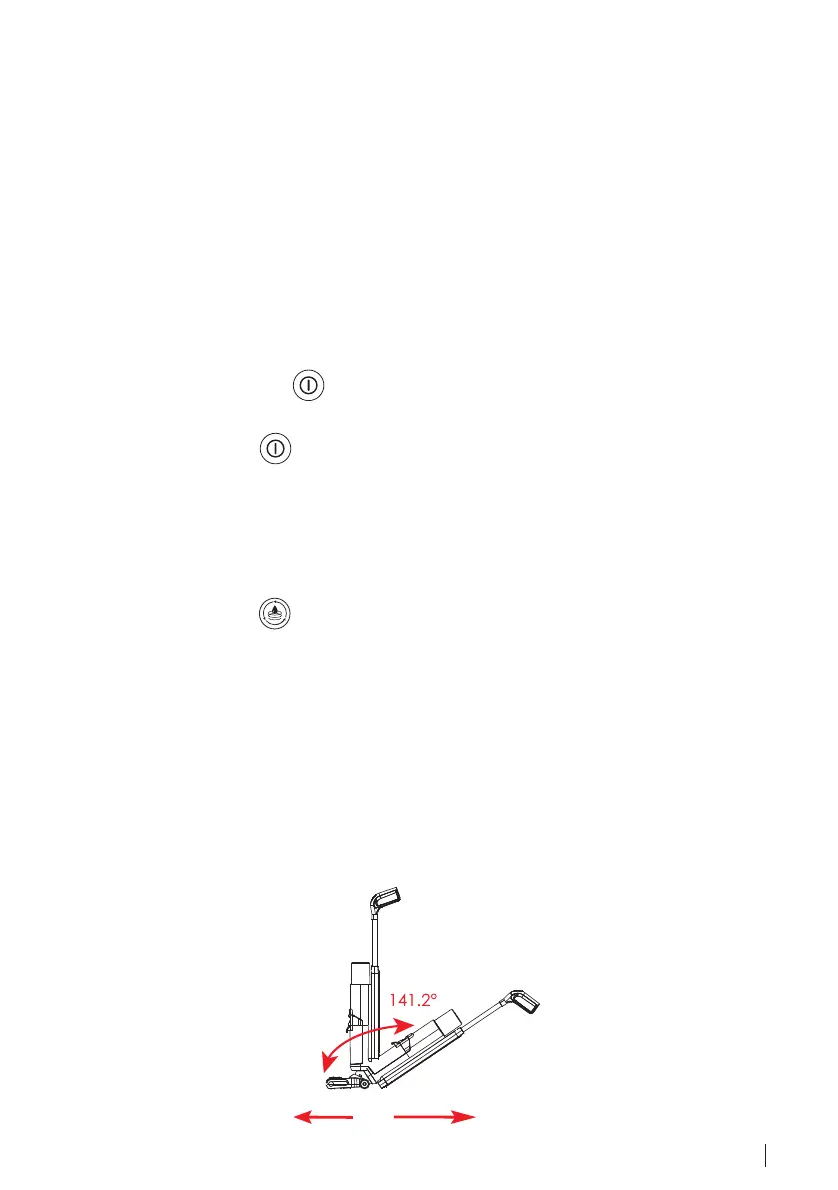
5. Move
Hold the handle grip and pull the H1 forward and backward to clean your floors.
※ Do not recline H1 more than 141.2° to avoid water leakage, and do not shake
H1 in use.
Forward
Backward
ENGLISH 17



 To Next Page