TouchTunes Karaoke Installation and Setup Guide
Installing TouchTunes Karaoke
Installing the “TouchTunes Karaoke” Hard Drive
18
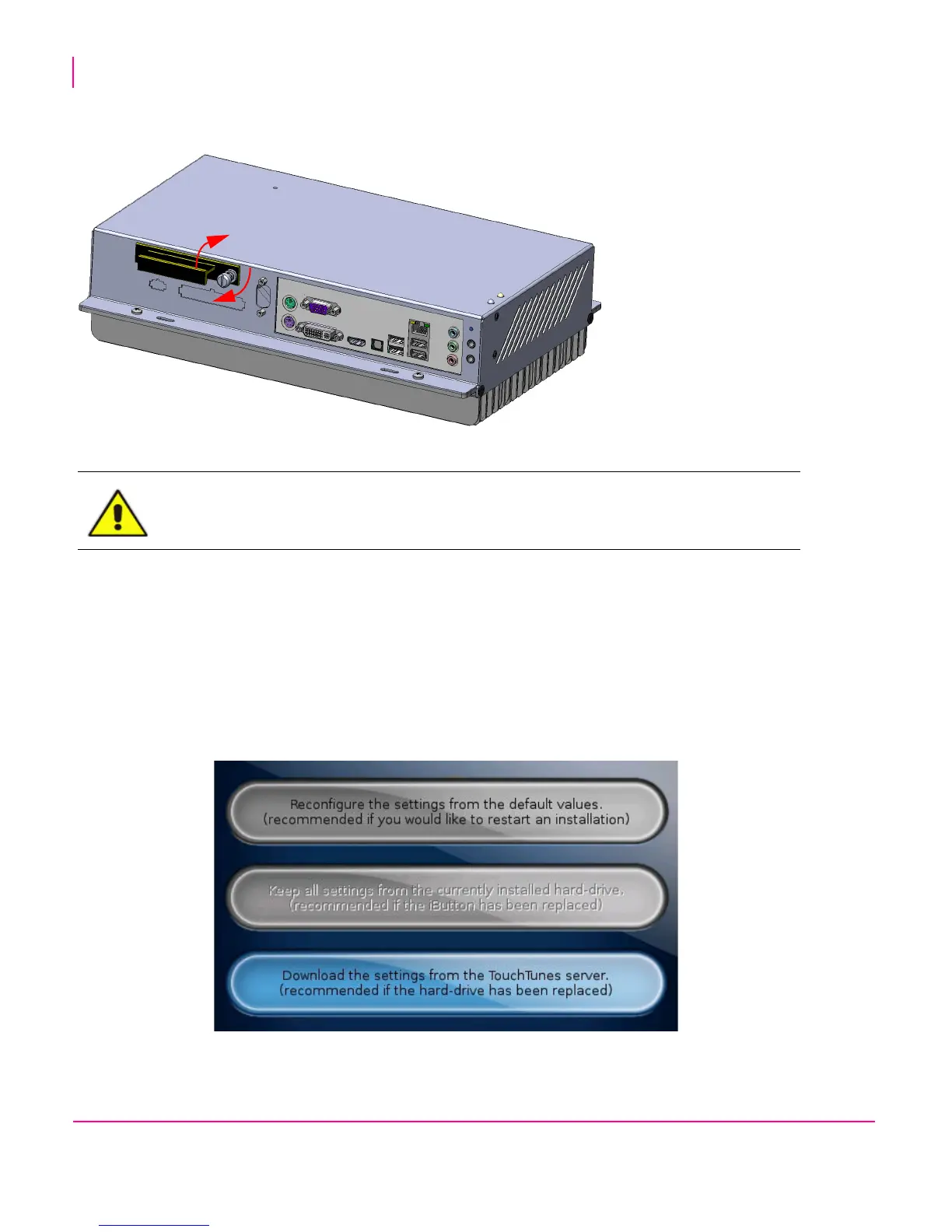
9. Using your fingers, push in and then tighten the thumb screw (clockwise) on the Karaoke hard drive tray until the
thumb screw is securely tightened.
Tightening the hard drive thumb screw
10. Test whether the hard drive is firmly seated by pulling out firmly on the handle of the hard drive tray.
The hard drive is secured properly when:
• the thumb screw is completely compressed and covered by the cowl head of the thumbs screw, that is, the
spring is not visible.
• there is no gap between the edge of the hard drive tray and the computer.
• there is no play between the hard drive and the computer when you pull outward on the handle of the hard
drive tray.
11. Reboot the Virtuo.
12. After the reboot, you will be prompted onscreen with three options: Select the THIRD option.
CAUTION: Using a screwdriver on the thumb screw is not necessary and applies
significantly more torque than is required. Do not over-tighten.



 To Next Page