TouchTunes Karaoke Installation and Setup Guide
Karaoke Event Manager
Linking your Dashboard and myTouchTunes accounts:
28
Linking your Dashboard and myTouchTunes accounts:
1. Create a myTouchTunes account, if you do not already have one.
2. Open a web browser and navigate to the Operator Dashboard at https://dashboard.touchtunes.com/
3. Log in using your Operator Dashboard credentials.
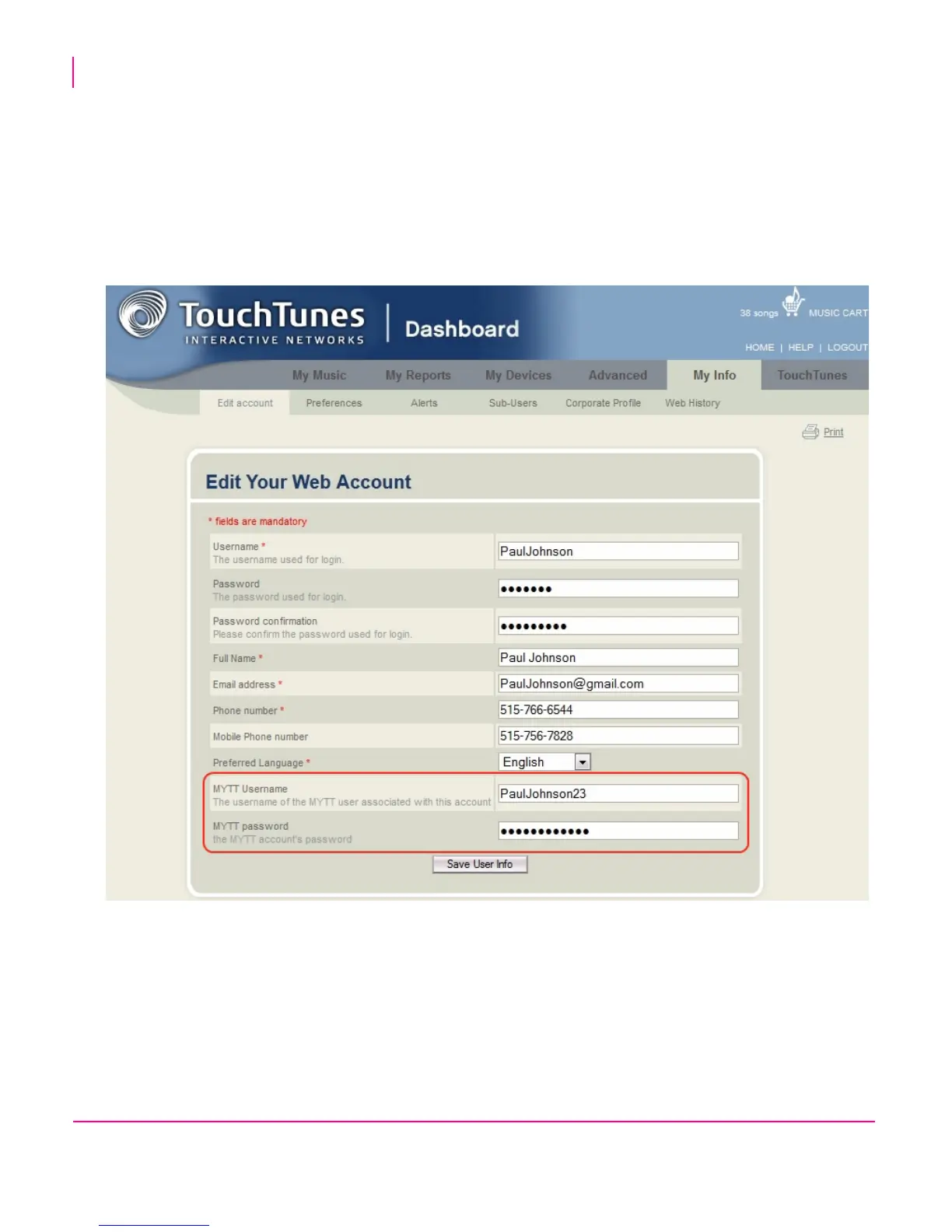
4. Open the tab My Info > Edit Account
5. Add your myTouchTunes login and password to your Dashboard account profile and click Save User Info.
By linking your Dashboard account to your myTouchTunes account, you will now be recognized as an operator when
you log into the Karaoke Event Manager website.
Since your accounts are now linked, the Karaoke Event Manager can access and display your list of locations.


 To Next Page