Townsend Labs Sphere L22 Precision Microphone System Guide Recording Vocals
41
Setup for Vocal Recording
To record vocals using the Sphere mic with OFF-AXIS CORRECTION enabled:
1. Setup mic as normal.
2. Select desired mic model/pattern.
Feel free to experiment with different mic models and patterns (even after recording) once every-
thing is setup.
3. Enable
OFF-AXIS CORRECTION by clicking the OUT field so it reads IN.
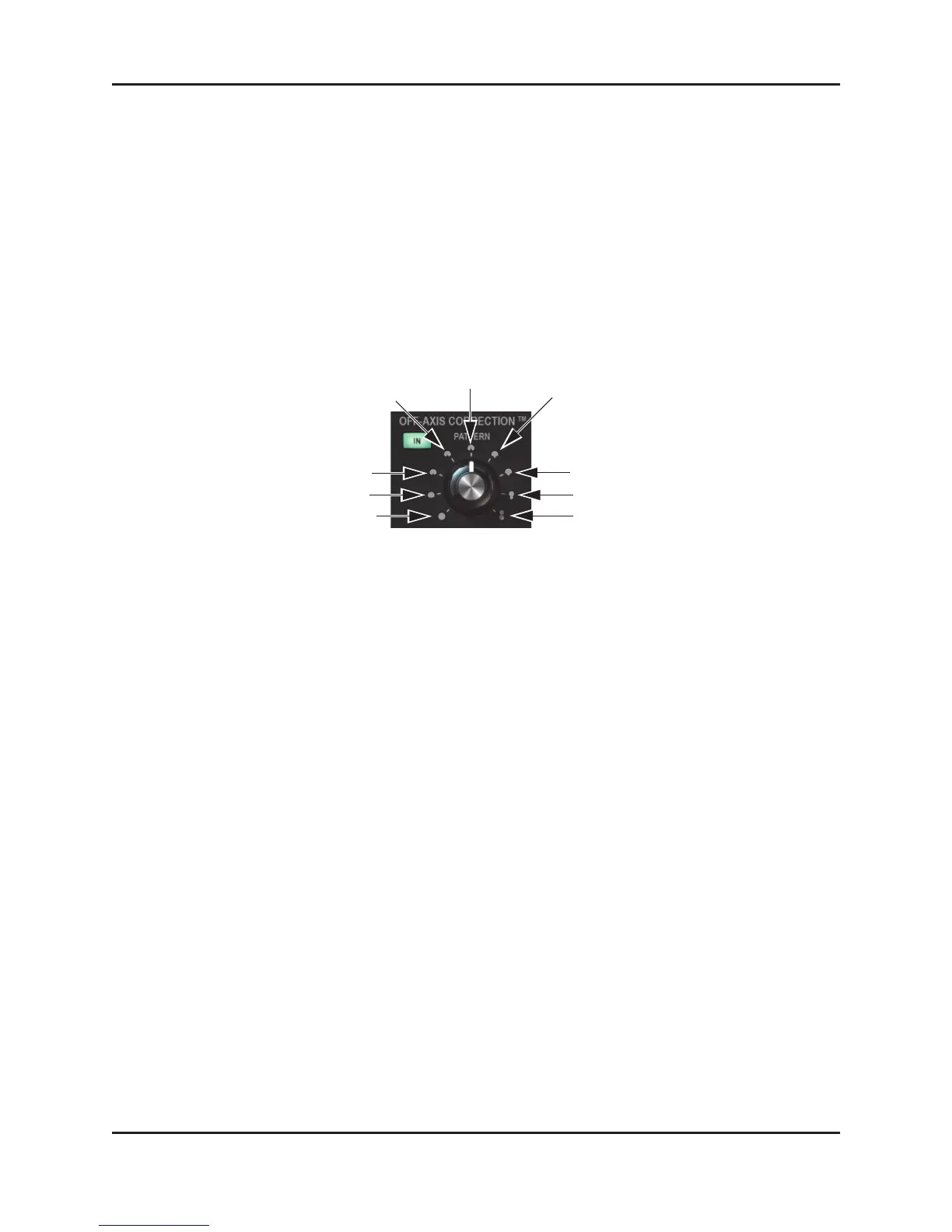
4. Set the
PATTERN to hypercardioid.
Figure 6-1 OFF-AXIS CORRECTION pattern values
5. Set the on-axis distance (ON DIST) to the distance between the mic and vocalist.
6. Set the off-axis distance (
OFF DIST) to the approximate distance between the mic and the walls of
the room. If in doubt, 1 m is a good choice.
7. Place a GOBO or reflection filter behind the mic to minimize rear lobe pickup.
figure-8
subcardioid
sub-8
hypercardioid
supercardioid
cardioid
omni
sub-omni
wide-cardioid


 To Next Page