
EasyManua.ls Logo

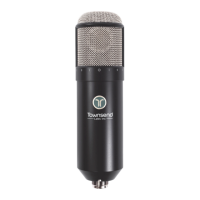
Townsend Labs Sphere L22 - User Manual

Townsend Labs Sphere L22
54 pages
Print Icon
To Next Page IconTo Next Page
Loading...
Precision Microphone System
Hardware and Software Guide
Version: 161003

Table of Contents

Questions and Answers

  • A
    Ana StephensJul 27, 2025
    What to do if my Townsend Labs Sphere L22 Microphone system sound is distorted?
    • B
      Bryan HarveyJul 27, 2025
      If your Townsend Labs Microphone system's sound is distorted, it could be due to several reasons. The preamp input gain might be too high, so try reducing it on both mic channels. The SPL at the mic could also be too high; in this case, set the attenuation switch on the mic to the -10 or -20 dB setting. Additionally, the output level of the preamp or the Sphere plug-in might be too high, causing clipping of the A/D converters. Lower the preamp or plug-in output level until the distortion disappears.
  • A
    Austin MillerAug 4, 2025
    How to fix no signal from my Townsend Labs Microphone system?
    • S
      Shirley BrownAug 4, 2025
      If you're not getting a signal from your Townsend Labs Microphone system, the microphone might not be receiving 48-V phantom power from the preamp. To resolve this, use the supplied XLR breakout cable to connect the mic to the preamp inputs and enable phantom power on both channels.
  • T
    tracey47Aug 11, 2025
    Why does mic modeling from my Townsend Labs Sphere L22 plug-in output not sound normal?
    • J
      Jesse LiAug 11, 2025
      If the mic modeling from your Townsend Labs Microphone system plug-in output doesn't sound normal, several factors could be at play. Ensure that both channels of the microphone are connected, powered, and routed to the plug-in. The input meter at the bottom of the plug-in should show audio level to both channels. Also, the gain levels of the preamp channels may not be properly matched. The microphone may be in calibration mode, so move the calibration switch on the mic to the NORM position. The mic outputs could be swapped, so ensure the Front output is routed to the Left input of the plug-in, and the Rear output is routed to the Right input. Finally, another plug-in or outboard processor might be preceding the Sphere plug-in.
  • A
    ahammondSep 10, 2025
    What to do if my Townsend Labs Sphere L22 Microphone system sound is muffled and reverberant?
    • W
      Wendy RamseySep 12, 2025
      If the sound from your Townsend Labs Microphone system is muffled and reverberant, it could be that sound is entering the rear of the microphone; try rotating the mic 180° so sound enters the front. Another possibility is that the input channels are swapped; make sure the Front output is routed to the Left input of the plug-in, and the Rear output is routed to the Right input.

Summary

Introduction to Sphere L22 System

Sphere L22 Installation and Configuration

System Requirements

Details hardware and software requirements for using the Sphere L22 system.

Preamp Connection Guide

Explains how to connect the Sphere microphone to a preamp.

Plug-in Instantiation Process

Guides on how to load the Sphere plugin in a DAW or Apollo Console.

Apollo Console Setup

Specific steps for setting up the Sphere plugin within the Apollo Console application.

Preamp Calibration and Attenuation

Process for calibrating preamps and using the mic's attenuation switch.

Analog Preamp Gain Adjustment

Step-by-step guide for calibrating preamps with continuous gain controls.

Hardware Setup and Usage

Covers mono/stereo usage, shockmount, storage, and phantom power requirements.

Sphere L22 Plugin Features

Microphone Type Selection

Explains how to select and change microphone models within the Sphere plugins.

Polar Pattern and Filter Controls

Details adjusting polar patterns and applying filters to mic models.

Axis and Proximity Effect Adjustment

Covers adjusting mic tonality via axis shift and controlling proximity effect.

Stereo Imaging and Mix Controls

Explains Align, Stereo Width, Mix, and Pan for stereo manipulation.

Off-Axis Correction Feature

Details the DSP process for creating consistent off-axis responses.

Distance and Output Settings

Covers distance controls, output level, phase, reverse, import, and meters.

Polar Meter Usage

Describes the visual meter for analyzing sound direction and polar patterns.

Polar Meter Zoom and Link

Covers zooming the polar meter and linking mic settings.

Setup, Calibration, and Shortcuts

Details setup options, calibration, and keyboard/mouse shortcuts.

Using the Sphere L22 System

DAW Signal Chain Configuration

Illustrates the recommended signal flow for using the Sphere plugin in a DAW.

Preamp Selection and Modeling

Discusses recommended preamp types and using software preamp modeling.

Single Channel Microphone Usage

Details how to use the Sphere mic as a conventional single-channel microphone.

Monitoring Workflows

Outlines recommended workflows for monitoring Sphere audio.

Apollo Console Monitoring

Guides for monitoring using the UAD plugin within the Apollo Console.

Direct Output and Microphone Positioning

How to monitor direct output and essential mic placement tips.

Capsule Alignment Guide

Visual guide for precise capsule alignment with reference microphones.

Sphere Off-Axis Correction Explained

Technical Details of OAC

Provides a technical explanation of Off-Axis Correction.

OAC Performance and Patterns

Compares Sphere's off-axis response to other mics and discusses pattern adjustments.

Proximity Effect and OAC

Details how proximity effect impacts directional mics and its relation to distance.

Setting OAC Controls

Guides on using ON DIST, OFF DIST, and AUTO settings for correction.

Rear Miking and Applications

Explores rear miking and other uses for Off-Axis Correction.

Recording Vocals with Sphere L22

Studio Vocal Recording Techniques

How to use Sphere in professional studios for vocals, focusing on proximity and axis.

Vocals in Home;Project Studios

Tips for achieving good vocal sounds in less-than-ideal environments using Sphere.

Vocal Recording Setup and Patterns

Discusses vocal patterns, acoustic treatment, and distance controls for vocals.

Step-by-Step Vocal Recording with OAC

Step-by-step guide for setting up vocals with Off-Axis Correction.

Recording Acoustic Guitar with Sphere

Guitar Mic Placement and Proximity

Tips for proper mic placement and managing proximity effect for acoustic guitar.

Simultaneous Guitar-Vocal Recording

Techniques for recording guitar and vocals together, with one or two mics.

Stereo Guitar Recording Methods

Capturing acoustic guitar in stereo using one or two mics (XY, Blumlein, Spaced Pair).

Advanced Stereo Recording Techniques

Single Microphone Stereo Recording

Detailed guide to stereo recording using one Sphere mic.

Two Microphone Stereo Techniques

Overview of stereo techniques using two Sphere mics.

Off-Axis Correction in Stereo

Applying OAC to enhance stereo and surround recordings.

Proximity Effect in Stereo

Managing proximity effect for fuller stereo recordings.

Troubleshooting Sphere L22 System

Common Problem Resolution

A guide to diagnosing and solving issues with the Sphere system.

Sphere L22 Technical Specifications

Microphone and Plug-in Specs

Technical specifications for the Sphere L22 microphone and its DSP plug-in.

Sphere Plug-in Installation Locations

Windows and Mac File Paths

File paths for Sphere Native plugins on Windows and macOS.

Townsend Labs Sphere L22 Specifications

General IconGeneral
Frequency Response20Hz - 20kHz
Output ConnectorXLR
Power Requirements48V phantom power
Max SPL140 dB SPL
Output Impedance200 Ω
SoftwareSphere Plug-In (AAX, VST, AU)
Polar PatternOmnidirectional, Cardioid, Figure-8, and more via software